







Skip to content
Work Instruction App Work Instruction App

Digital SOP software · Made in the Netherlands

Digital Standard Operating Procedures

Digital work instructions are step-by-step SOPs your operators follow on a tablet or phone — with photos, video and a check at every step. Create them in minutes, run them on the shop floor and see exactly what was done.

  • No credit card
  • Cancel any time
  • Live in 5 minutes
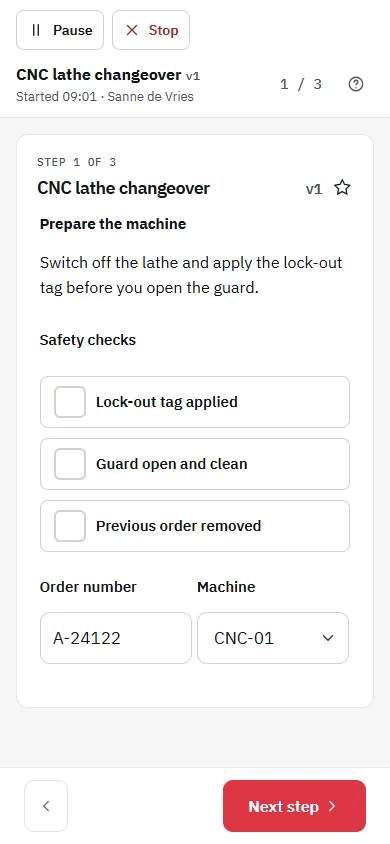
Operator executing a step-by-step digital SOP on a smartphone
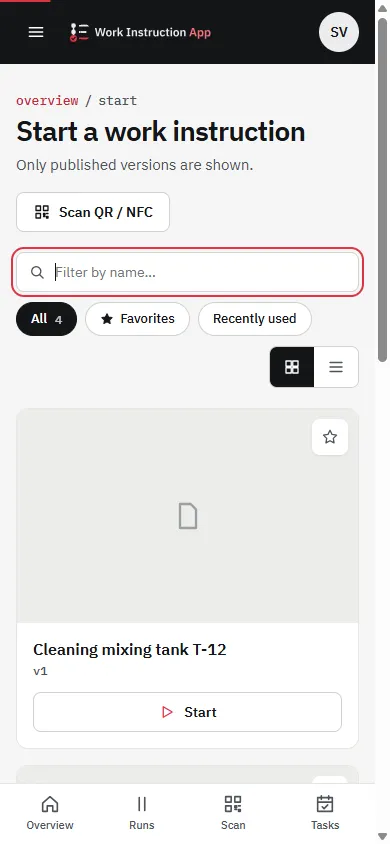
Main menu of the Work Instruction App on a smartphone

Industrial IT customers, including

  • Heineken
  • Nedschroef
  • Holland Composites
  • Vemag
  • AVC Sealing Solutions
  • Mondial Pack
  • Super B
  • Arcabo

What is the Work Instruction App?

The Work Instruction App is digital SOP software by Industrial IT for creating, executing and analysing standard operating procedures on tablets and phones.

Teams in manufacturing, logistics, pharmaceuticals and materials replace paper binders with visual, step-by-step instructions — so every task is done first time right, and every execution is recorded for ISO 9001 and GMP.

Results with digital work instructions

  • 75%

    Faster SOP creation

    Reusable templates and steps mean a new procedure takes minutes instead of a day of formatting documents.

  • 80%

    Fewer errors

    Clear photos, video and required inputs at each step leave less room for interpretation on the floor.

  • 100%

    Visibility into execution

    Every completed SOP is stored with user, time and inputs — ready for analysis or an audit.

How it works

From paper binder to digital SOP in three steps

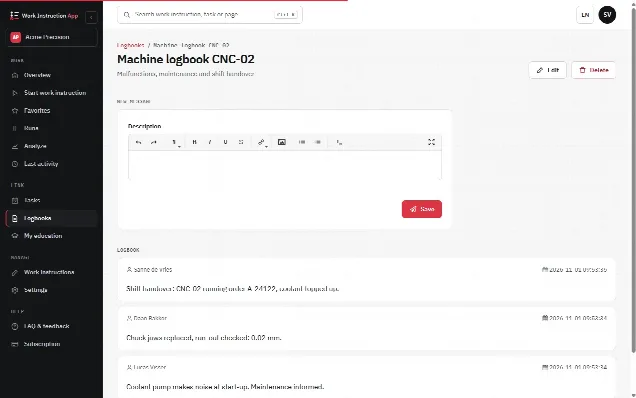
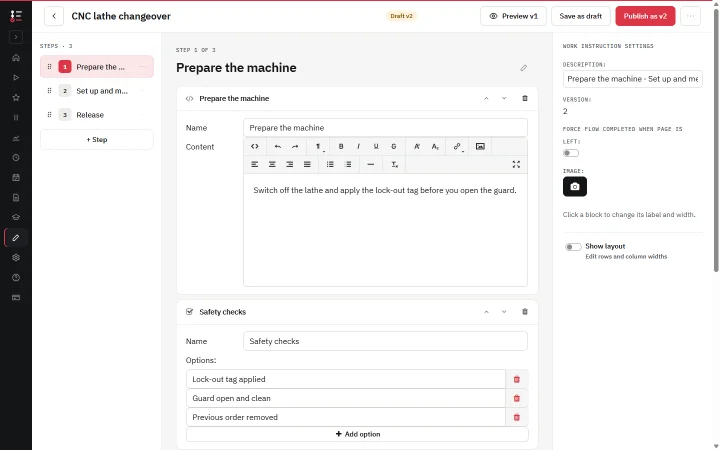
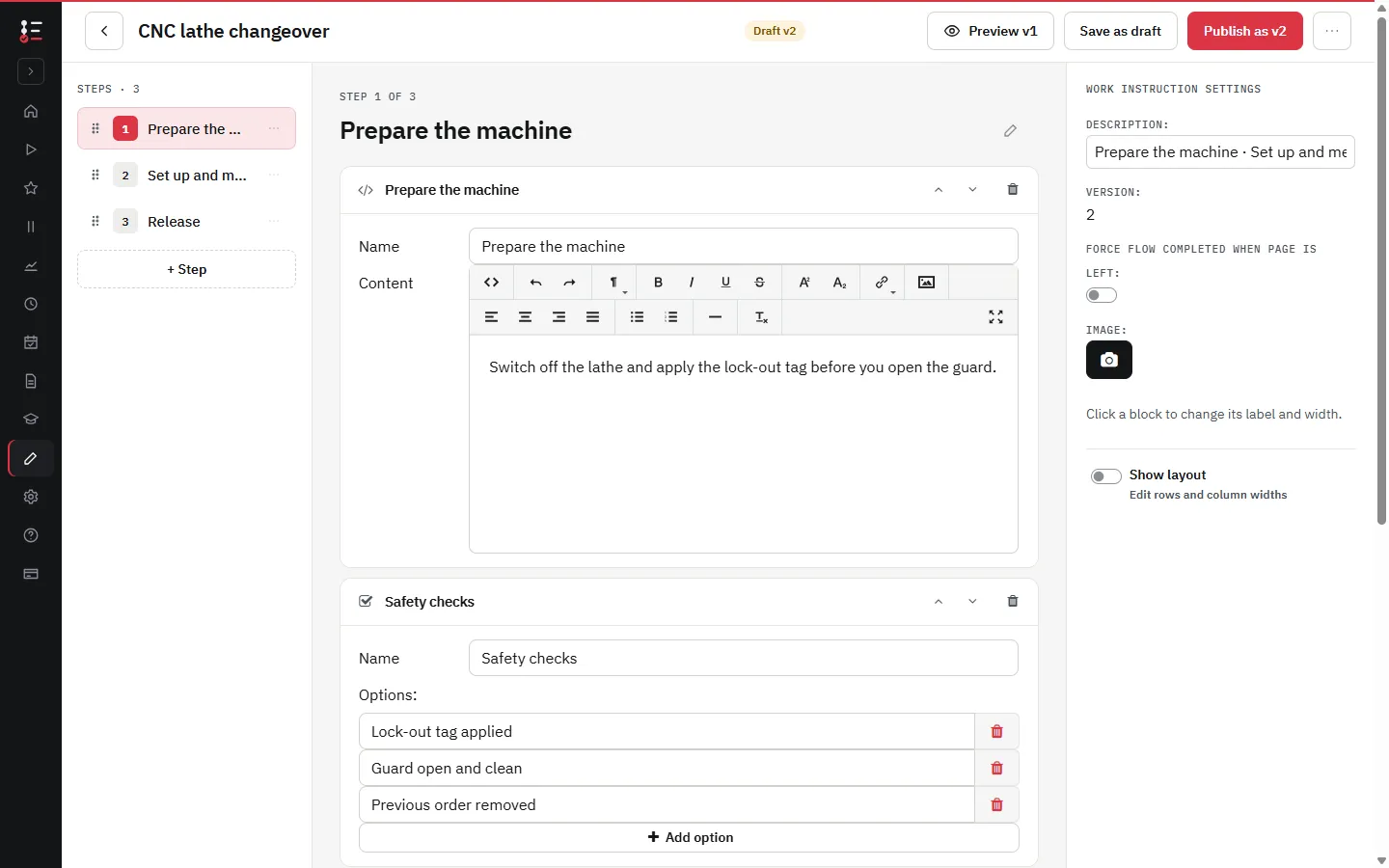
  1. Editor for building a work instruction with text, photo and checklist steps

    01

    Create

    Build an SOP from steps: text, photos, video, PDFs, checkboxes, measurements and signatures. Save as draft, publish when approved.

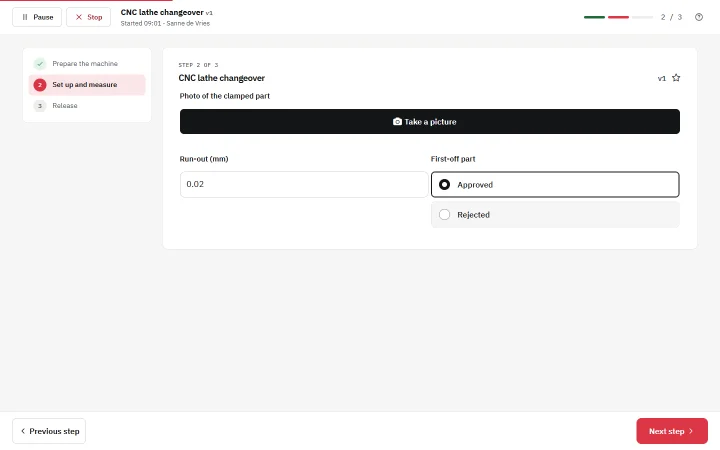
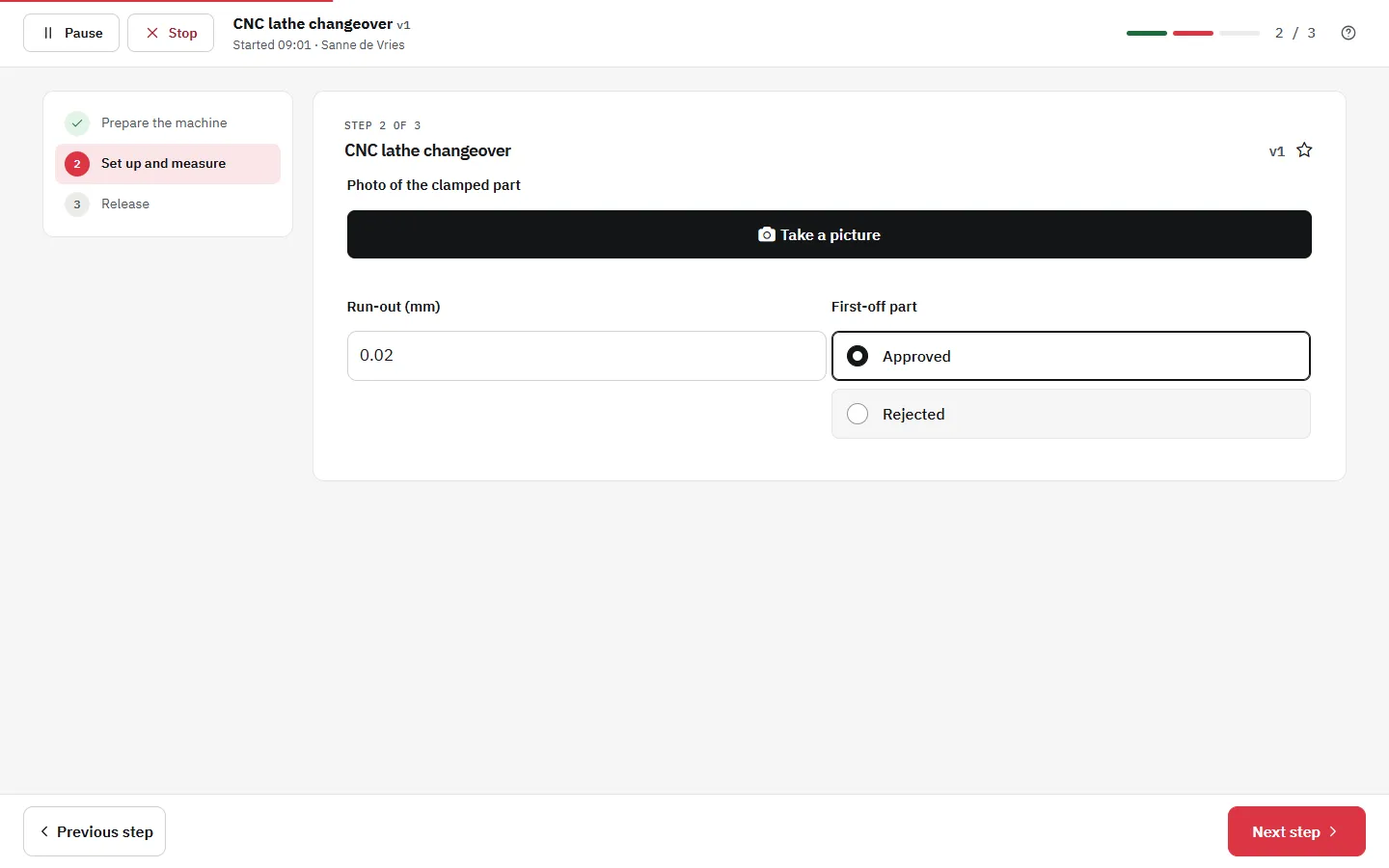
  2. Operator following a digital SOP step by step

    02

    Execute

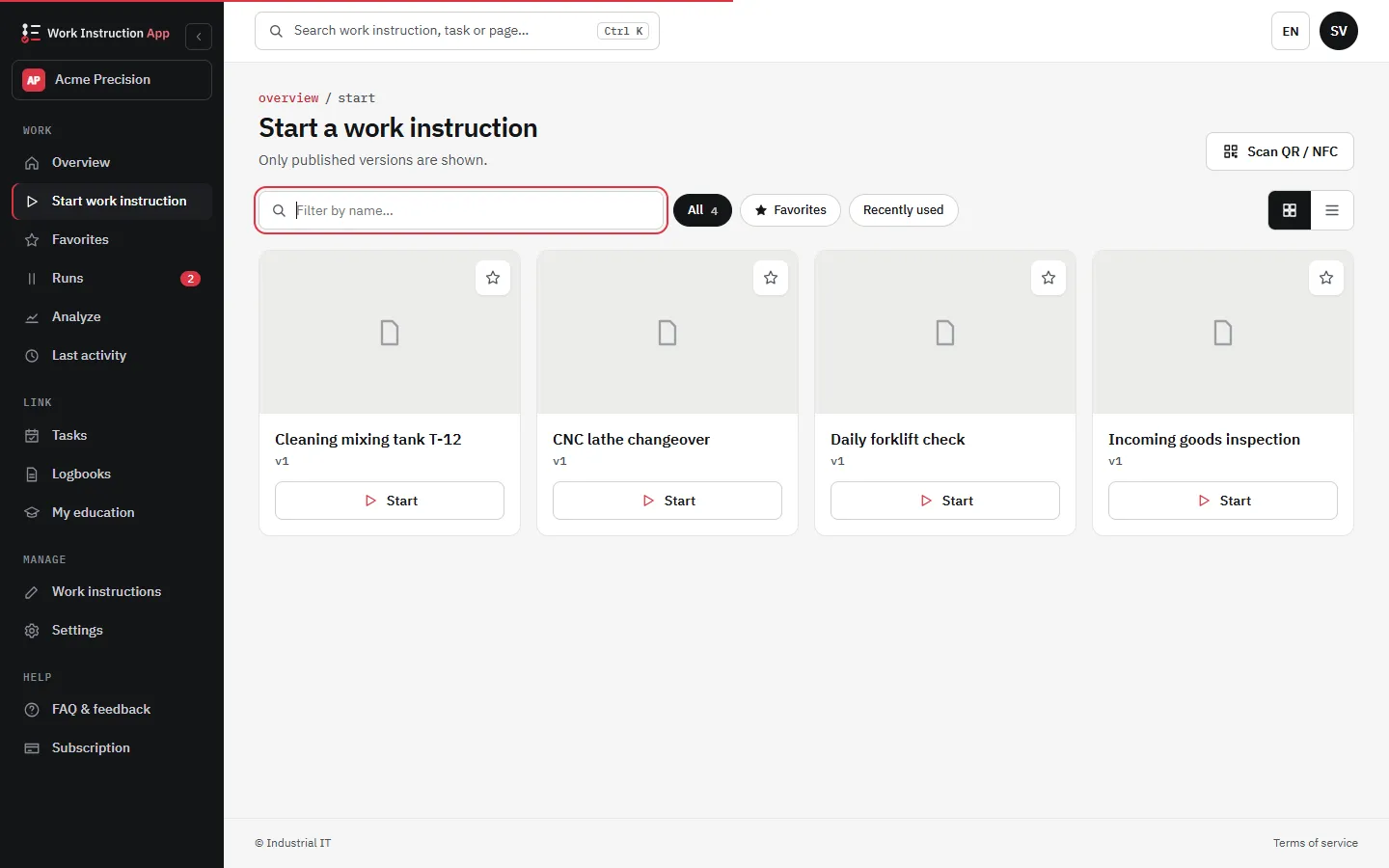
    Operators open the right instruction by scanning a QR code or tapping an NFC tag, then work through it step by step on any device.

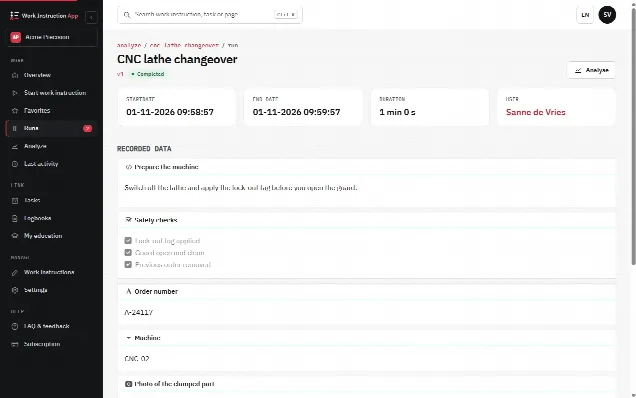
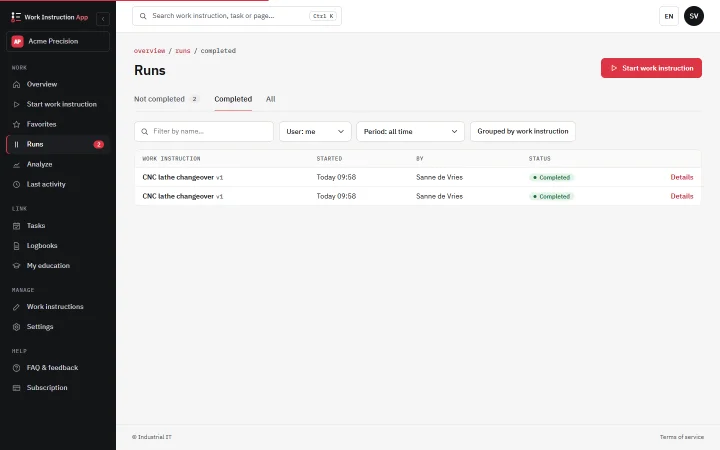
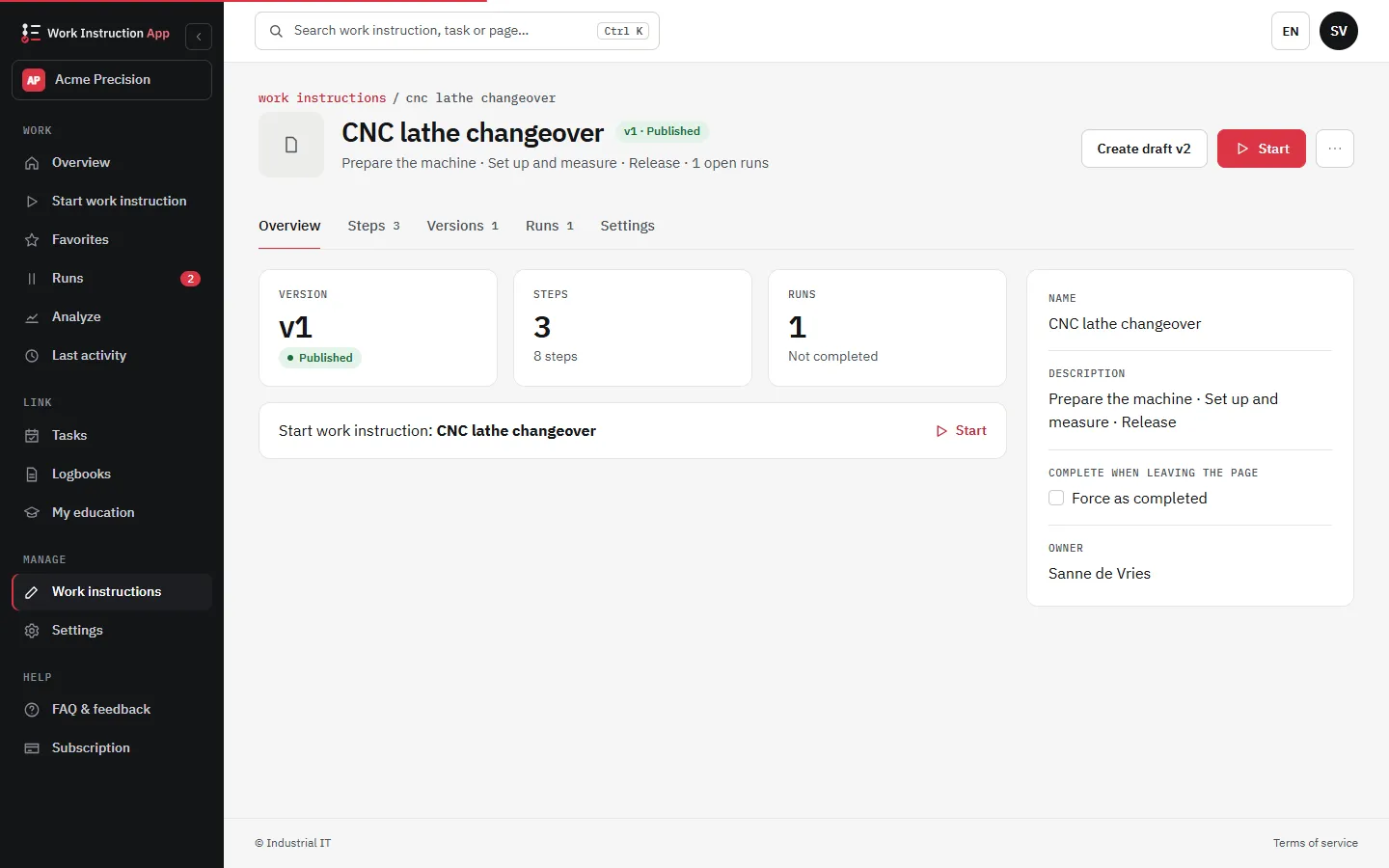
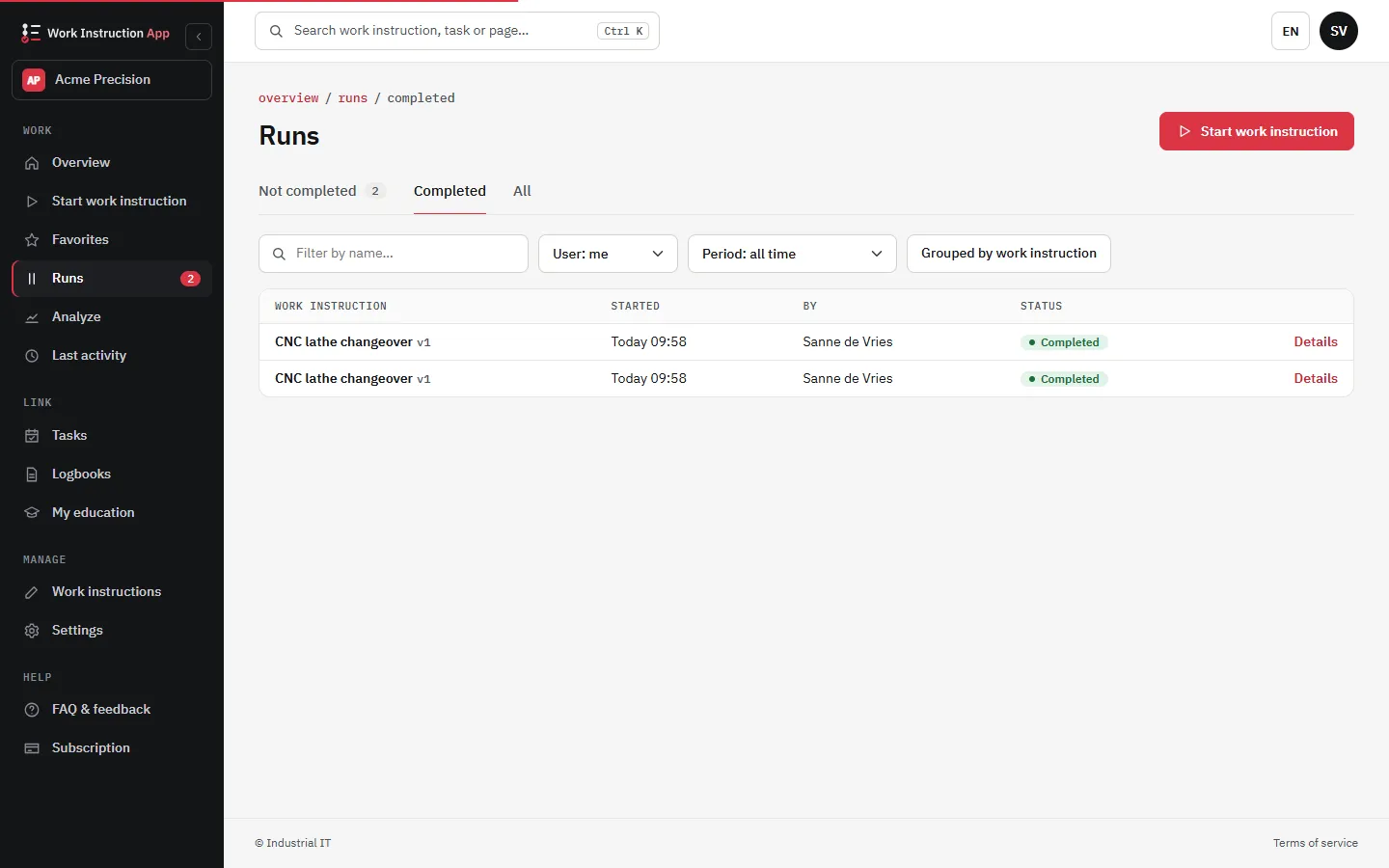
  3. Overview of completed work instructions with user, date and results

    03

    Analyse

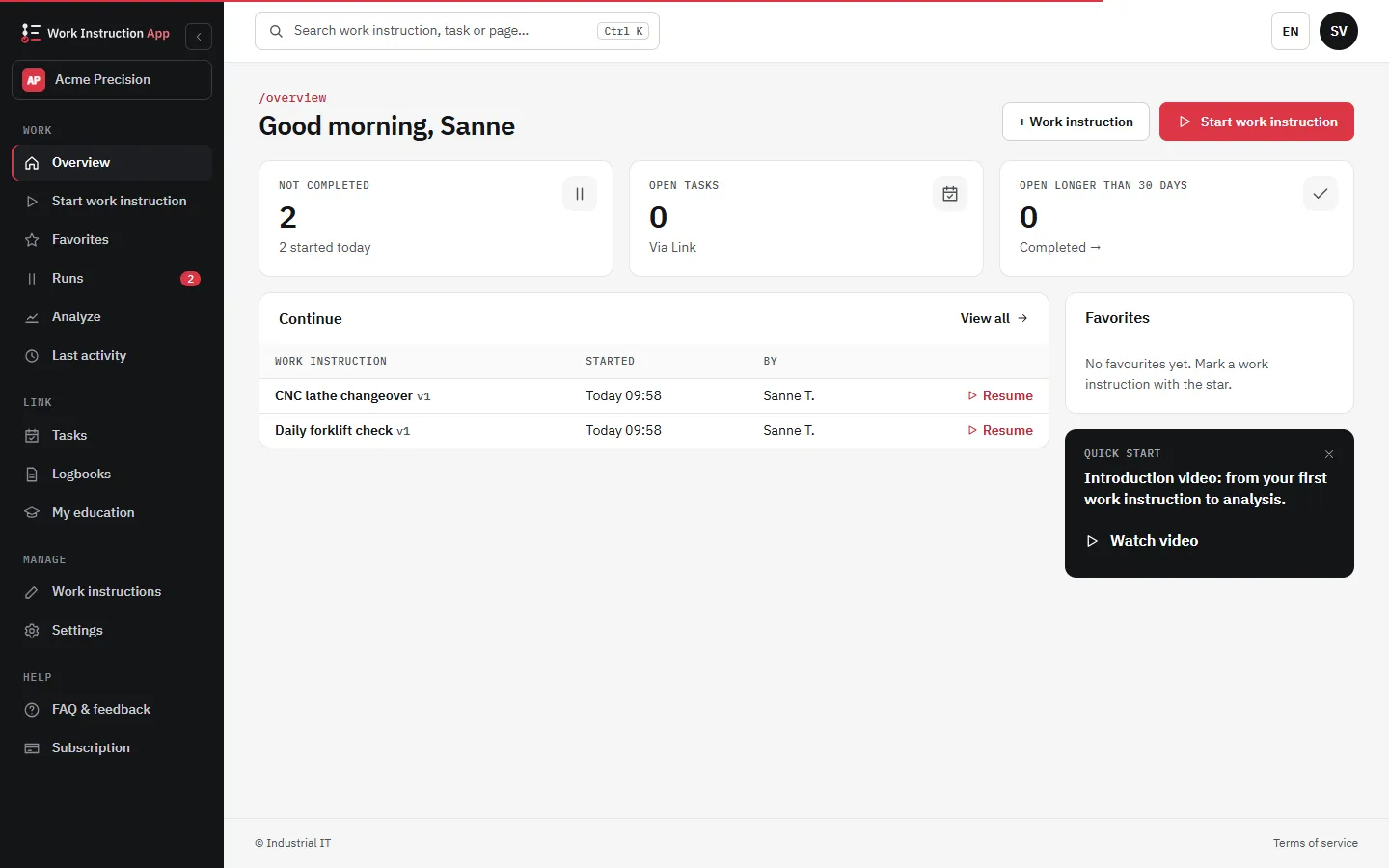
    Review every completed SOP: who did it, when, and what was entered. Spot deviations and improve the instruction.

Paper vs. digital work instructions

Paper instructions are cheap to print and expensive to run. Read the full comparison →

PaperWork Instruction App
Updating an SOPReprint and replace every copyPublish once, live on every device
Current versionOutdated copies stay in circulationOne published version, full history
Finding the right SOPSearch a binderScan a QR code or tap an NFC tag
MediaText and printed photosPhotos, video and PDF in every step
Proof of executionInitials on a form, filed awayEvery step logged per user and time

Compliance

Audit-ready for ISO 9001 and GMP

Controlled, versioned instructions and a complete execution record are what auditors ask for. The app produces both as a by-product of daily work.

Data on European servers under Dutch law · HTTPS only · hourly backups · SSO with Microsoft Entra ID and Google

See it in action

Watch the demo

Integrates with Exact Online

Use items and orders from your ERP directly inside a work instruction step.

About the integration

Pricing

Pay per user, from €5 a month

Compare all plans
  • Execute

    €5 per user / month

    Follow work instructions on the shop floor.

  • Analyze

    €50 per user / month

    Everything in Execute, plus review completed work.

  • Manage

    €100 per user / month

    Create and edit SOPs, manage users. At least one per company.

Prices for customers in the Netherlands, excl. VAT. Mix plans per user — e.g. many Execute users and one Manage user.

FAQ

Frequently asked questions

More in the full FAQ or ask the team.

A Standard Operating Procedure (SOP) is a documented set of step-by-step instructions that describes how to perform a routine task. SOPs ensure consistency, quality and compliance across teams and shifts.

Log in to the Work Instruction App with a Manage subscription. Click Add Workflow, give it a name, then add steps with text, photos, videos, forms or checklists. Save as draft and publish when ready.

Pricing is per user per month, excluding VAT: Execute costs 5 euro, Analyze 50 euro and Manage 100 euro. For customers outside the Netherlands the listed prices are 6.05, 60.50 and 121.00 euro. The optional Public Access add-on costs 100 euro per company division per month.

Yes. Attach an NFC tag or QR code to equipment. When operators scan or tap, the correct SOP opens instantly on their mobile device, without searching.

The Work Instruction App requires an internet connection, so that everyone always works from the latest published work instructions and every completed SOP is saved immediately.

All data is stored on European servers subject to Dutch law. Communication is HTTPS only and databases are backed up every hour. The app supports single sign-on via Microsoft Entra ID.

From the blog

All articles

Create your first digital SOP today

Free for 30 days. No credit card · Cancel any time · Live in 5 minutes

Start your free 30-day trial
Start your free 30-day trial · no credit card