



Manufacturing SOP Software
Last updated:
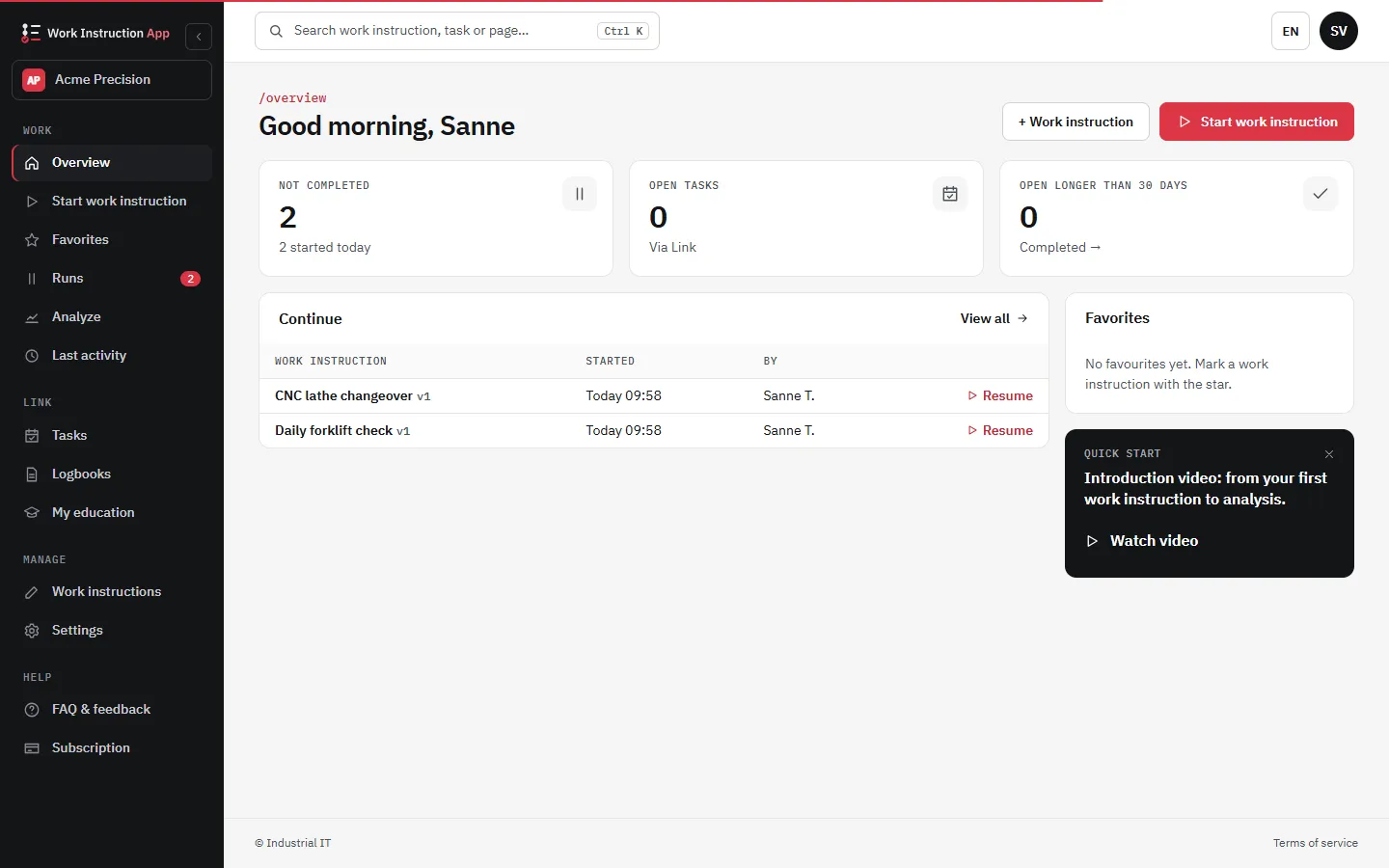
SOP software for manufacturing turns paper work instructions into digital, step-by-step procedures on a tablet or phone at the machine. Operators open the right instruction by scanning a QR code or NFC tag, follow photos and checks per step, and every run is recorded with user, time and values, so changeovers, quality checks and audits rest on the same current version.
To reduce waste and costs in a factory, Standard Operating Procedures (SOPs) are essential.
Capture the knowledge of your most experienced employees in Standard Operating Procedures. This allows you to quickly and easily teach new employees the tricks of the trade. With an aging workforce and the use of temporary workers, Standard Operating Procedures are essential to ensure your production quality.
What it looks like in the app
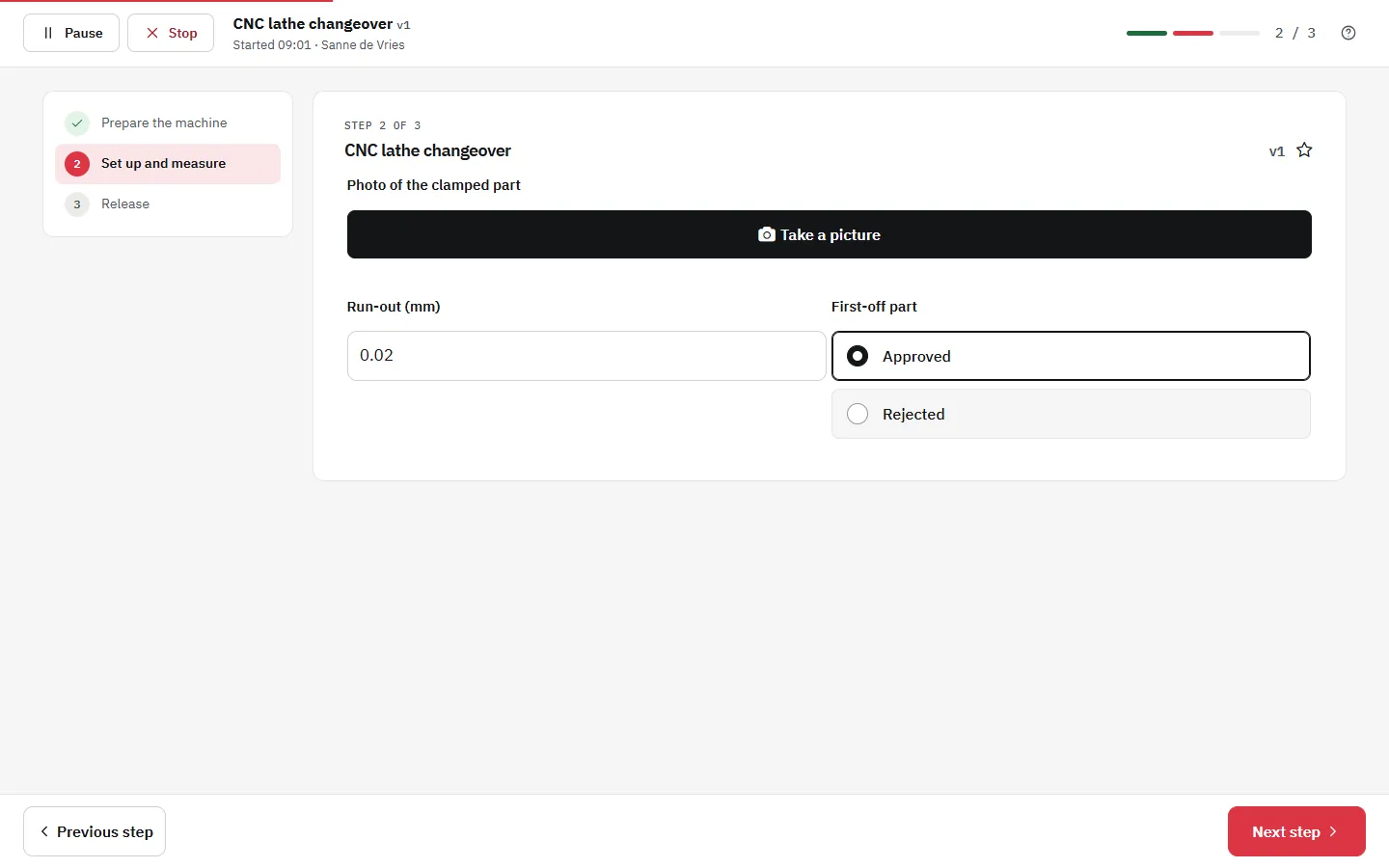
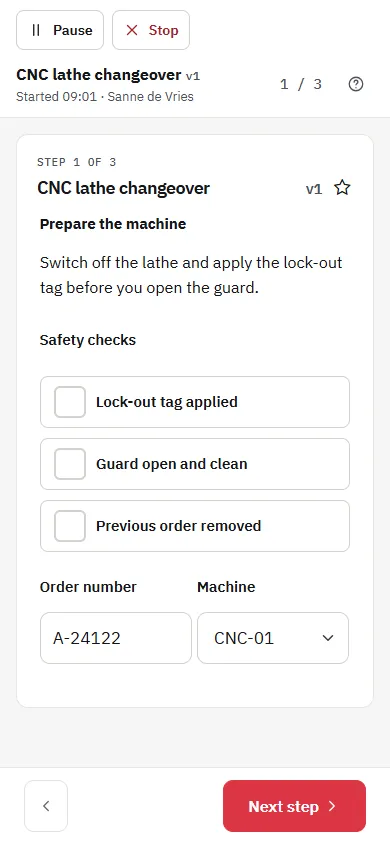
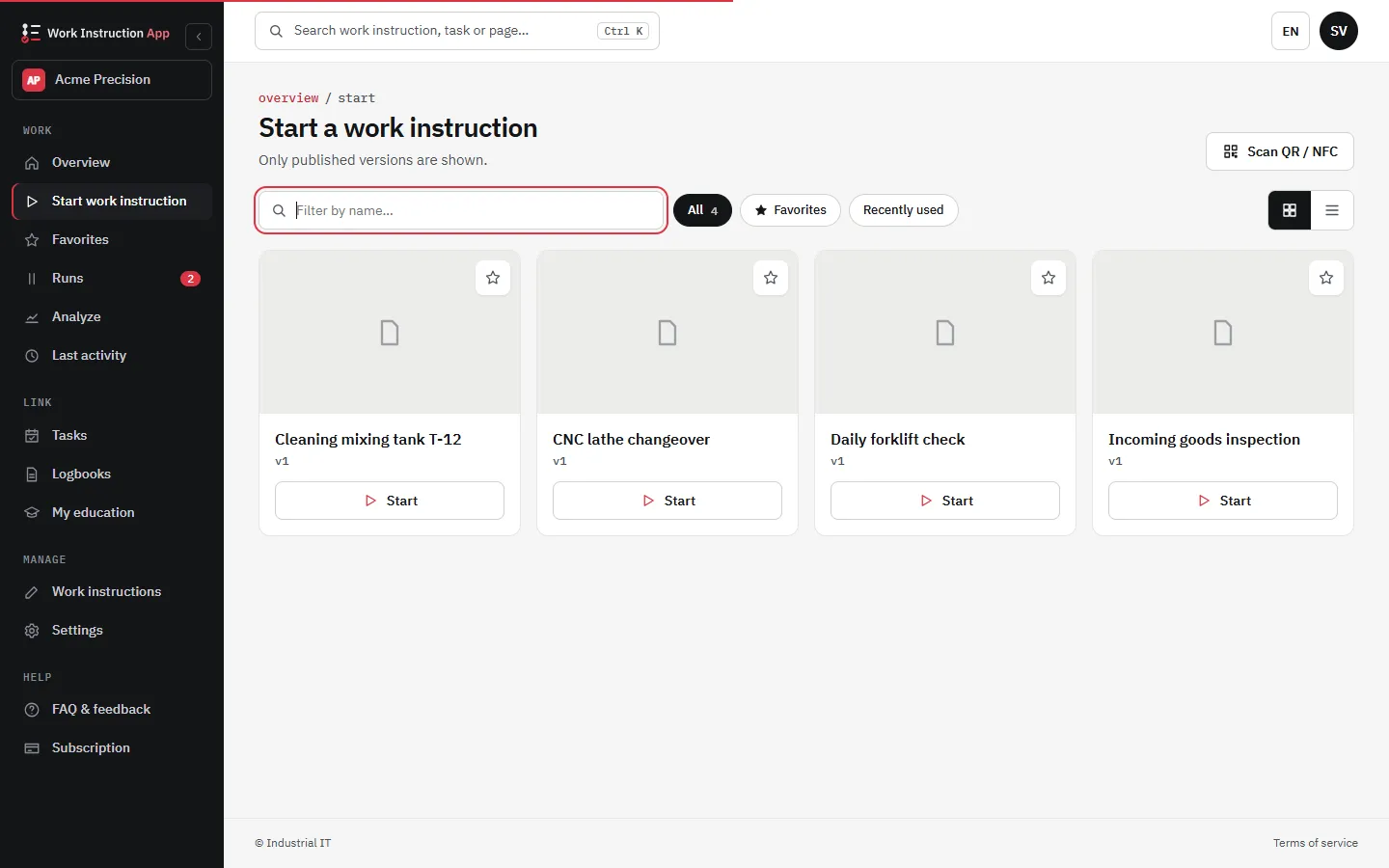
Lean Manufacturing with Digital SOPs
Always the latest version of the work instructions directly available on the work floor. Quickly standardize your work instructions and track and trace all your activities.
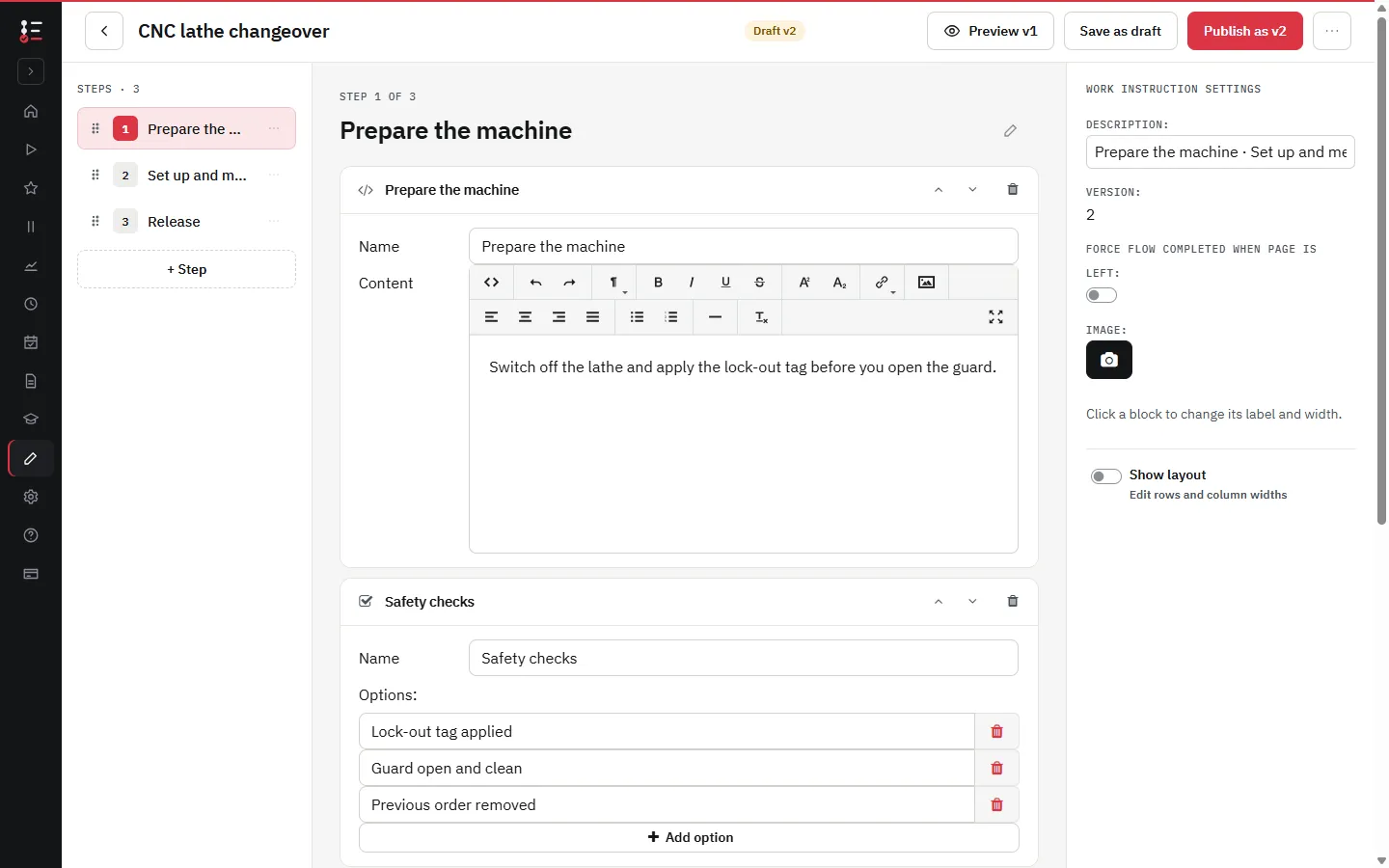
Reduce Errors with Visual, Poka-Yoke SOPs
Reduce errors by using clear visual work instructions. Make it impossible to make errors with poka yoke Standard Operating Procedures. Good instructions contribute to first time right manufacturing.
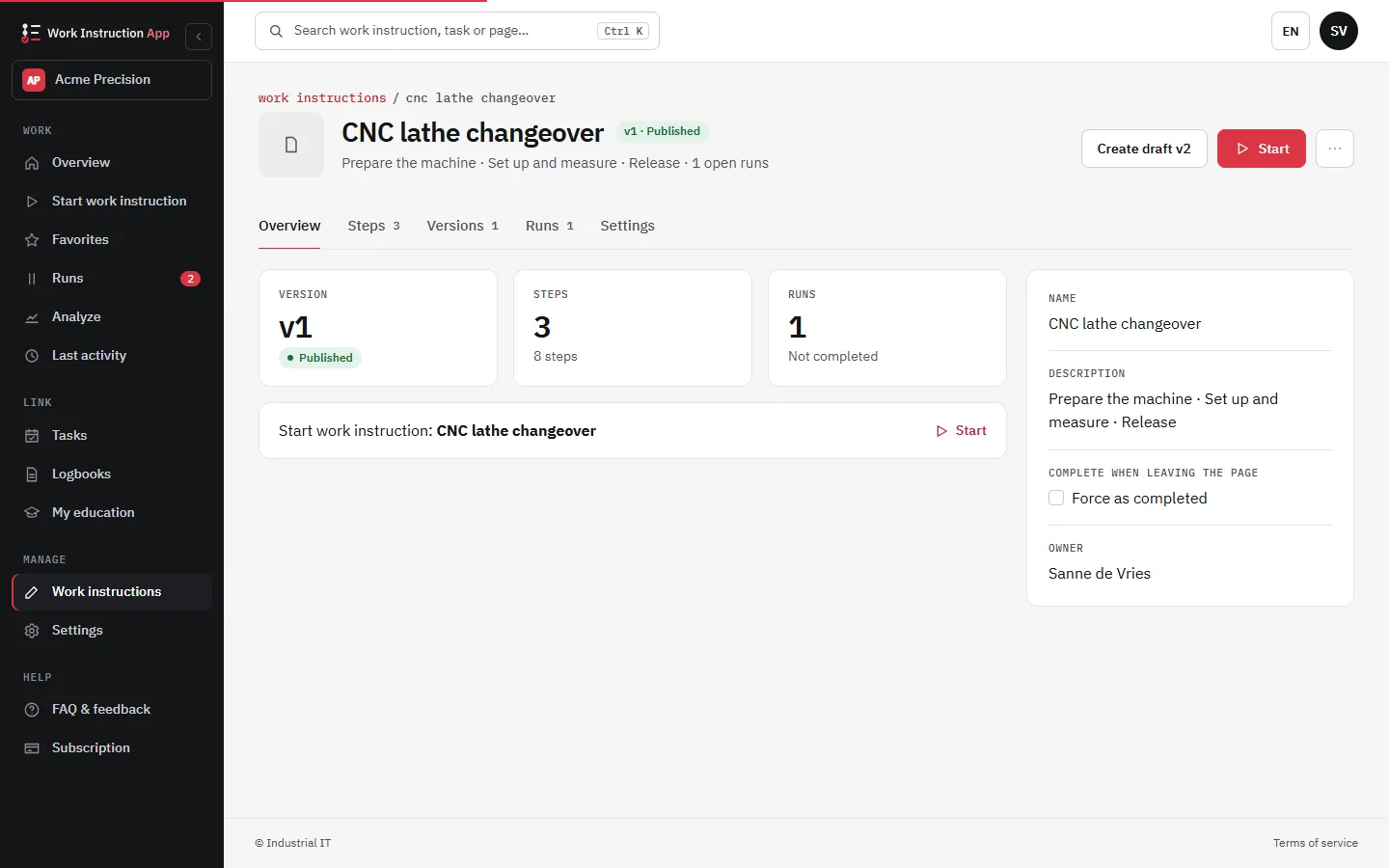
Continuous Improvement
Update your Standard Operating Procedure once and publish it as a new version. The latest version of the work instructions is immediately available on the work floor, so the work is always carried out with the current work instructions.
Integration and Scalability
Connect your SOPs directly with ERP, MES, or other enterprise systems. Scale from a single production line to multiple plants worldwide without losing control. Standardize best practices and share them across sites in seconds.
- ERP and MES integration (e.g. Exact Online)
- Multi-site deployment
- Consistent standards across plants
Compliance and Quality Assurance
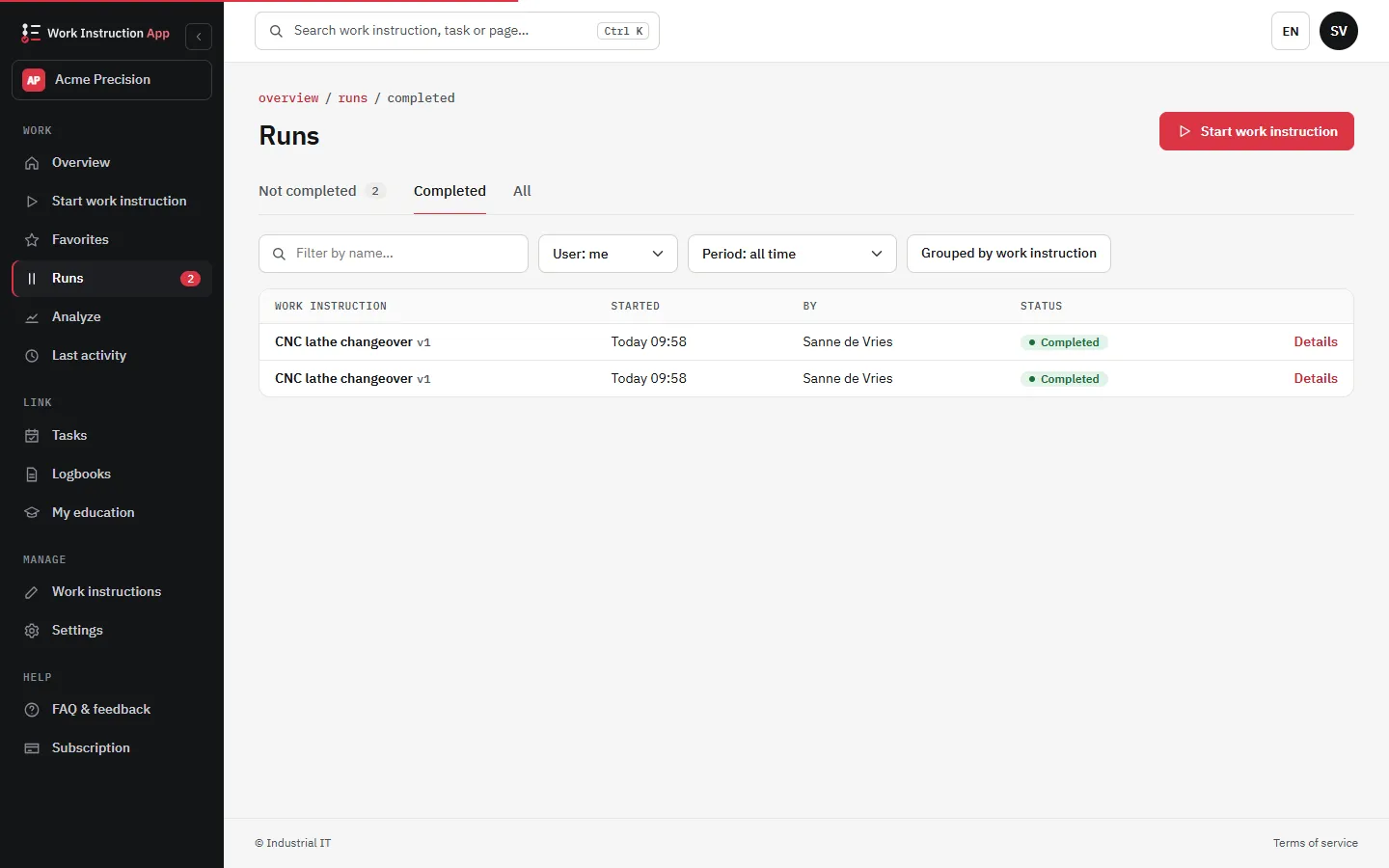
Support ISO 9001 and GMP with controlled work instructions. Digital SOPs provide version control, an optional review by a colleague before publishing, and a history of every change. Auditors see the recorded runs and the change history in the app, or as an export or a PDF, which shortens the preparation for an audit.
- Version history
- Traceable updates for audits
- Meet ISO 9001 and GMP standards
Faster Training and Knowledge Transfer
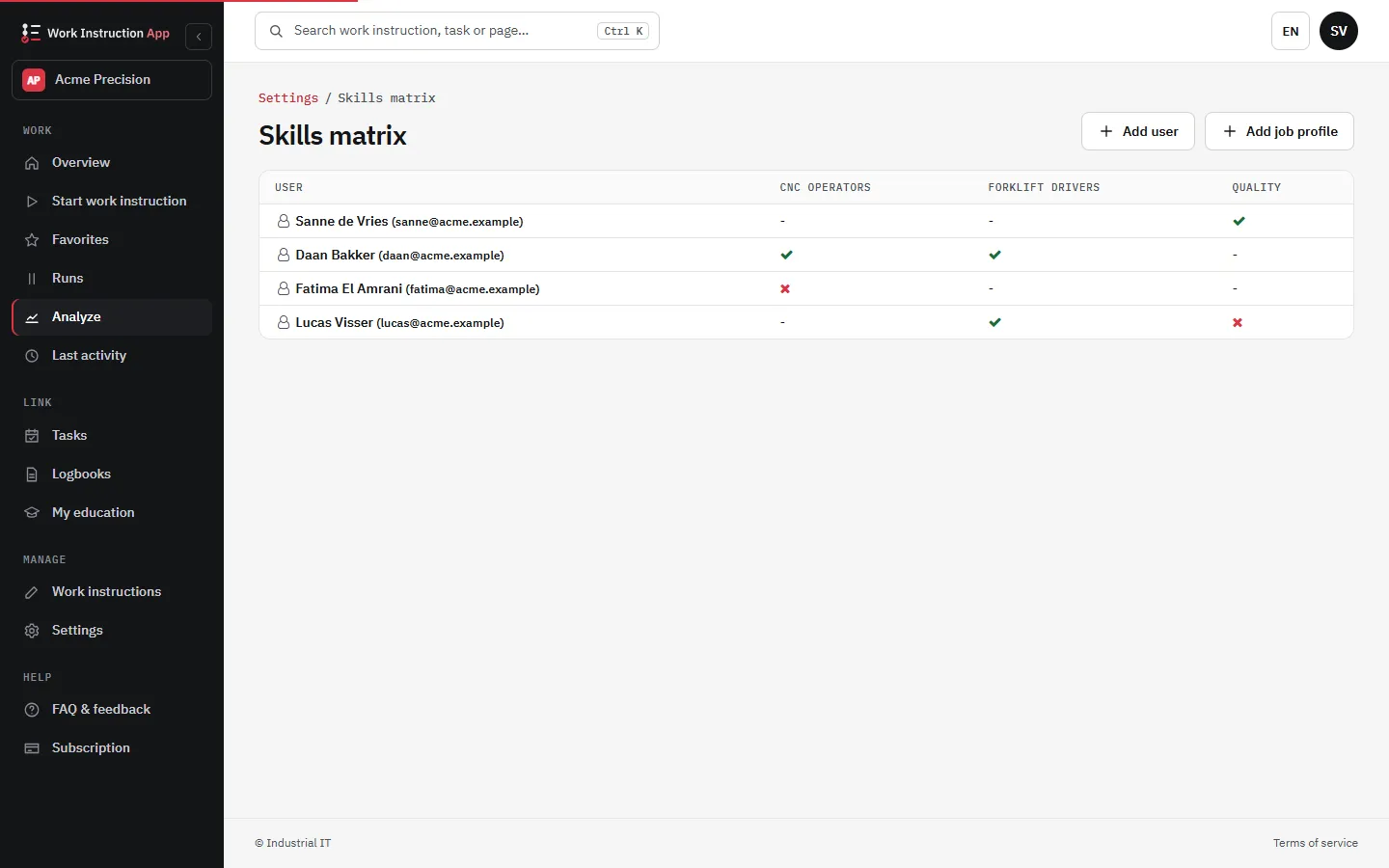
Train new employees in record time by giving them access to interactive digital SOPs. Photos, videos, and step-by-step instructions capture the knowledge of your most experienced operators. This makes onboarding smoother and reduces dependency on senior staff.
- Interactive SOPs with images and videos
- Quick onboarding of temporary workers
- Knowledge retention from senior staff
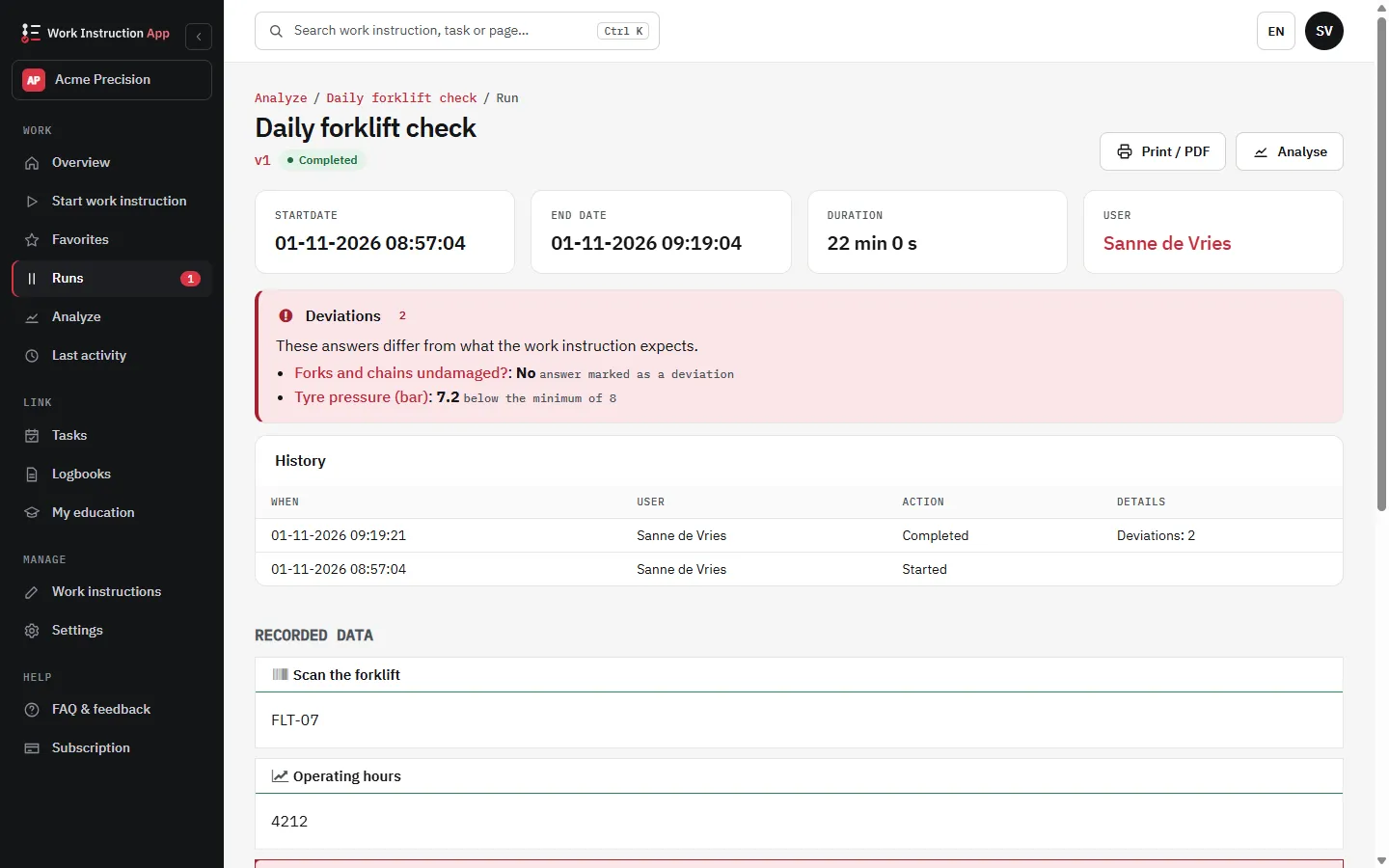
Traceability and Reporting
Capture who performed each step, at what time, and with which materials. Export the runs of a work instruction to Excel or CSV, print a run as PDF for an audit or a customer, and follow runs, deviations and durations in the dashboard.
- Step-level traceability of actions
- Automatic timestamp and user logging
- A dashboard with runs, deviations and durations per work instruction
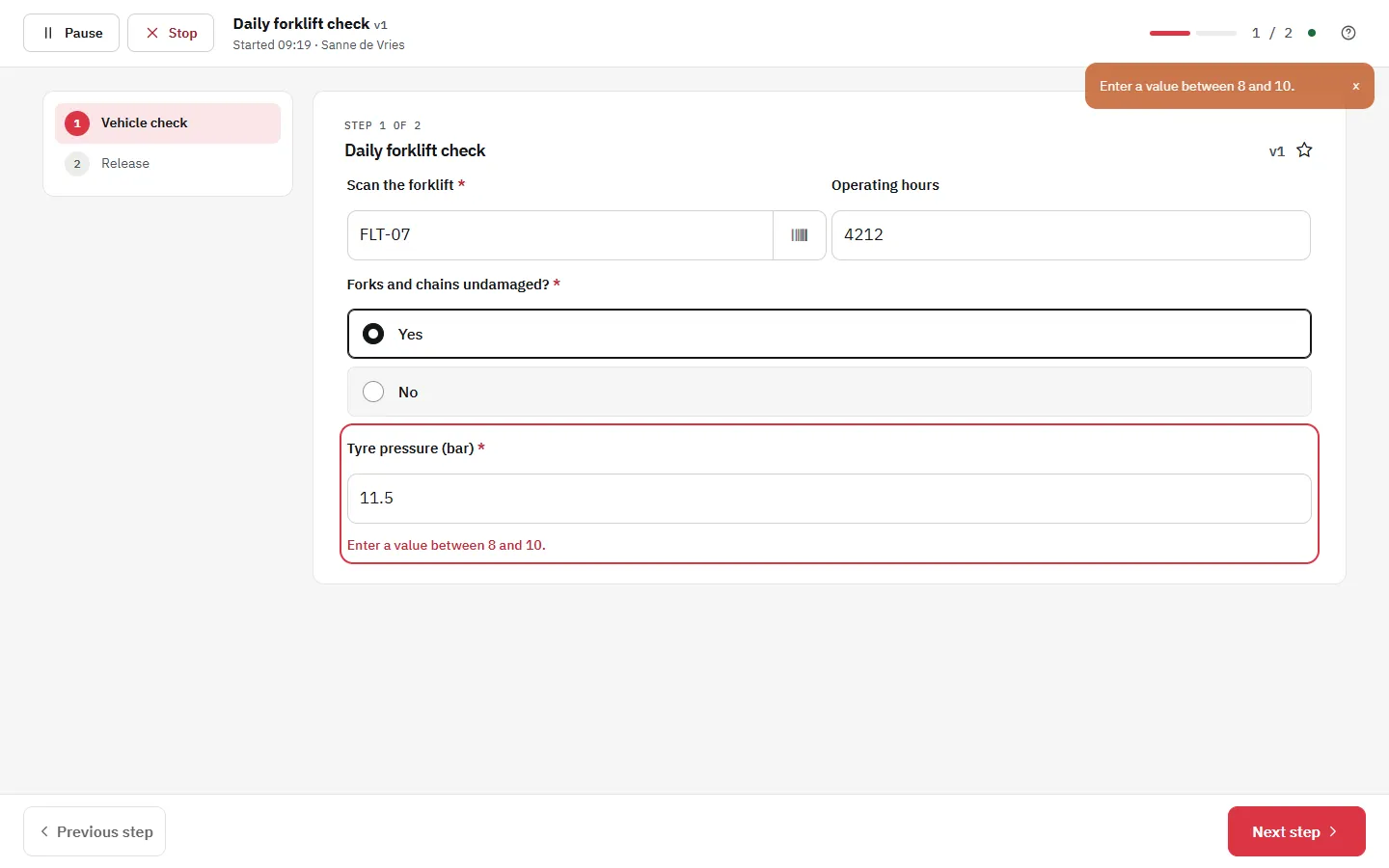
Checks, deviations and recurring checks
Build the quality checks into the instruction instead of checking afterwards. A deviation is visible while the operator is still at the machine, and a missed check does not go unnoticed.
- A minimum and maximum on measured values and an expected value on barcode scans: Next and Finish only work when the value is right (see deviations)
- Steps that only appear when needed, for example a repair step only when a check is answered with No
- Reminders for recurring checks: set times and weekdays, and when a check is not done in time the managers get a task and an e-mail