



Start Standard Operating Procedures (SOPs) with a Tap via NFC Tags
Last updated:
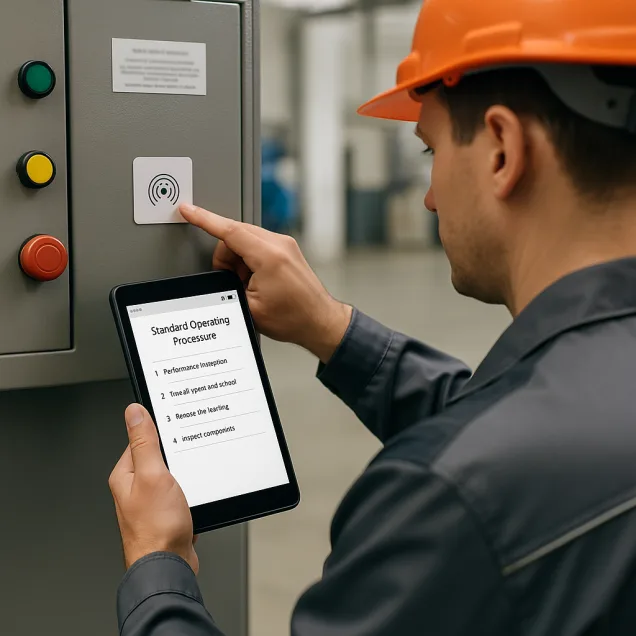
Ready to take your shop floor to the next level? Equip machines with NFC tags that instantly trigger the correct Standard Operating Procedure (SOP) with a simple tap from any NFC-enabled device.
No more searching through manuals or browsing menus — operators simply tap their phone to the machine and get started. It's fast, intuitive, and perfectly suited for high-paced production environments.
Tap-and-Go SOPs — How NFC Streamlines Operations
Instant SOP Trigger
Operators tap the NFC tag on the machine and immediately launch the correct SOP on their phone or tablet.
Zero Friction
No scanning or searching required — just tap and go. NFC offers a smooth, contactless experience for high-efficiency teams.
Context-Aware Procedures
Each NFC tag links to the right SOP for the machine it's attached to — ensuring accuracy and reducing mistakes.
Built for Mobile
The Work Instruction App runs on any NFC-enabled smartphone, making SOPs accessible anytime, anywhere on the shop floor.
How NFC-Enabled SOPs Work
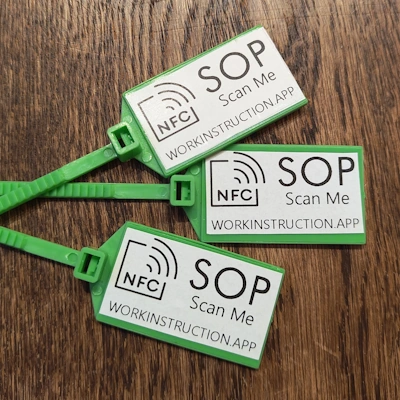
NFC (Near Field Communication) tags are small, programmable chips that can be placed on equipment or workstations. When an operator holds their mobile device near the tag, the corresponding SOP opens instantly in the Work Instruction App.
NFC technology eliminates the need for manual lookup or scanning — enabling hands-free access to digital work instructions in under a second.
Implementation is Simple
- Create a SOP in the Work Instruction App
- Link it to an NFC tag using our built-in tools
- Attach the tag to the relevant machine or station
Operators can now tap and follow precise, visual instructions — boosting productivity and reducing learning curves.
Why Choose NFC for SOP Access?
- Tap-to-launch SOPs — no apps to search, no documents to find
- Context-specific instructions tied to each machine
- Real-time access to always up-to-date procedures
- Touchless access — hygienic and efficient
- Works even in loud or visually busy environments
- Ideal for maintenance, setup, cleaning, and safety routines
- Reduce onboarding time for new operators
NFC-enabled SOPs help your team perform faster, smarter, and safer — without the complexity of traditional systems.
Tap the NFC Tag – Access SOPs Instantly
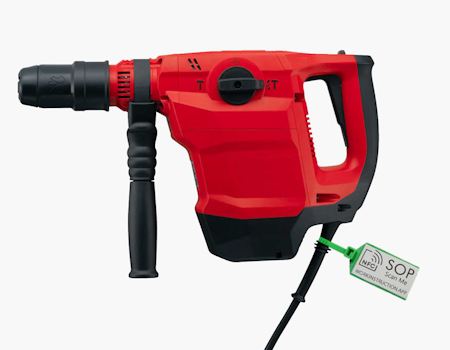
Attach an NFC tag to your machine and give operators instant access to all Standard Operating Procedures (SOPs) with just a tap of their phone. The NFC tag opens the machine's digital workspace: view the machine manual, LMRA, maintenance instructions, and other work instructions in seconds.
You can also check the machine logbook on-site and add new notes or maintenance records directly from your mobile device — keeping every SOP and record accurate, paperless, and always up to date.
NFC vs QR Code for SOPs — Comparison
Both NFC tags and QR codes provide instant access to digital Standard Operating Procedures. Here's how they compare:
| Feature | NFC Tag | QR Code |
|---|---|---|
| Activation method | Tap phone to tag | Scan with camera |
| Speed | Under 1 second | 2–3 seconds |
| Works in dark environments | Yes | No (needs camera visibility) |
| Works with dirty/damaged labels | Yes (chip-based) | No (visual scan required) |
| Device requirement | NFC-enabled phone | Any phone with camera |
| Cost per tag | €0.50 – €2.00 | Free (print only) |
| Hygienic / touchless | Yes (contactless) | Yes (camera-based) |
| Best for | High-paced production, maintenance | Universal access, public SOPs |
The Work Instruction App supports both NFC tags and QR codes — choose the method that fits your environment best, or use both.
Frequently Asked Questions about NFC SOPs
Transform Your Shop Floor with NFC-Based SOPs
Experience the power of instant SOP access. Start your 30-day free trial of the Work Instruction App today — and bring tap-to-start procedures to your operation. No credit card required.