



Work instructions for field service and installers
Last updated:
Work instructions for field service guide installers and service technicians through installation and maintenance at the customer site, on their own phone or tablet. A QR code or NFC tag on the installation opens the right instruction, and photos, measured values, the GPS location and the customer's signature are stored with the run as proof of the visit.
Installers and service technicians work alone, at a different site every day, on installations that all differ slightly. They need the right instruction on the spot, and afterwards proof of what they did.
With the Work Instruction App you write one instruction per installation type and publish it to every technician at once. On site the technician scans the code on the installation, works through the steps on the phone and finishes with the customer's signature. The completed run is then visible in the office with every photo and value.
What it looks like in the app
The right instruction at the installation
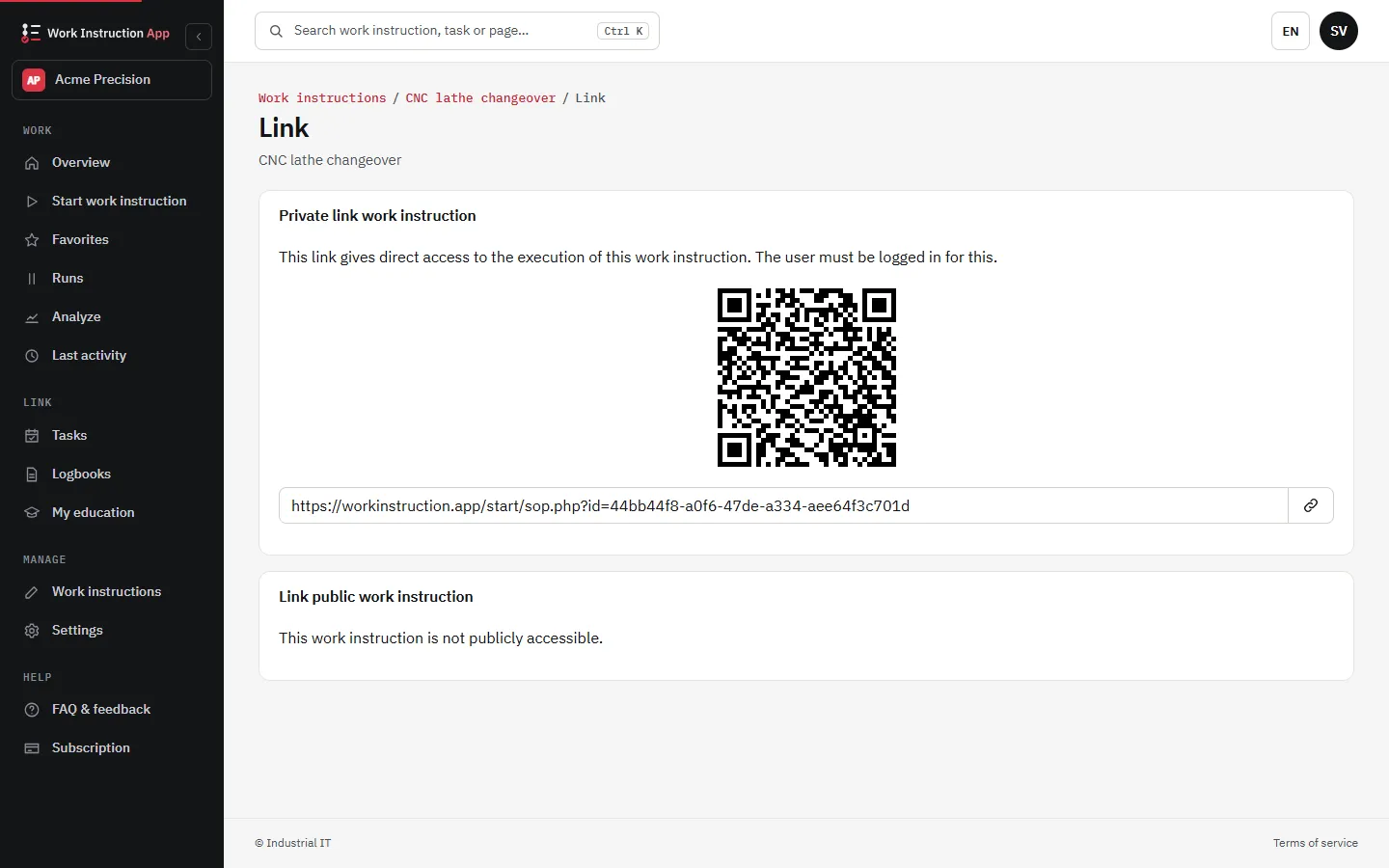
Every work instruction has its own link and QR code. Stick the QR code or an NFC tag on the installation, the meter cupboard or the inside of the service hatch, and the technician opens the right instruction by scanning it, without searching through folders or a shared drive. With the Android app you write NFC tags yourself.
On the phone the technician already carries
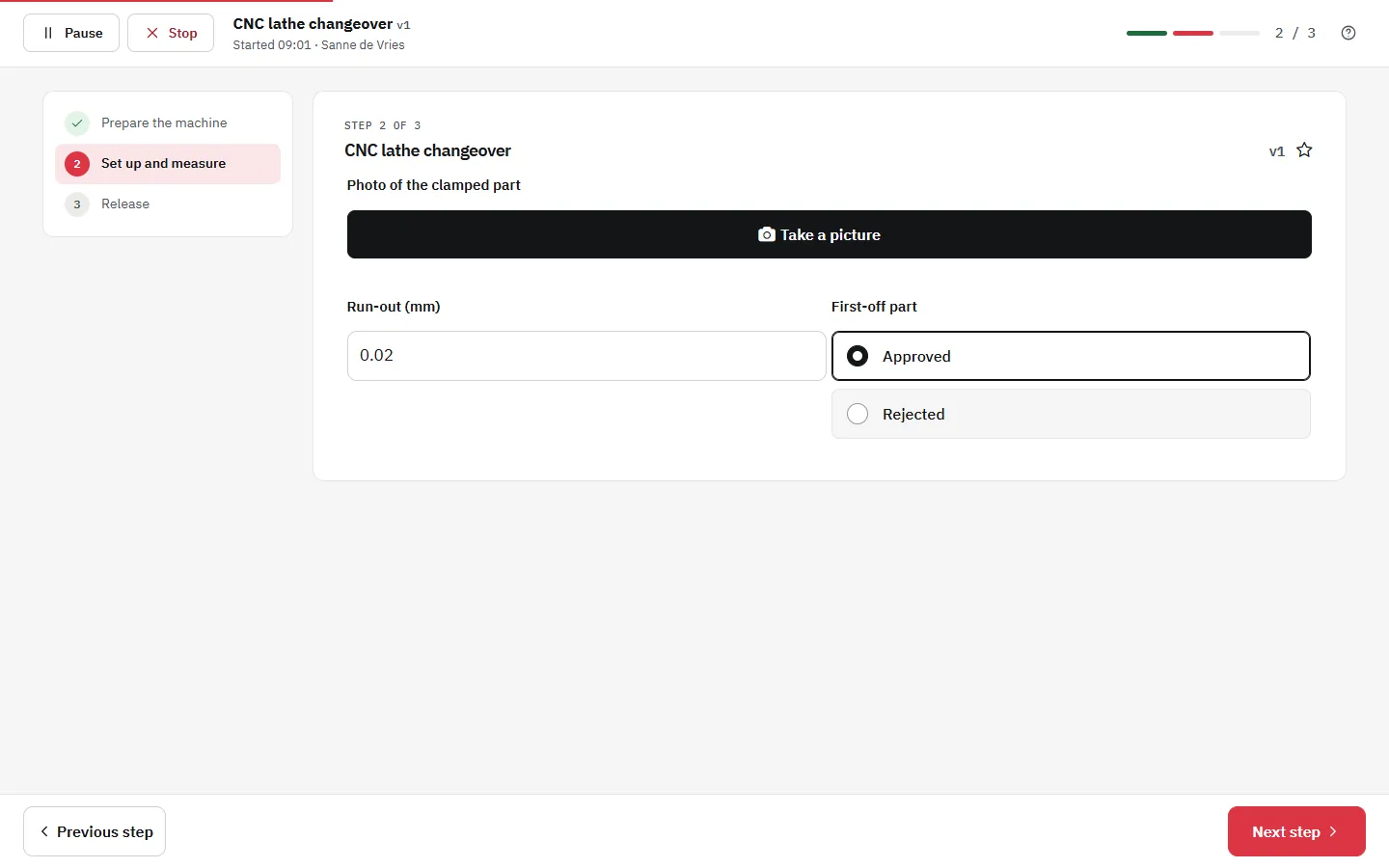
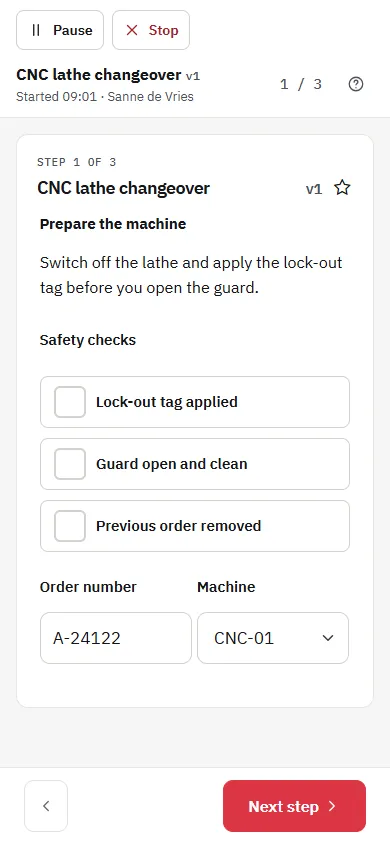
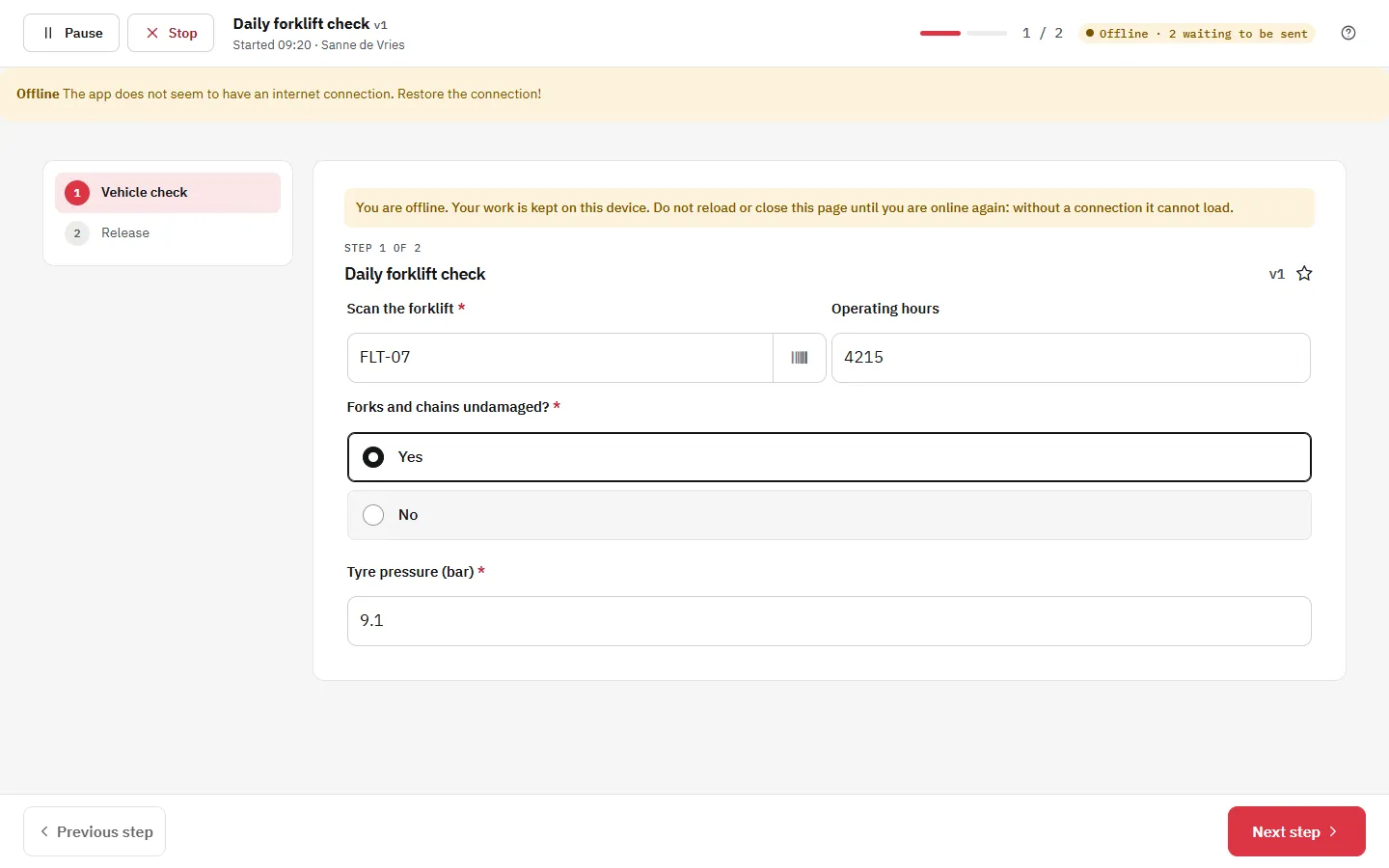
The app runs in the browser of any modern phone or tablet, and the Android app is available in Google Play. Steps show photos, PDFs and videos of the installation, one action per step. Starting an instruction needs a connection, but once the run has started the technician keeps working in a basement or a dead spot: answers and photos are stored on the phone and sent automatically when there is coverage again.
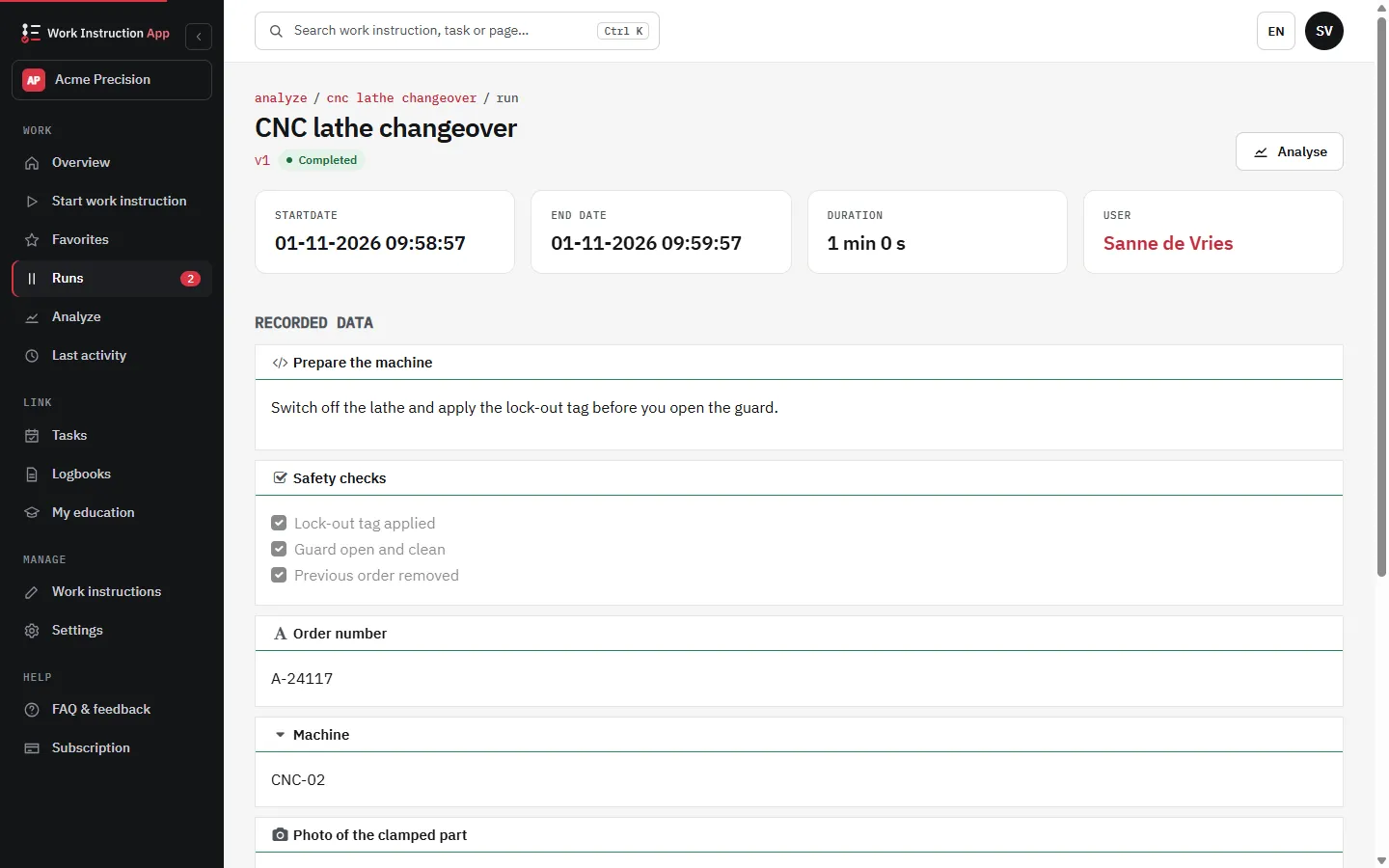
Proof of the work: photos, values, location and signature
A service visit is only finished when you can show what was done. Build the evidence into the instruction itself:
- Required photo blocks for the situation before and after the work
- Number fields for pressures, voltages or other measured values, with a minimum and maximum: a value outside the range is marked and the run cannot be finished until it is corrected
- A barcode scan for the serial number of the installation or of a replaced part
- A location block for the GPS position and a signature block for the customer
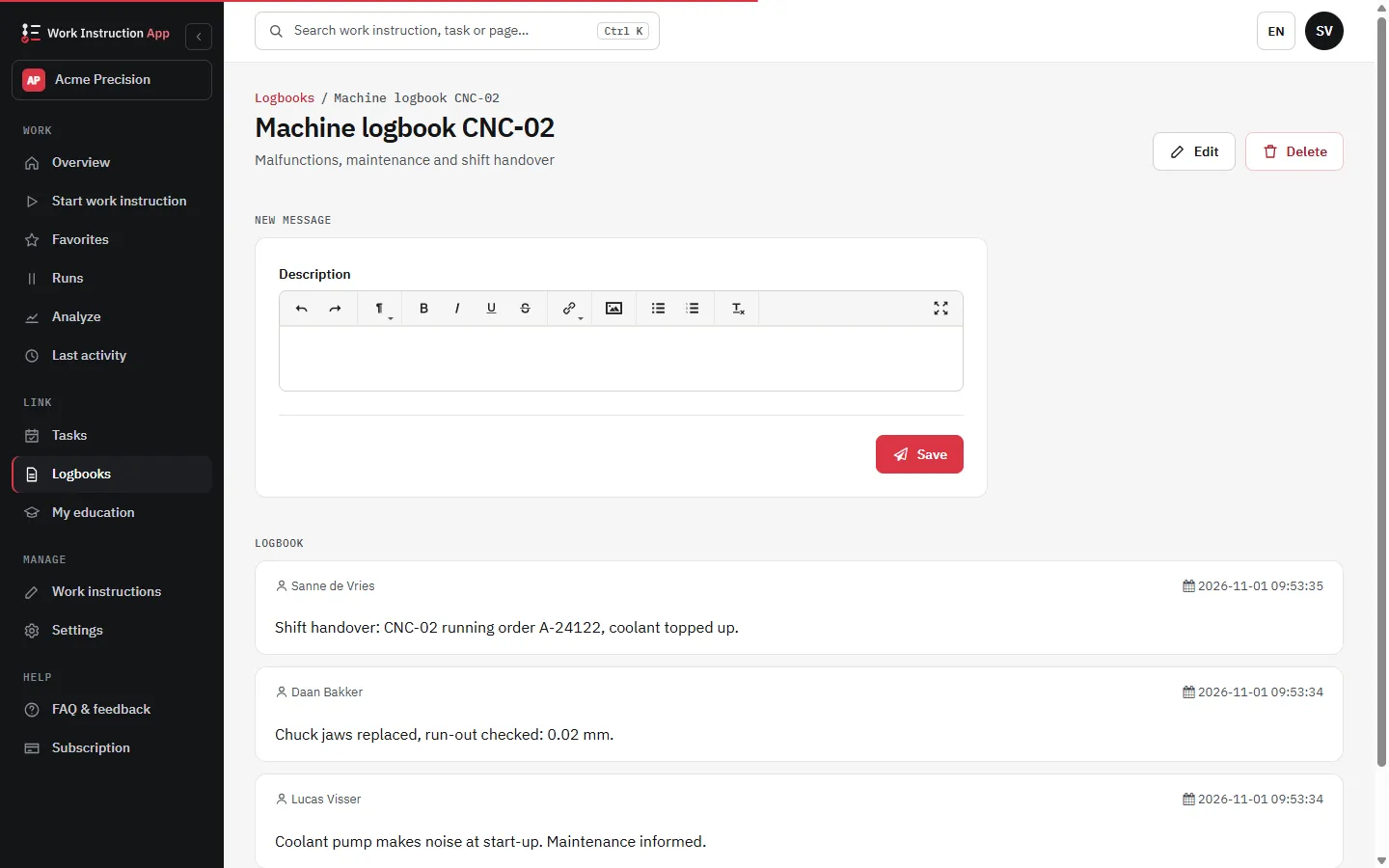
A logbook per installation
Keep a digital logbook for each installation. Technicians add a message with their name and the time, such as a part that will need replacing soon or an access code that changed, so the next colleague knows the history before starting. A QR code or NFC tag on the installation opens its logbook.
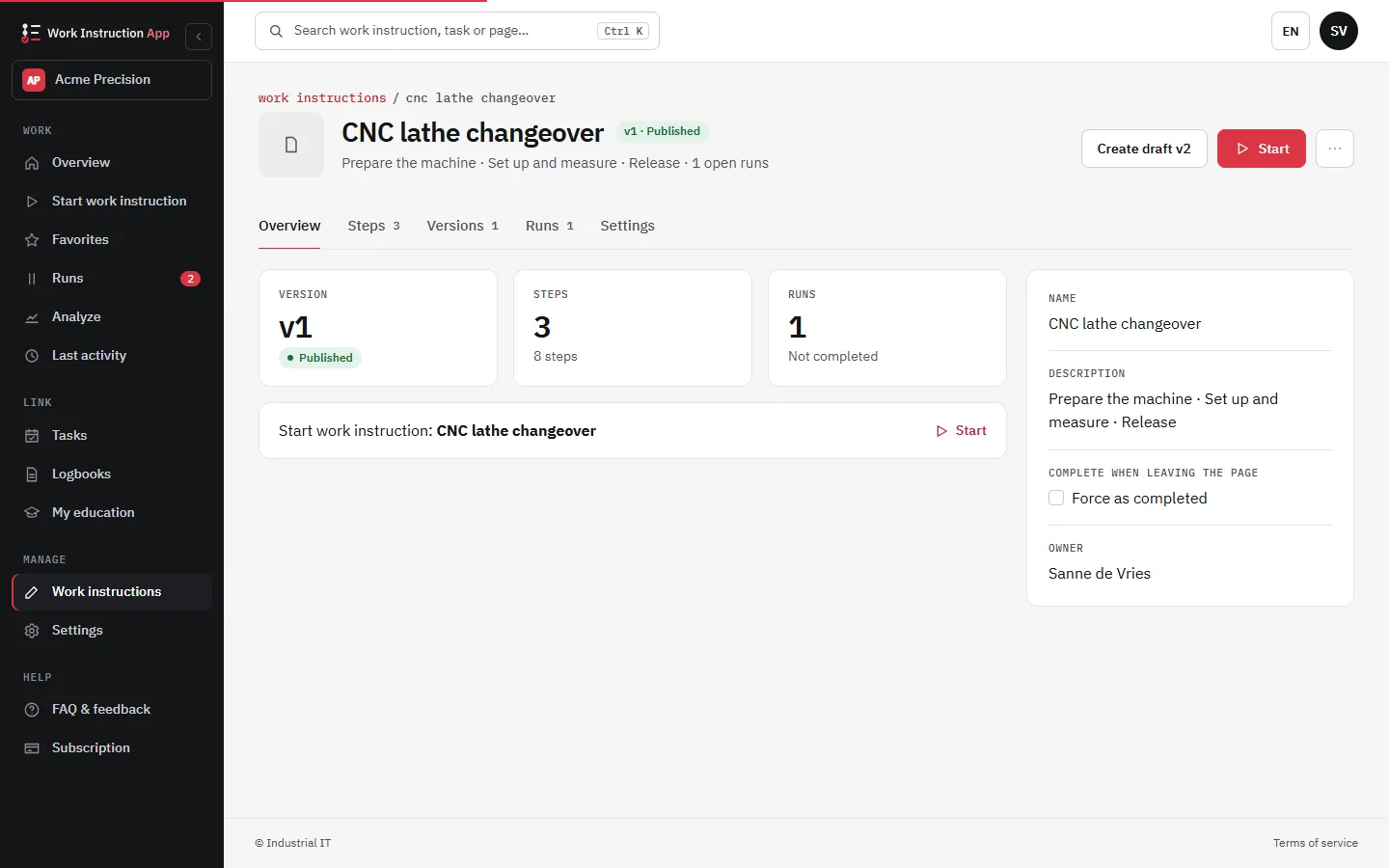
Every technician works with the current version
When a procedure changes, you edit the instruction once and publish it as a new version. Every technician gets the new version on the next scan, and each completed run shows which version was used. No more outdated printouts in the van.
Instructions for the customer, without an account
With the public access add-on you make selected work instructions available through a public link. A customer or end user scans the QR code on the installation and sees the operating instructions or a simple first check before calling for service, without logging in or installing an app.
Typical field service work instructions
Installation and commissioning
- A last minute risk analysis (LMRA) before the work starts
- Installation steps per type, with photos of the right result
- Commissioning values, the serial number and the customer's signature at handover
Maintenance and service visits
- Periodic maintenance checklist per installation type
- Fault finding steps with photos before and after the repair
- A message in the logbook of the installation for the next visit
Frequently asked questions about work instructions for field service
Try the Work Instruction App for free
Create your first digital work instruction in minutes. 30-day free trial, no credit card required.
No credit card · Cancel any time · Live in 5 minutes