



Approval of runs and review of work instructions
Last updated:
The Work Instruction App supports the four-eyes principle in two places. With Approval required on a work instruction, a completed run waits until a Manage user who did not perform it approves or rejects it with their own password. With Review required, a new version is not published directly but submitted for review: a colleague with Manage who did not work on it sees the changed steps and approves it, after which it is published. Every decision is recorded in the history.
Some work is only done when a second person has looked at it: a batch release, a line clearance, a safety check, or a change to the procedure itself. In the app that second look is part of the flow instead of a signature on paper.
What it looks like in the app
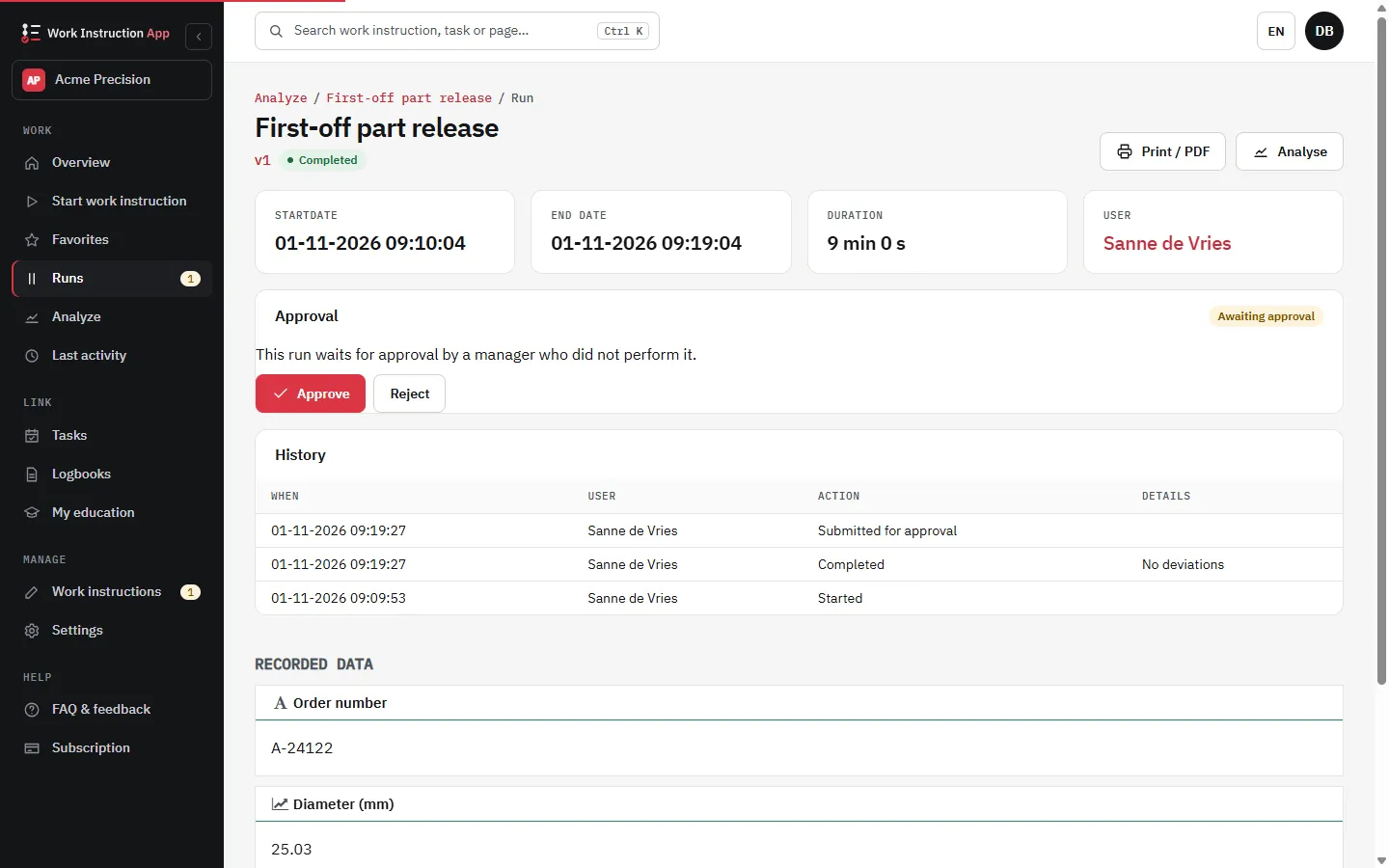
A second signer for completed runs
Switch on Approval required in the settings of a work instruction. A completed run then waits for approval and the Manage users get an e-mail. Only a Manage user who did not perform the run can decide:
- Approve: confirmed with their own password; name and time are recorded with the decision.
- Reject: with a reason; the run goes back to open, the performer gets an e-mail, resumes it, fixes what is needed and finishes it again.
- The filter To approve and a counter in the side bar show what is waiting; approval status, approver and time appear in the export and on the print page.
A completed run is final
After completion a run can no longer be changed, with or without approval. The only way back is a rejection by the second signer, and that rejection, its reason and the new completion are recorded in the history of the run.
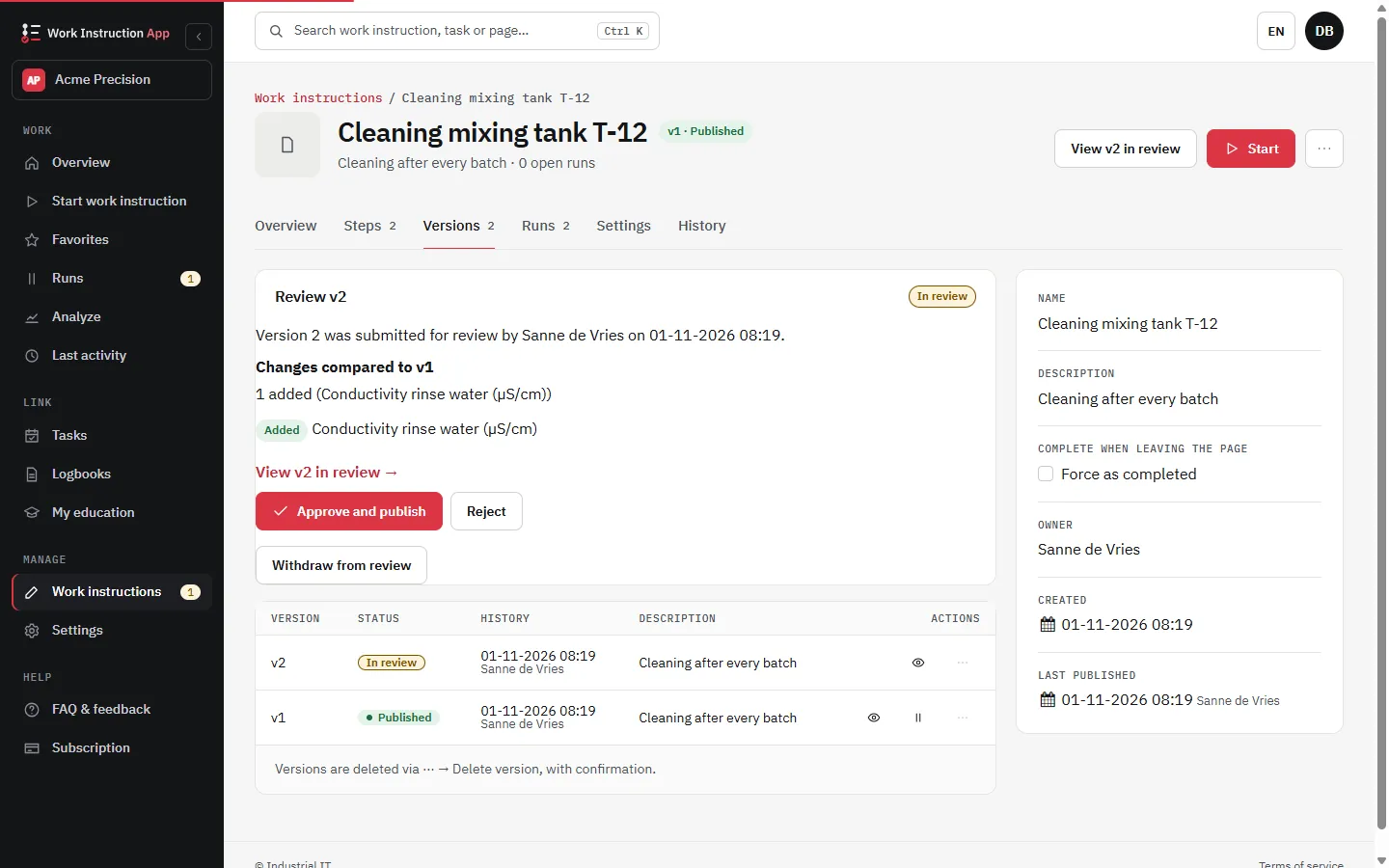
Review of a new version before it is published
With Review required on a work instruction, the Publish button becomes Submit for review. A colleague with Manage who did not author the version opens the review, sees which steps were added, removed or changed compared with the published version, and then:
- Approve and publish: confirmed with their own password; the version is published at once.
- Reject: with a reason; the authors get an e-mail, change the draft and submit it again.
- A version in review is read-only and can be withdrawn. Switching review off only takes effect through a reviewed version, so nobody skips the review by turning it off.
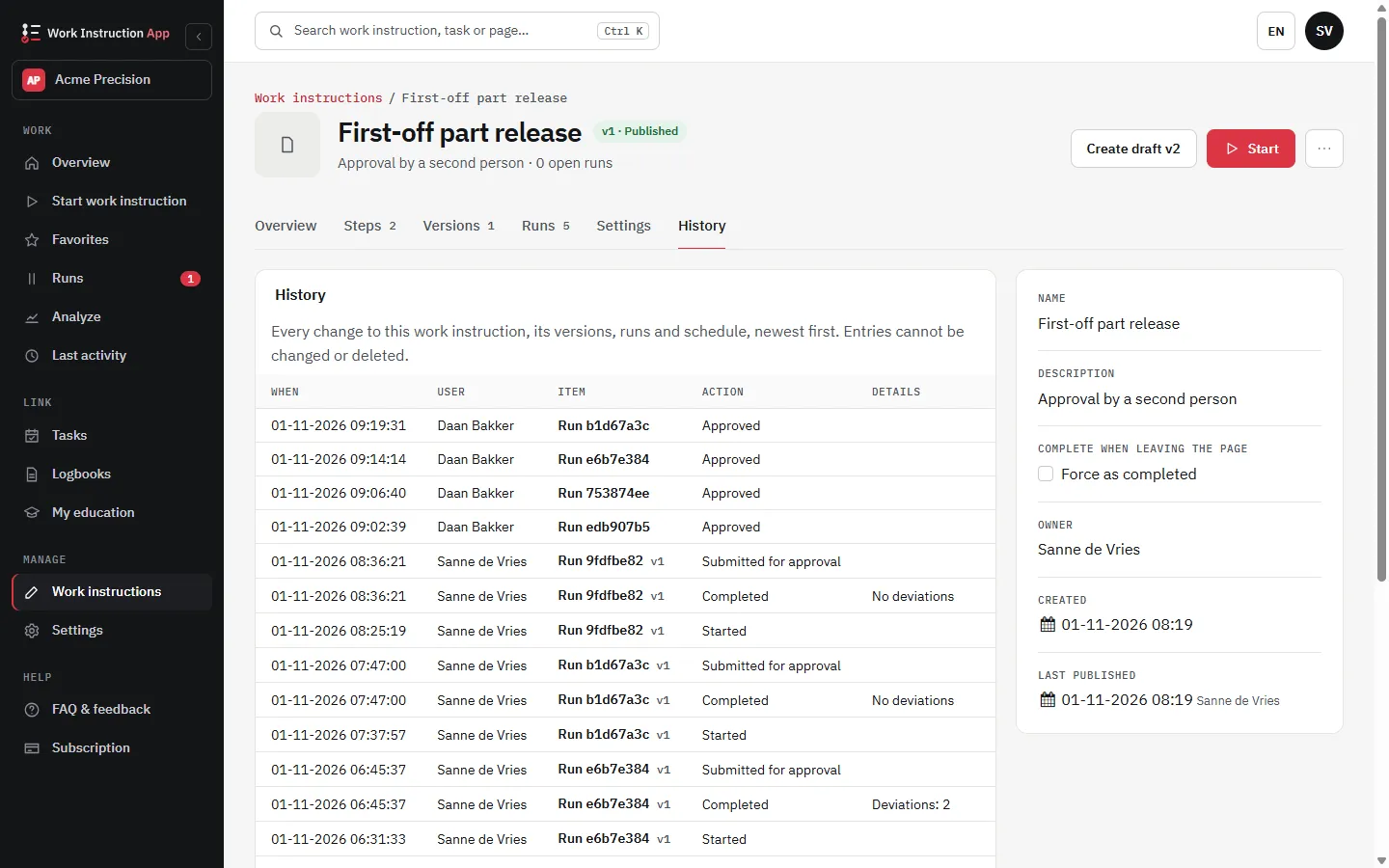
Every decision in the history
The History tab of a work instruction is a log that is only added to: who created and saved a version (with a summary of the changed steps), submitted it for review, approved, rejected, published or retracted it, and when; plus the start, completion, approval and rejection of runs. Entries are never changed or deleted in the app. The run details and the print page show the history of that run.
What it is, and what it is not
The second signer and the review are a practical four-eyes principle with personal accounts, passwords and a recorded history, which supports audits under ISO 9001 or GMP. They are not qualified electronic signatures, and we do not claim compliance with 21 CFR Part 11 or EU GMP Annex 11: validating a computerised system stays part of your own quality system.
Frequently asked questions about approval and review
Try the Work Instruction App for free
Create your first digital work instruction in minutes. 30-day free trial, no credit card required.
No credit card · Cancel any time · Live in 5 minutes