



Access Digital Logbooks Instantly by Scanning an NFC Tag
Last updated:
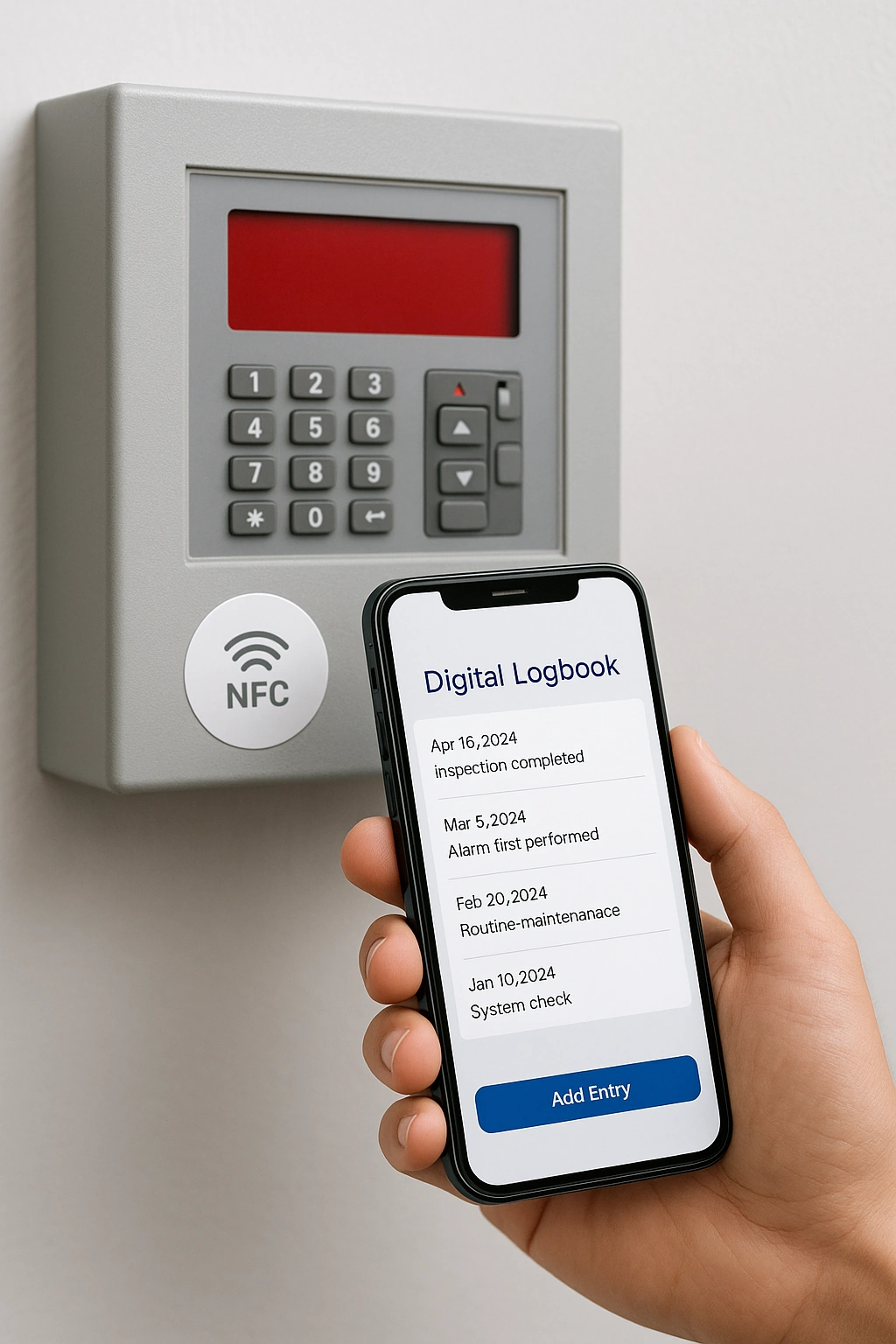
Looking for an easier way to manage logbooks for your installations? With the Work Instruction App, you can place an NFC tag directly on the machine or system. When scanned with any smartphone or tablet, the correct digital logbook opens instantly — complete with full history and the option to add new entries.
This ensures accurate documentation, faster reporting, and 24/7 availability of critical information right at the installation site.
Why Use NFC Tags for Digital Logbooks?
Instant Logbook Access
Technicians scan the NFC tag on the installation to immediately open the correct logbook. No searching, no confusion.
Complete History
All previous interventions and notes are stored in one place, accessible anytime at the installation itself.
Easy Updates
Add new information directly on site. Technicians can log issues, repairs, or inspections with just a few taps.
Reliable Compliance
Ensure every maintenance activity is properly recorded to meet safety, audit, and compliance requirements.
How It Works
Each technical installation — for example, a fire alarm or security system — is assigned a unique NFC tag. When a technician scans the tag with their mobile device, the corresponding digital logbook opens automatically in the Work Instruction App.
From there, they can view the full service history, add notes, or upload inspection results directly on site.
Setup in 3 Simple Steps:
- Create a digital logbook in the Work Instruction App
- Link an NFC tag to that logbook
- Attach the NFC sticker directly to the machine or installation
That's it — no paperwork, no lost binders, just instant access where and when it's needed.
Benefits of NFC-Triggered Digital Logbooks
- Eliminate paper-based logbooks that get lost or outdated
- Access the right logbook instantly at the point of use
- Maintain complete service history across all installations
- Speed up inspections and reduce administrative workload
- Improve compliance with safety and audit requirements
- Allow multiple technicians to contribute updates in real-time
- Increase transparency and accountability across shifts
With NFC tags, every installation has a living, digital logbook — ensuring safety, reliability, and efficiency on the shop floor.
Digitize Your Installations with NFC-Driven Logbooks
Start your free 30-day trial of the Work Instruction App and give your team instant access to digital logbooks — with just a scan. No credit card required.
What is a digital logbook?
A logbook records events around a machine, vehicle, room or product over time: maintenance performed, readings taken, incidents, cleaning, handovers between shifts. In the Work Instruction App a logbook is a work instruction that is executed repeatedly for the same object, opened by scanning the QR code or NFC tag on that object. Every entry carries the user, the timestamp and the photos and values entered, so the history of the object is complete and searchable.
Compared with a paper logbook hanging on the machine, the digital version cannot get lost, is readable from the office, and shows at a glance when the last entry was made and by whom.
How the logbook works in the app
- Put a QR code or NFC tag on the object; scanning it opens the logbook instruction for that object.
- The operator records the event: type of entry, values, photos, remarks, and confirms.
- Every entry is stored with user, date and time; the sequence of entries is the history of the object.
- Maintenance, QA and management read the history from any device and use it for planning, root-cause analysis and audits.
Use case: rental equipment handover
An equipment rental company attaches an NFC tag to every generator, pump and aerial platform. At delivery and return the driver taps the tag, photographs the machine from four sides, records hour meter and fuel level and lets the customer sign. Damage discussions disappear because the condition at handover is documented with photos and a signature.
The same logbook holds the service entries between rentals, so the fleet manager sees the complete life of each machine in one place. See also rental.
Frequently asked questions about digital logbooks
Yes. Every user with execute rights can add an entry from their own device; entries are attributed to the user who made them.
Yes. Because the logbook is linked to the QR code or NFC tag of the object, all executions for that object form its history, filterable by period and user.
For many small and medium-sized companies it does: the logbook records what was done, when and by whom. Planning and spare-parts management stay in your maintenance or ERP system, which can read the entries through the REST API.