In short: a shift handover goes wrong when it is only verbal, incomplete or not recorded. A good handover uses a fixed checklist for the status of orders, malfunctions, safety issues, open actions and materials, plus free text for anything unusual. Combine it with a logbook per line or machine, so the next shift reads the history and not only what the last person remembered.
Why does a shift handover go wrong?
At the end of a shift, the outgoing team is tired and wants to go home, and the incoming team is still arriving. In those few minutes, everything the next shift needs to know has to be passed on. The same problems appear in almost every plant:
- It is only verbal. A quick chat at the machine is useful, but what was said is gone the moment people walk away. If the incoming operator was not there, or the line lead was busy, the information never arrives.
- It is incomplete. Without a fixed structure, each person hands over what they happen to remember. The malfunction that was fixed at the start of the shift is forgotten; the temporary bypass on a sensor is not mentioned.
- There is no record. When something goes wrong two days later, nobody can check what was handed over, by whom, and whether the next shift confirmed it.
- Information is scattered. A note on a whiteboard, a message in a chat group, a paper list in a drawer. The next shift has to search, and usually does not.
The consequences range from lost production time (a known problem is diagnosed again from scratch) to quality issues (a batch on hold is processed anyway) and safety incidents. The UK Health and Safety Executive notes that many accidents have occurred because of failures of communication at shift handover, most of them involving planned maintenance work. It also points out that the inquiry into the Piper Alpha disaster found a failure to pass on information at shift handover to be one of its many contributing factors.
What makes a handover effective?
The HSE guidance on shift handover describes three elements: preparation by the outgoing person, the handover itself in which both sides exchange the information, and a cross-check by the incoming person as they take over responsibility. It recommends that handovers are face-to-face, two-way, use both verbal and written communication, and are based on what the incoming shift actually needs to know.
That last point is the key to a good checklist. Do not ask "what should we write down?" but "what does the next shift need to work safely and without surprises?" The answer is usually the same short list of topics on every line.
What should a shift handover contain?
The table lists the topics that belong in almost every production handover, with examples of what a useful entry looks like.
| Topic | What to hand over | Example |
|---|---|---|
| Status of orders | Which order is running, how far it is, what comes next | Order 4512 at 1,800 of 3,000 pieces; next is 4518, material staged |
| Malfunctions | What failed, what was done, is it fixed or temporary | Feeder jammed twice at 14:20; sensor cleaned, monitor the next hour |
| Safety issues | Hazards, bypasses, locked-out equipment, near misses | Guard on conveyor 2 removed for maintenance, machine locked out until maintenance releases it |
| Quality | Products on hold, deviations, results of checks | Pallet 7 on hold: label misprint, waiting for QA decision |
| Open actions | What still has to be done and by whom | Maintenance to replace the worn belt at the next stop; spare part ordered |
| Materials | Shortages, batches in use, deliveries expected | Glue batch L-223 in use, about two hours left; new batch at goods receipt |
| People and equipment | Absences, temporary staff, tools on loan | Torque wrench sent for calibration, use the spare from the tool cabinet |
Not every line needs every topic, and some processes have their own (cleaning status, line clearance, temperature logs). Start with this list, remove what never applies and add what your process needs.
Why combine a fixed checklist with free text?
A checklist alone gives you completeness: every topic is addressed every shift, even when the answer is "nothing to report". That "nothing" is information too: the incoming shift knows the question was asked. But a checklist cannot describe the unusual. A noise the machine started making, a customer who called, a workaround that was agreed with the supervisor: those need a few sentences in free text.
The best handovers therefore use both: fixed questions with fixed answer types (a yes/no, a number, a selection) for the recurring topics, and a text field per topic for details. Required fields make sure the essential questions cannot be skipped, while the free text stays optional.
Why use a logbook per line or machine?
A handover form captures one moment. A logbook captures the history. When the logbook belongs to a line or a machine rather than to a person or shift, the incoming operator reads not only what happened in the last eight hours but also what happened last week: the same fault three nights in a row, the setting someone changed on Tuesday, the part that was replaced.
A digital logbook with entries from several people turns scattered knowledge into a shared record. That is exactly where knowledge management starts on the shop floor: the experience of the night shift becomes available to the day shift, and the knowledge of an experienced operator does not leave with them.
How do you set up a structured shift handover?
1. Decide which handovers need a structure
List the handovers in your process and start with the ones with the highest risk: continuous lines, safety-critical equipment, handovers between production and maintenance. Not every handover needs the same form.
2. Ask the incoming shift what they need to know
Interview operators and line leads from each shift about the information they missed in the past. Their answers define the topics of the checklist better than a template from elsewhere.
3. Build the checklist with fixed topics and answer types
Create one question per topic, each with a fitting answer type: a yes/no for "safety issues to report?", a number for pieces produced, a selection for the order status. Add a text field to each topic for details.
4. Mark the essential questions as required
Make the safety, quality and open-action questions required, so the handover cannot be finished without an answer. Keep the number of required fields small, otherwise people fill them in without reading.
5. Place the handover at the line
Put a NFC tag or QR code at the line or machine so the handover for that line opens directly on a phone or tablet. The handover then happens where the work is, not in an office.
6. Hand over face to face and let the incoming shift confirm
Go through the handover together and let the incoming person confirm that they have read and understood it, for example with a confirmation or a signature. This is the cross-check the HSE describes.
7. Review the handovers regularly
Once a month, read back a sample of handovers with the team. Topics that are always empty can go; recurring free-text items deserve their own question in the next version of the checklist.
Which mistakes should you avoid?
- A checklist that is too long. Twenty required questions at the end of a shift lead to ticking boxes without thinking. Keep it to the topics that matter.
- Only written, never spoken. A digital record does not replace the conversation; it supports it. Keep the face-to-face moment.
- One form for every line. A filling line and a maintenance workshop need different questions. Use a shared structure but adapt the content.
- Nobody reads the history. A logbook only helps when the incoming shift opens it. Make reading it part of the start of the shift.
In practice with digital work instructions
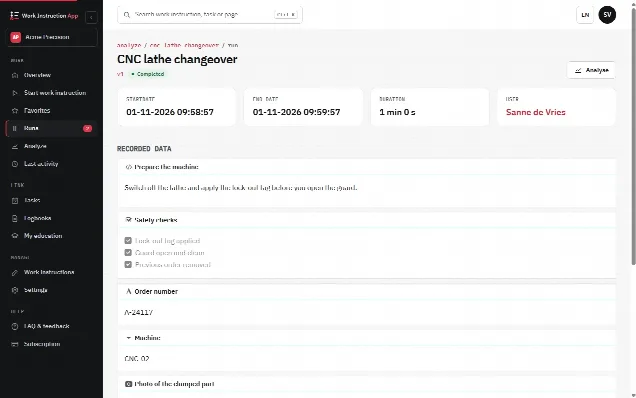
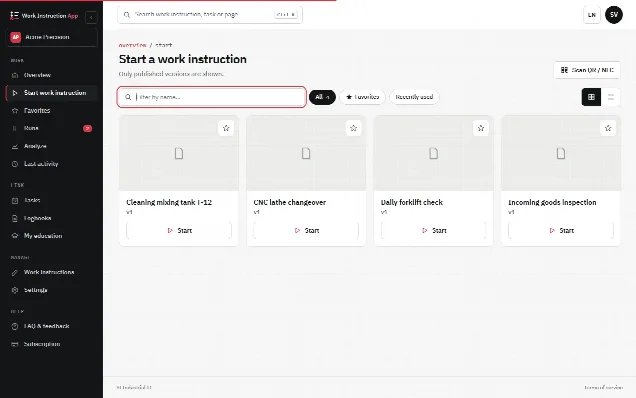
In the Work Instruction App you build the handover as a work instruction with steps: checkboxes, number fields, selections and text areas for the topics, marked as required where needed, and a text field and a signature for the confirmation by the incoming shift. The run is recorded under the user who started it (the outgoing operator), so the incoming operator types their name and signs on the same device; the signature is stored as a drawn image. You can start it by scanning a QR code or NFC tag at the line; the Android app can write the NFC tags. Like any digital checklist, every run records the user, the start and end time, the version and every answer, and completed handovers can be filtered per work instruction, user and period.
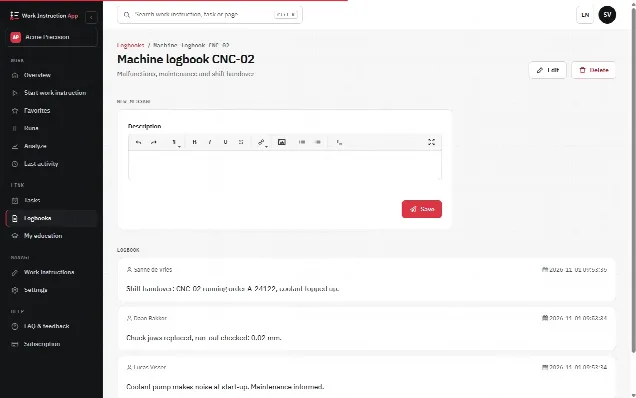
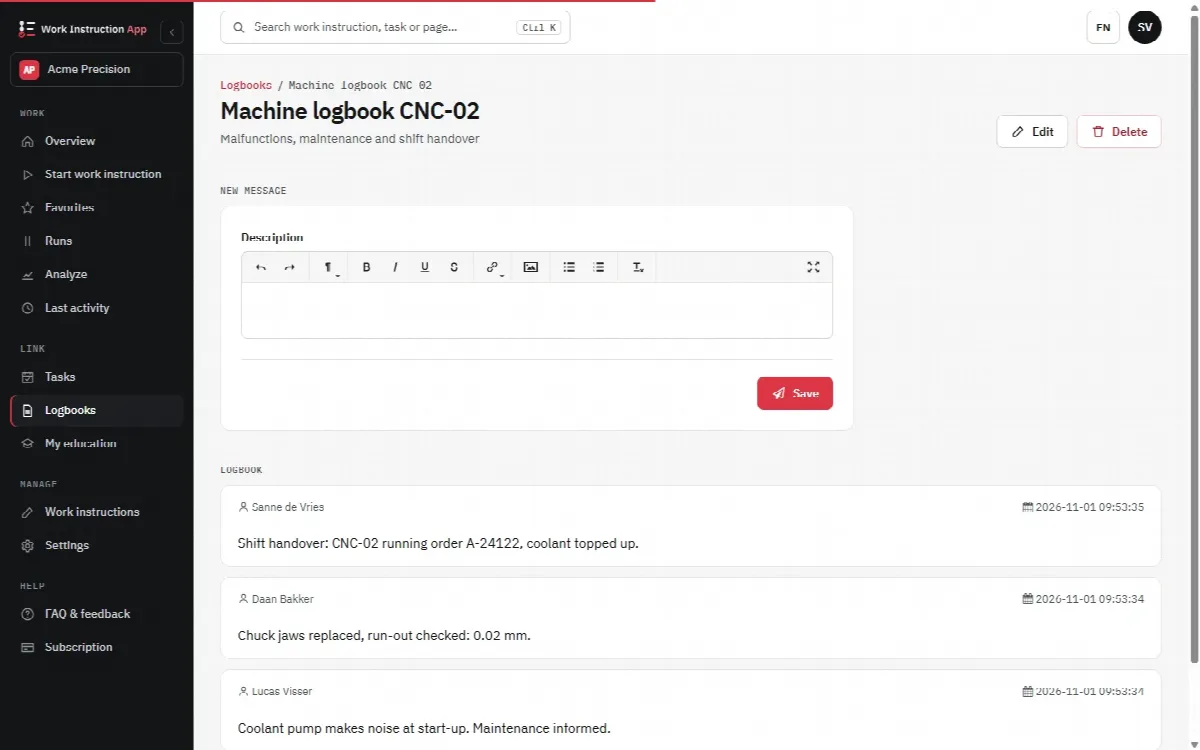
Next to the handover, a logbook per machine or object collects messages from several people, each with name and time, so the history of a line stays in one place. The logbook can also be opened with an NFC tag or QR code at the machine. To see how structured steps make tasks repeatable, read why use SOPs.