In short: installers and field service technicians work alone at a customer site, on installations that all differ slightly, and have to prove afterwards what they did. Good work instructions for field service are short, specific per installation type and collect evidence along the way: photos before and after, measured values, the customer's signature and the location. Start the right instruction by scanning a QR code or NFC tag on the installed asset, and keep a logbook per installation so the next technician knows its history. The Work Instruction App needs a data connection to start an instruction; once started, a run keeps working through a dead spot and is sent when the connection is back.
Why is field service different from work on your own shop floor?
On your own shop floor, a colleague, a team leader or the maintenance department is never far away. A technician at a customer site has none of that. The situation is different in several ways:
- No colleague to ask. The technician is often alone, in a plant room, on a roof or in a basement. The instruction has to answer the questions a colleague would otherwise answer. The UK Health and Safety Executive points out that employers must think about the specific risks of lone working and how lone workers are supervised and supported.
- Every installation is slightly different. Same product, but a different year of construction, a different configuration, a modification by a previous installer. A generic manual does not cover that.
- The customer is watching. The technician represents your company. Searching through a thick manual in front of the customer does not inspire confidence.
- Evidence is needed afterwards. For the invoice, for warranty, for a maintenance contract and for the next visit, you need to know what was found, what was done and what the installation looked like when the technician left.
- Knowledge is in the heads of a few experienced people. When they retire or leave, the knowledge about specific installations goes with them.
What evidence does a field service visit need?
The record of a service visit should answer: what did the technician find, what did they do, with which result, and did the customer agree? The table lists typical records and how to capture them.
| Record | Why | How to capture it |
|---|---|---|
| Installation identification | Link the visit to the right asset and its history | Barcode scan of the serial number, or the installation number in a text field |
| Arrival and departure time | Hours on the invoice and agreed response times | Start and end time of the run |
| Location | Proof of the visit, the right site for multi-site customers | GPS location |
| Photo before the work | Condition at arrival, existing damage, situation found | Required photo |
| Measured values | Pressures, temperatures, voltages, flow rates within limits | Number fields with the target range in the explanation |
| Checks performed | Which checks were done according to the service schedule | Checkboxes, marked as required |
| Parts replaced | Invoice, stock and warranty | Selection or text field, barcode scan of the part |
| Photo after the work | The installation as it was left: closed, clean, labelled | Required photo |
| Findings and advice | Follow-up work and a quotation for repairs | Text area, optionally an audio recording |
| Customer signature | Agreement with the work and the hours | Signature block with the customer's name |
How does the technician start the right instruction at the installation?
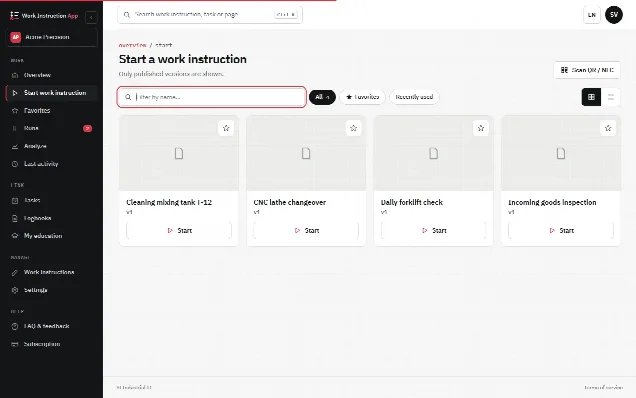
Searching for the right instruction is a waste of time at a customer site, and choosing the wrong one is worse. The simplest solution is to put the link on the installation itself:
- A QR code on a durable sticker on the housing or the inside of the service door. Any phone camera can scan it.
- An NFC tag in the same place: the technician holds the phone against it and the instruction opens. NFC tags are small and can be mounted out of sight; read more on the page about work instructions on NFC tags.
Attach the tag during installation or at the first service visit. From then on, every technician starts at the installation with the instruction that belongs to that installation type. The tag opens the instruction; it does not identify the individual unit, so let the first step ask for a barcode scan of the serial number or the installation number. That links each visit to the right asset.
What does a good field service work instruction look like?
A field service instruction is used standing up, often with gloves, in bad light and with a customer waiting. That sets the requirements:
- One instruction per task and installation type. "Annual service heat pump type X" rather than "service heat pumps".
- Safety first. Start with isolating, locking out and checking that the installation is safe to work on, before any other step.
- A photo of the real situation per step. The technician sees at a glance which valve, which terminal or which filter is meant.
- Target values in the step. State the allowed range next to the number field, so the technician knows immediately whether a value is in order.
- Evidence where it matters. Required photos before and after, required measured values and a customer signature at the end.
- Short sentences. One action per step, starting with a verb; the general method is explained in how to write a work instruction.
- A way to report back. A field for findings that do not fit the instruction, so the instruction can be improved.
Why keep a logbook per installation?
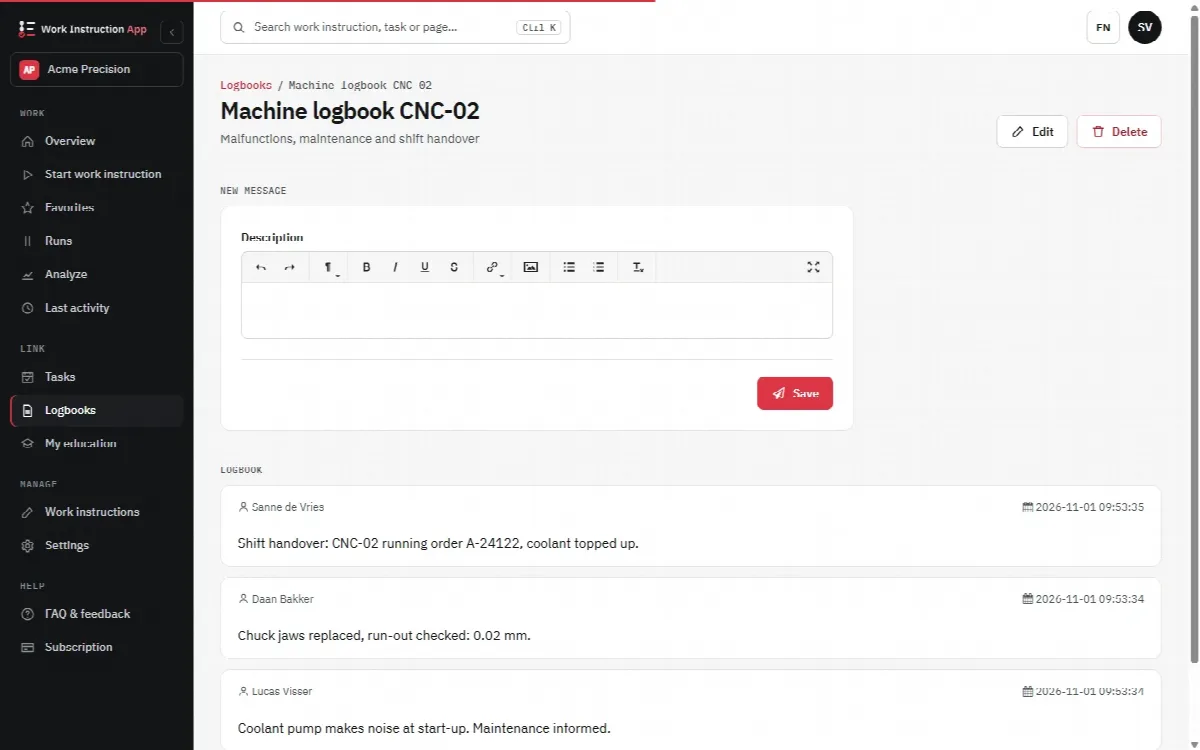
A service report describes one visit. A logbook per installation describes its life: when it was installed, which faults occurred, what was replaced, which settings were changed and what the customer reported. For the next technician, that history is often the fastest route to the cause of a fault. "Pressure sensor replaced twice in a year" says more than any manual.
The logbook is also the place for information that does not fit a fixed instruction: a modification by a previous installer, a hard-to-reach shut-off valve, the code of the plant room door. Give the logbook its own QR code or NFC tag next to the one for the instruction, so it is always one scan away. More about this approach is on the digital logbook page.
What about mobile coverage at the customer site?
Be realistic about connectivity. The Work Instruction App runs in the browser and in the Android app. A run that has been started keeps working when the connection drops: answers, photos, audio recordings and signatures are stored on the device and sent automatically when the connection is back, and an indicator shows how many runs are waiting, with a Send now button. Starting a run does need a connection, the page cannot be reloaded without one and video recording is not available offline, so this is not a full offline mode. Mobile coverage is available on most sites. Plant rooms, basements, tunnels and steel buildings can be an exception. Practical measures:
- Check the coverage at locations you visit regularly, and note bad spots in the logbook of the installation.
- Ask the customer for access to a guest Wi-Fi network where the mobile signal is weak.
- Start the instruction at a spot with coverage: after that the run keeps working in a dead spot. Record videos where there is coverage, and use pause and resume when you have to move between places.
- Give technicians a phone or tablet with a data plan that suits the photos they take.
In practice with digital work instructions
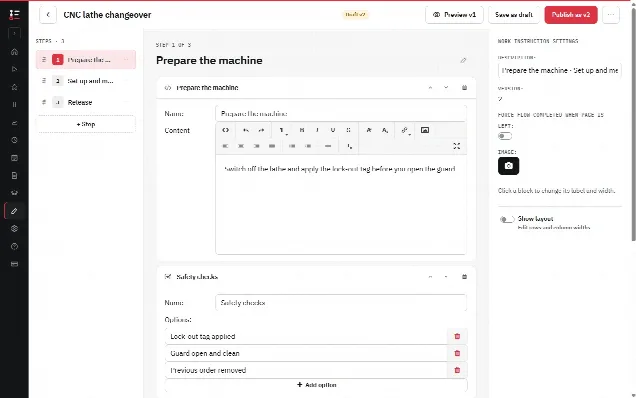
In the Work Instruction App you build a service instruction per installation type from blocks: explanation text and photos per step, number fields for measured values, checkboxes for the service checks, required photo blocks before and after, a barcode scan for serial numbers or parts, a location block for the GPS position, an audio recording for spoken findings and a signature block for the customer. All device inputs use the camera, microphone and location of the phone or tablet the technician already carries.
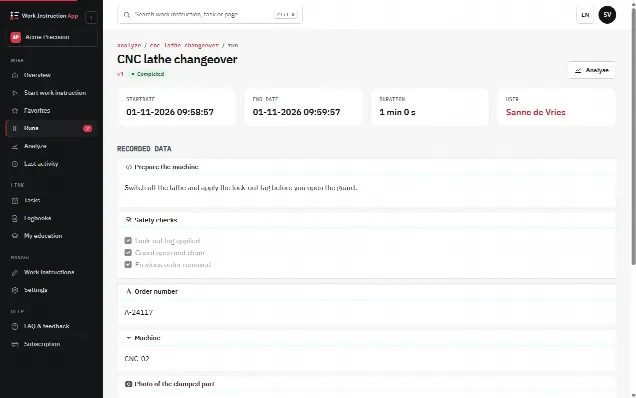
The technician starts the instruction by scanning the QR code or NFC tag on the installation; the Android app from Google Play can write the NFC tags. Every run records the user, the start and end time, the duration, the version of the instruction and every answer, photo and signature, and completed runs can be filtered per work instruction, user and period. A run can be paused and resumed, for example when a part has to be fetched from the van. When you improve an instruction, you publish a new version, and earlier visits remain linked to the version that was used. Companies that install equipment and also rent it out can use the same approach for rental equipment.
The general case for moving from paper and PDF to instructions on a phone is made in why digital work instructions.