



Start SOPs Instantly by Scanning a QR Code
Last updated:
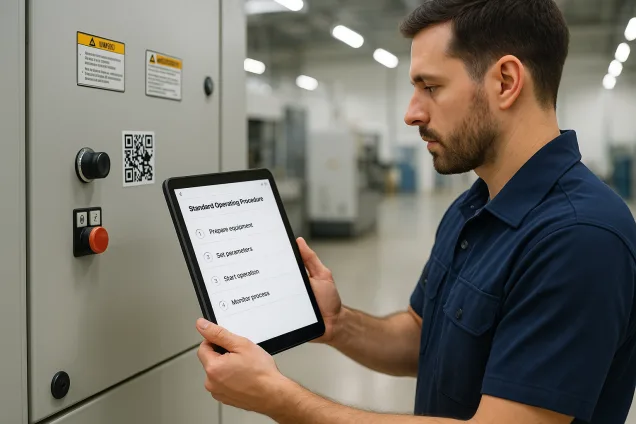
Want to make it easier for operators to follow Standard Operating Procedures (SOPs)? With the Work Instruction App, you can place a QR code directly on the machine. When scanned, it immediately launches the correct SOP on any smartphone or tablet — no searching, no delays.
This not only reduces errors and downtime, but also ensures every operator follows the same approved process — every time.
Why Use QR Codes to Launch SOPs?
Instant SOP Access
Operators scan the QR code on the machine to immediately start the correct procedure. No need to search or log in manually.
Save Time
Reduce the time spent looking for documentation. Operators can start the SOP in seconds with a simple scan.
Standardized Workflows
Ensure each operator follows the same sequence of steps, reducing variability and increasing consistency.
Reduce Risk
Minimize mistakes by making the correct instructions instantly accessible at the point of use.
How It Works
Each machine or workstation is assigned a unique QR code. When an operator scans the code with their mobile device, the corresponding SOP opens automatically in the Work Instruction App.
This eliminates confusion and ensures every task is carried out using the most up-to-date procedure.
Simple Setup in 3 Steps:
- Create a digital SOP using the Work Instruction App
- Generate a QR code linked to that SOP
- Print and place the QR code on the machine or workstation
That's it — no complex integrations or training needed.
Benefits of QR-Triggered SOPs
- Eliminate time wasted searching for documentation
- Guarantee the right SOP is used for each task
- Ensure consistency across shifts and locations
- Reduce training time for new employees
- Promote safety and compliance through guided procedures
- Enable real-time updates without needing to reprint manuals
- Encourage continuous improvement with operator feedback
With QR codes, every SOP becomes easily accessible — bringing structure, speed, and accuracy to your shop floor.
Frequently Asked Questions about QR Code SOPs
Digitize Your Shop Floor with QR-Driven SOPs
Start your free 30-day trial of the Work Instruction App and give your team instant access to SOPs — with just a scan. No credit card required.