



Pharmaceutical SOP Software
Last updated:
SOP software for pharmaceuticals manages GMP procedures as controlled, versioned documents and records every execution with user, timestamp and entered values. Operators always work from the approved version, required steps cannot be skipped, and the run history supports batch documentation, deviations and audits under EU GMP.
Work error-free and comply with the strict laws and regulations in the pharmaceutical industry.
In the pharmaceutical industry, it is necessary to comply with laws and regulations in a traceable manner. Having good standard operating procedures is essential. With the Work Instruction App, you always have the current version of the standard operating procedure available on the work floor. The app offers you the possibility to register all activities so that you can demonstrate that you are in control.
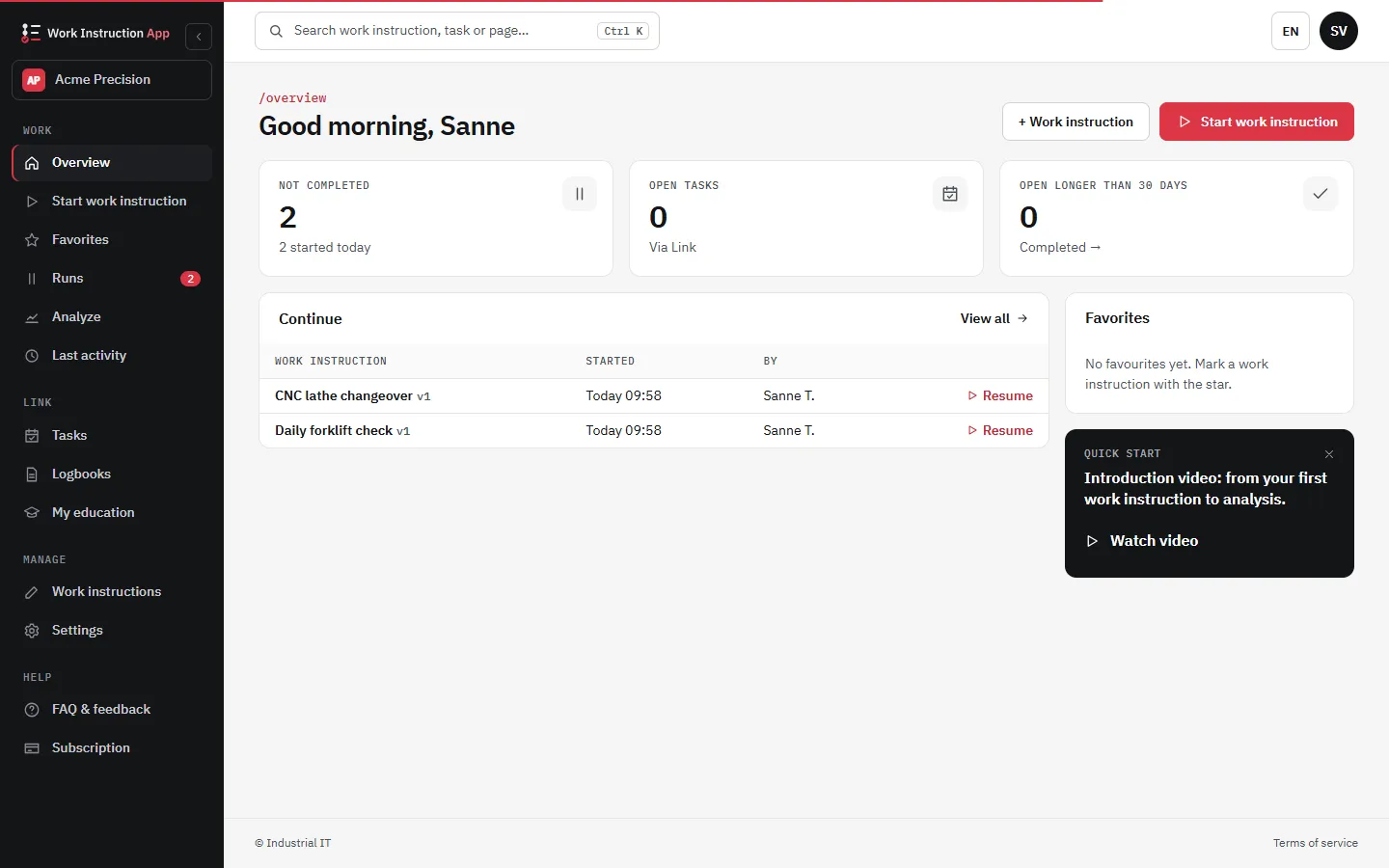
What it looks like in the app
Quality in control
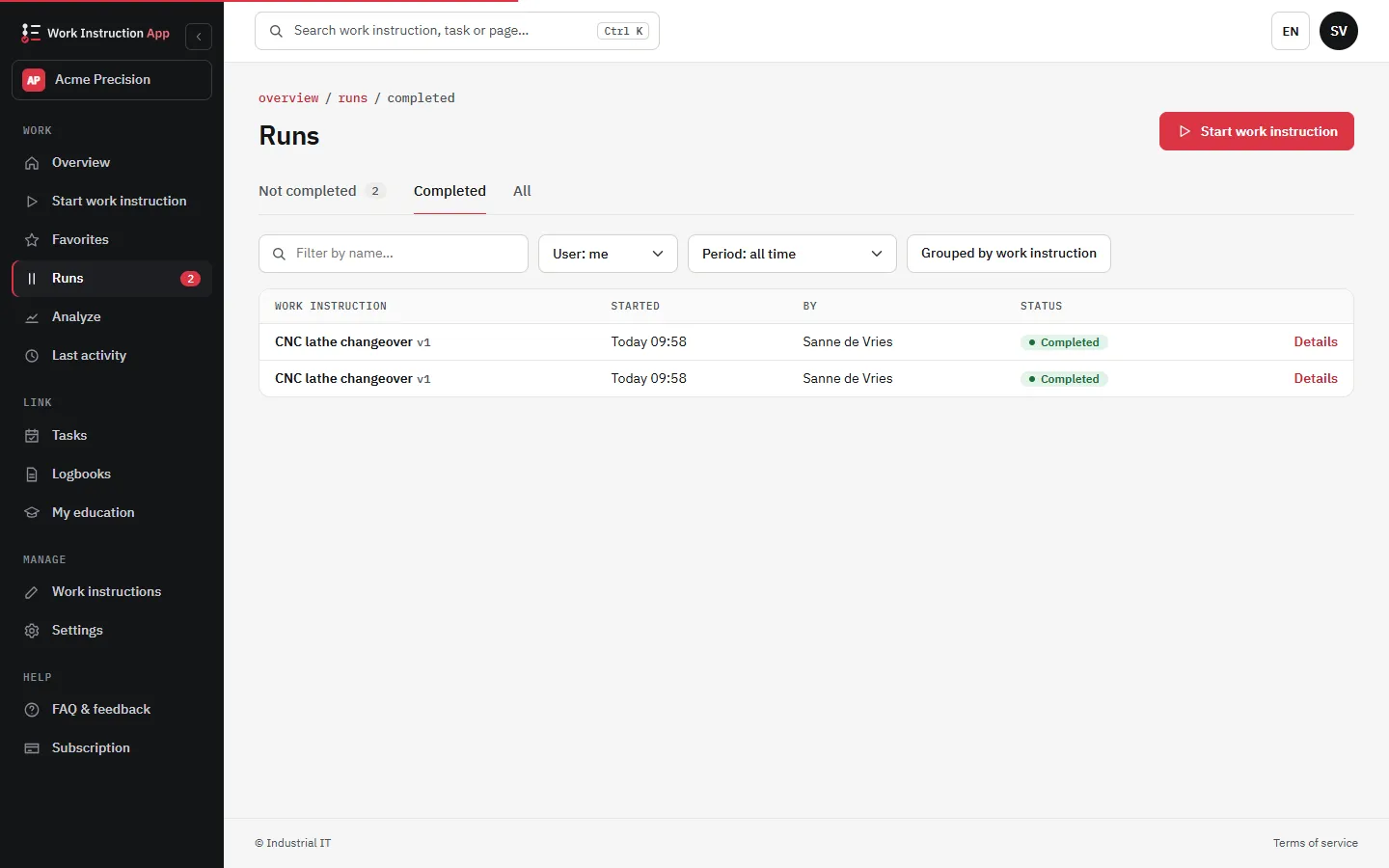
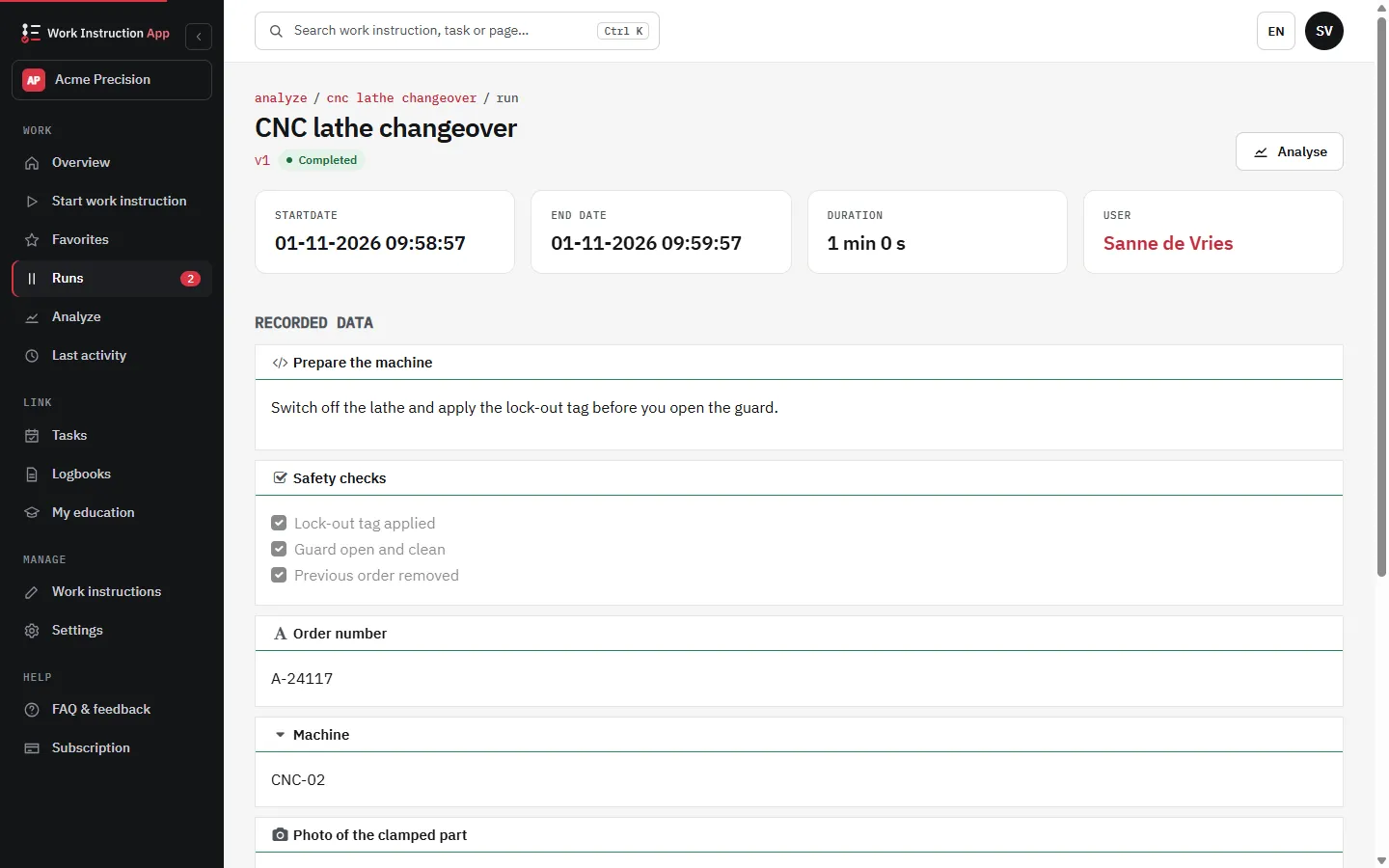
Work traceably and in control, as ISO 9001 and GMP expect: every run is recorded with user, time and version, and deviations are flagged on the run.
Continuously improve
By having current work instructions directly available on the work floor, errors are quickly identified and the root cause can be resolved to prevent errors in the future.
Centralized workflow management
Centralized workflow management ensures that all employees have up-to-date instructions with the latest texts, images and videos, so nobody works from an outdated copy.
Support GxP Practices (GMP, GLP, GCP)
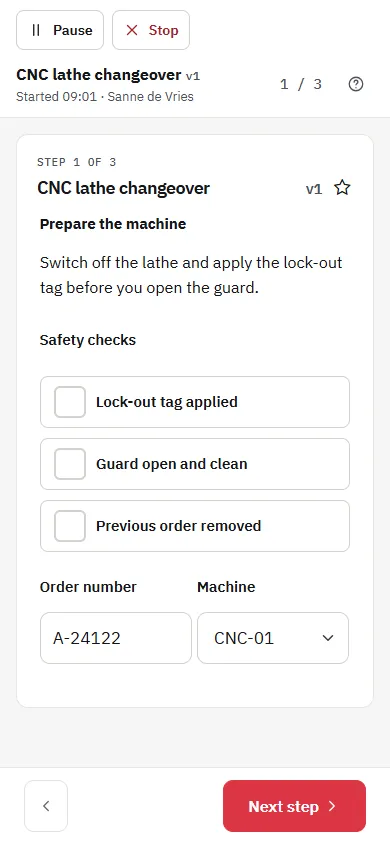
Standardize procedures across labs and manufacturing with clear, visual SOPs and checklists. Keep teams aligned on the latest steps, attachments, and references so execution is consistent and traceable.
- Controlled updates: publish reviewed SOP versions to the floor.
- Traceable execution: user, step, timestamp, and notes per run.
- Evidence capture: photos and required confirmations at critical steps.
Quality outcomes
- Fewer deviations and rework
- Faster onboarding and retraining
- Consistent execution across shifts
Change Control & Versioning
Manage updates centrally and release only approved instructions to the work floor. Keep a full history of edits so reviewers and auditors can reconstruct what changed and why.
Controlled updates
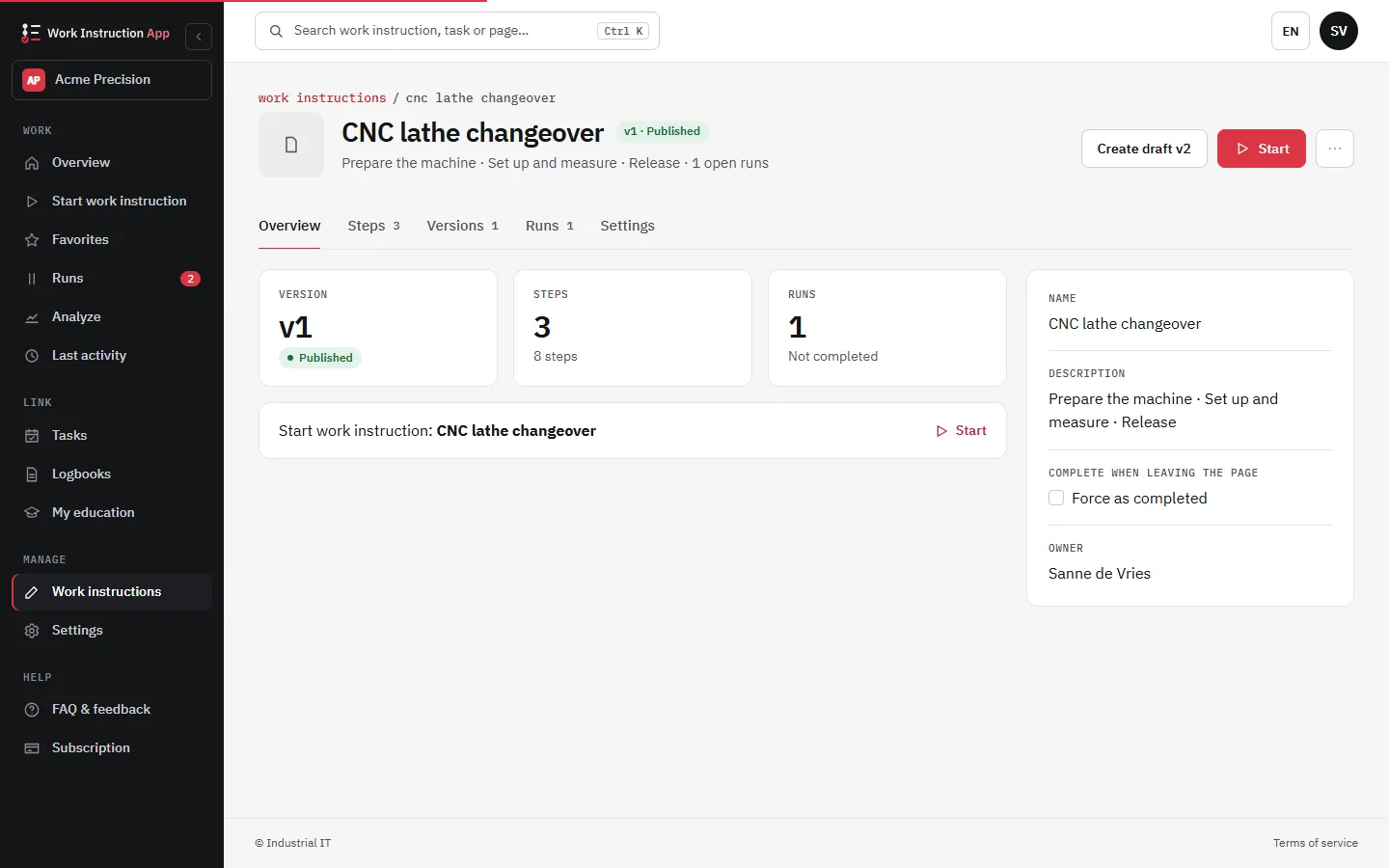
Update instructions centrally and publish the latest version to the floor. Previous versions remain in history for traceability.
Version history
Older versions stay in the history, and a review shows which steps were added, removed or changed compared with the published version.
Four-eyes review
With Review required, a colleague with Manage who did not author the version approves it with their own password before it is published.
Audit Trail & Inspections
Every run is recorded with user, timestamp and SOP version, and every change to an instruction is kept in its history. Export runs to Excel or CSV or print a run as PDF during an inspection.
Execution logs
Step-by-step results with notes, attachments and required checks.
Export and print
Runs per work instruction and period to Excel or CSV, and a print page per run that you save as PDF.
Lab & Production Use Cases
- Equipment start-up & shutdown procedures
- Cleaning & line clearance steps
- Sampling and label checks
- Deviations & temporary instructions
- Calibration and maintenance checklists
- Material receipt & status identification