

Skip to content
Work Instruction App Work Instruction App

Version control for work instructions and SOPs

Last updated:

In short

Version control for SOPs means every change to a procedure becomes a new, numbered version: you edit a draft, optionally have it reviewed by a colleague, publish it as v2, v3 and so on, and operators only see the current published version. Older versions stay available, every run records which version was used, and the History tab shows who changed what and when, which is what ISO 9001 asks for documented information.

Version control - Quick overview

Step 1

Create

Start a new work instruction and add content (text, images, videos, checklists).

Step 2

Save

Save drafts as you go. Drafts are only visible to managers.

Step 3

Publish

Publish when ready. The published version is available to end users.

Step 4

Update & Retract

Editors can create a new version. Retract to prevent execution while managers can continue editing.

What it looks like in the app
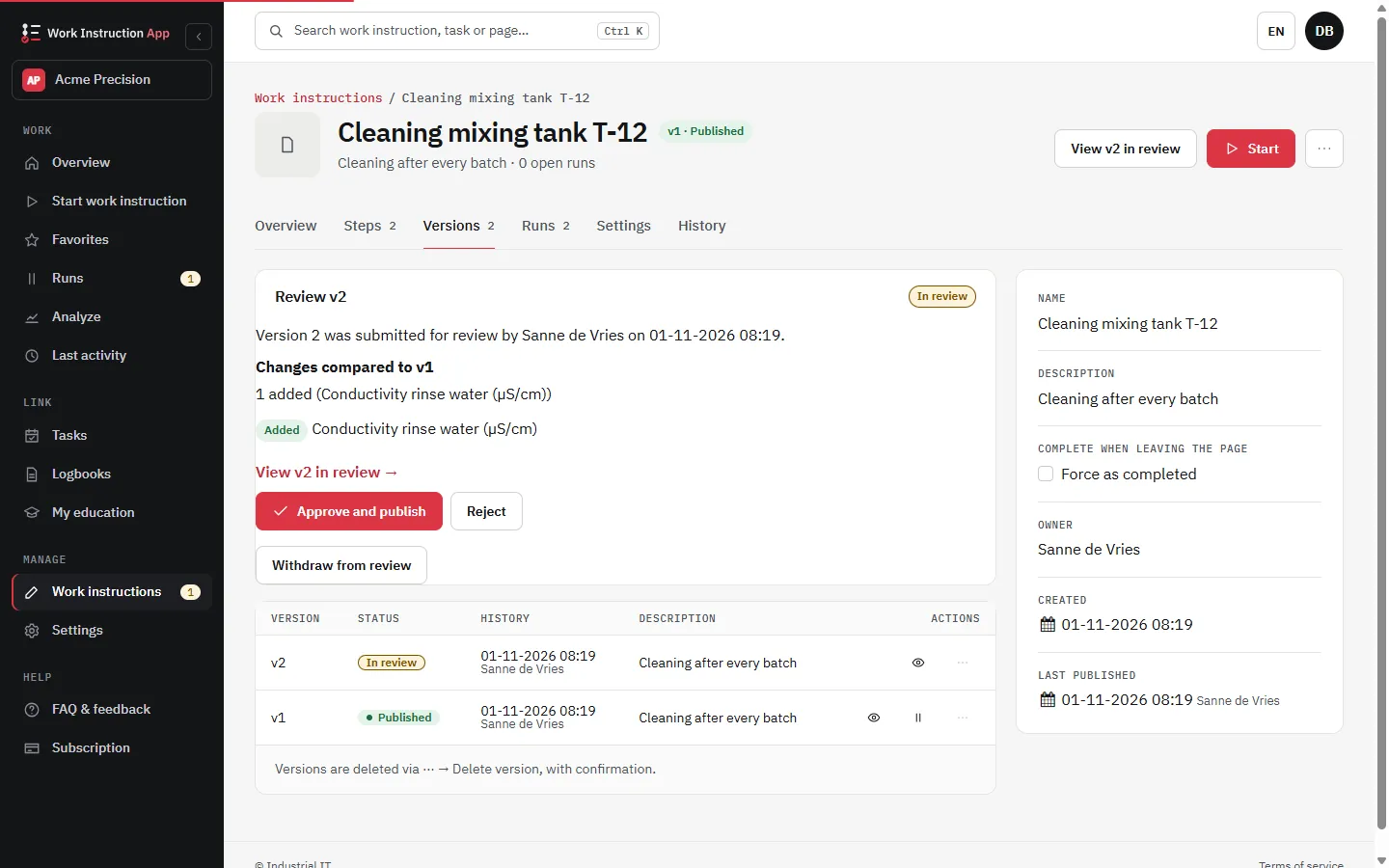
Versions tab of a work instruction with version 2 in review: the added step, Approve and publish, and Reject
The reviewer sees what changed before the version is published.

Frequently asked questions

Version control tracks every change to a work instruction. Each published update becomes a new version with a timestamp and author, creating a clear audit trail while ensuring users always access the correct, most recent guidance.

  1. Create: Add a new instruction and insert your content.
  2. Save: Save your draft as you refine it. Drafts are not visible to Execute users.
  3. Publish: When ready, publish the instruction so authorized end users can execute it.

Editing a published instruction produces a new draft version; a published or retracted version itself can no longer be changed. The prior version remains available in the history for audits. End users see the latest published version.

Retract removes a work instruction from execution. Managers can still view and edit a new version of the retracted instruction. However, users with an Execute subscription cannot run it until it is published again.

Yes. Retraction is ideal for pausing execution while you fix issues or make improvements. Managers can keep iterating and publish a new version when the instruction is ready again.

No one. Retracted instructions are not executable by users with an Execute subscription. Only managers can access them for review and editing.

Earlier versions stay in the history, but a published or retracted version cannot be changed or published again: every change, including going back to earlier content, goes through a new draft version. The History tab shows who changed what and when, supporting audits and compliance.

Execute users only see the latest published version. Drafts and retracted instructions are hidden from execution to prevent using outdated steps.

  • Use clear titles and summaries when publishing a new version.
  • Retract if safety, quality, or compliance is in question.
  • Bundle minor edits into one publish to reduce noise.
  • Review version history regularly to ensure traceability.

Yes. Switch on Review required for the work instruction: Publish then becomes Submit for review. A Manage user who did not author the version sees which steps were added, removed or changed, and approves it with their own password (it is then published) or rejects it with a reason. A version in review is read-only and can be withdrawn. See approval and review.

In the History tab of the work instruction: who created, saved, submitted, approved, rejected, published, retracted or deleted a version and when, with a summary of the added, removed and changed steps. Saves are summarised at most once per user per version per 10 minutes, and a version keeps its original creator. Entries are never changed or deleted.

Sources

Try the Work Instruction App for free

Create your first digital work instruction in minutes. 30-day free trial, no credit card required.

Start your free 30-day trial

No credit card · Cancel any time · Live in 5 minutes

Start your free 30-day trial · no credit card