



Reports on work instructions: export, print and dashboard
Last updated:
The Work Instruction App turns completed runs into reports in three ways: an export of the runs of a work instruction per period to Excel (.xlsx) or CSV with one column per step, a print page per run that you print or save as PDF from the browser, and a dashboard with runs, deviations, approvals and durations. The export and the dashboard need an Analyze subscription.
An auditor asks for last quarter's cleaning checks, a customer for the inspection of one batch, the plant manager for how long a changeover really takes. The answers are already in the runs; you only have to get them out.
What it looks like in the app
Export runs to Excel or CSV
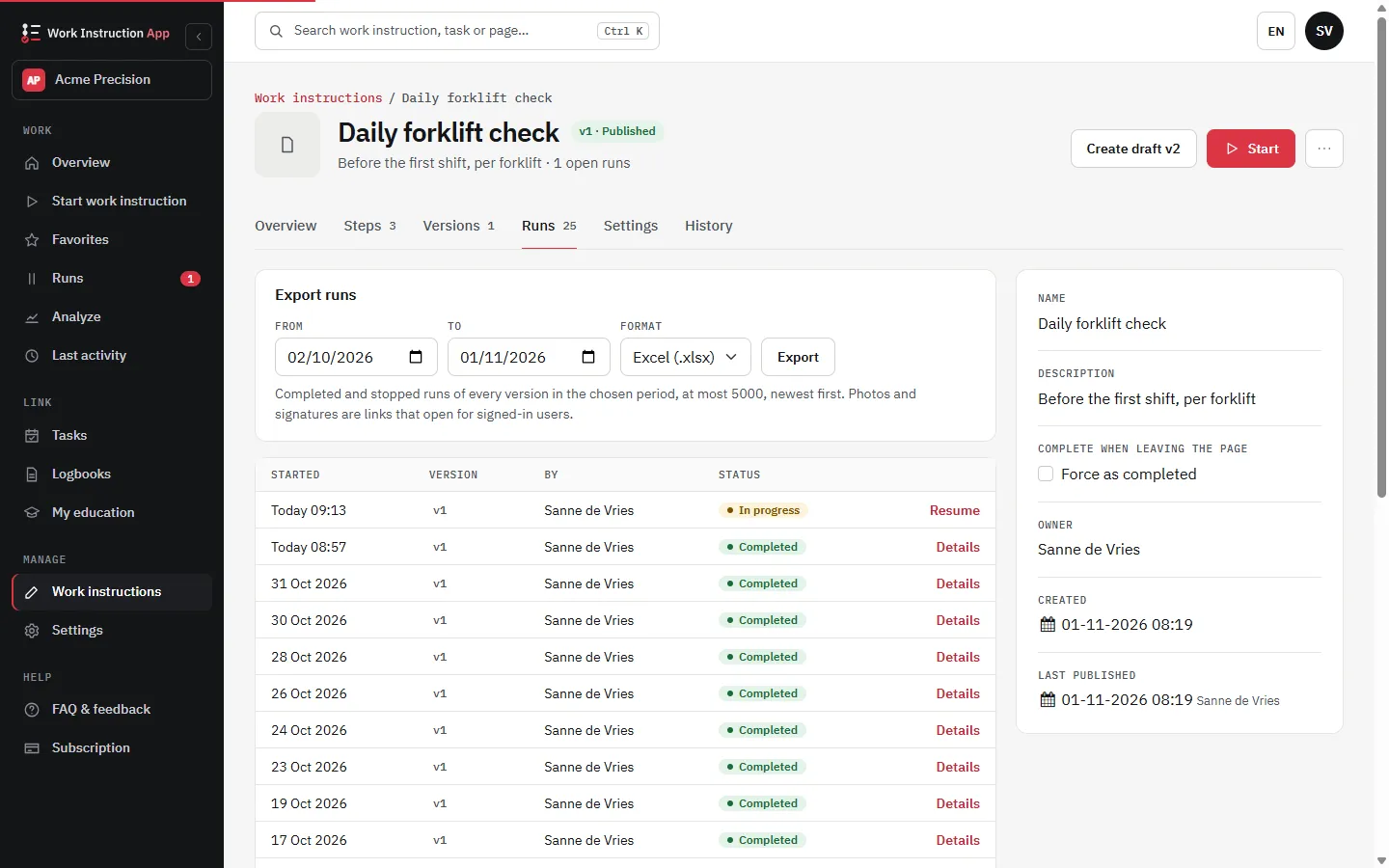
Choose a work instruction and a period, and export its completed and stopped runs as Excel (.xlsx) or CSV. Every step gets its own column, across versions, next to the columns for start, end, duration, user, status, deviation and approval. Photos and signatures are links that open for signed-in users, so the file stays small and the images stay behind the login.
Print a run or save it as PDF
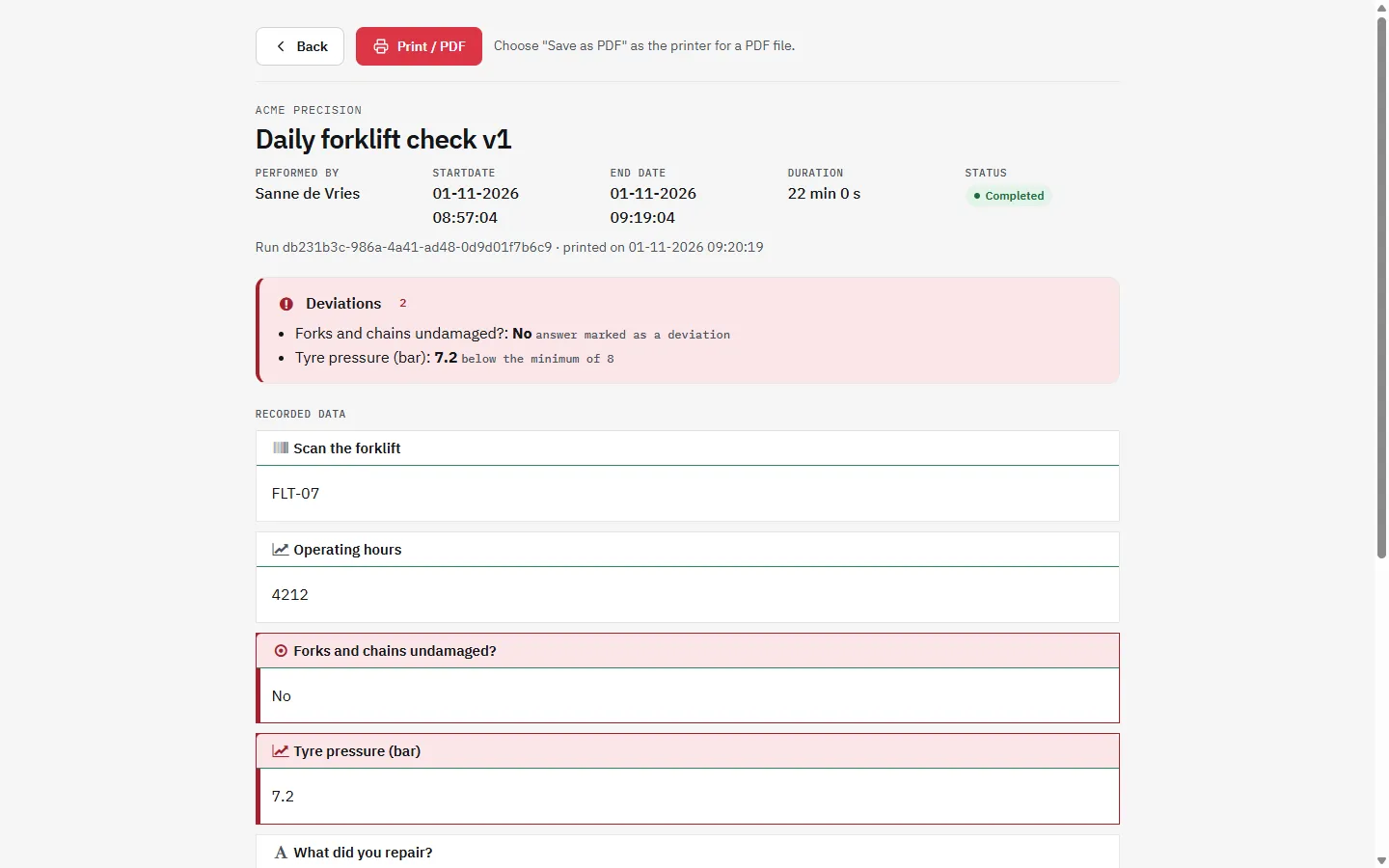
Every run has a print page with a header (work instruction, version, performer, times, deviations, approval and history) followed by all recorded steps. Click Print / PDF and choose Save as PDF as the printer for a PDF file. The PDF is made by your browser; the app does not generate PDFs on the server.
The dashboard
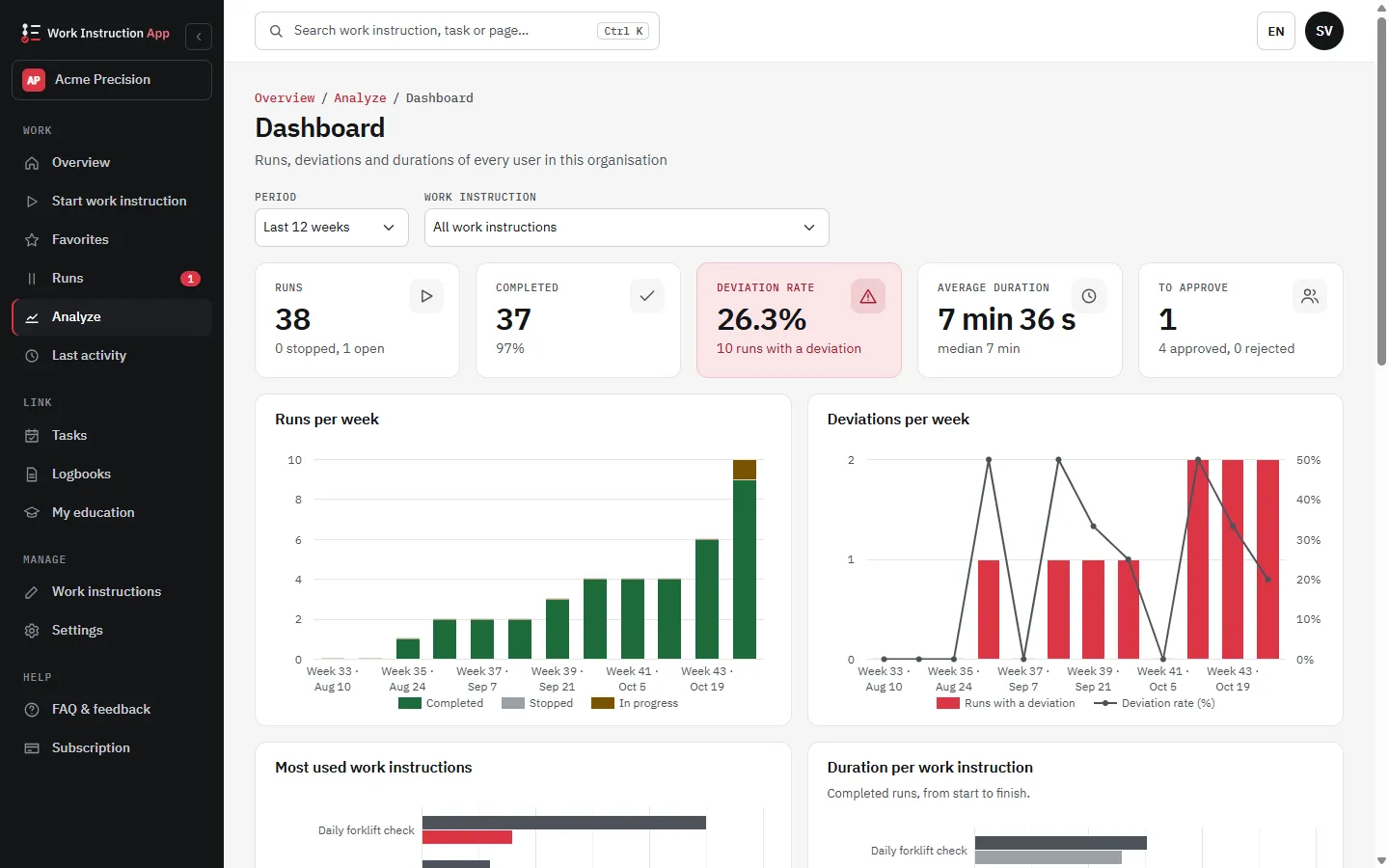
With an Analyze subscription the dashboard shows, for every user in the organisation:
- Runs per week: completed, stopped and open
- Deviations per week, the steps that deviate most often and a list of all deviations with links (see deviations)
- The most used work instructions and the average and median duration per work instruction
- Approvals: pending, approved and rejected (see approval and review)
- Per work instruction the average active time per step, measured from 1 November 2026
Find a run by an entered value
Search the completed runs by a value that was entered, such as a serial number or a batch number (at least 3 characters), and open the run directly. Useful when a customer calls about one product.
Your own reports through the REST API
Need the data in Power BI, an ERP or an MES? Runs with all entered values are also available through the REST API. See the Exact Online integration for an example of how work instructions and another system work together.
Frequently asked questions about reports
Try the Work Instruction App for free
Create your first digital work instruction in minutes. 30-day free trial, no credit card required.
No credit card · Cancel any time · Live in 5 minutes