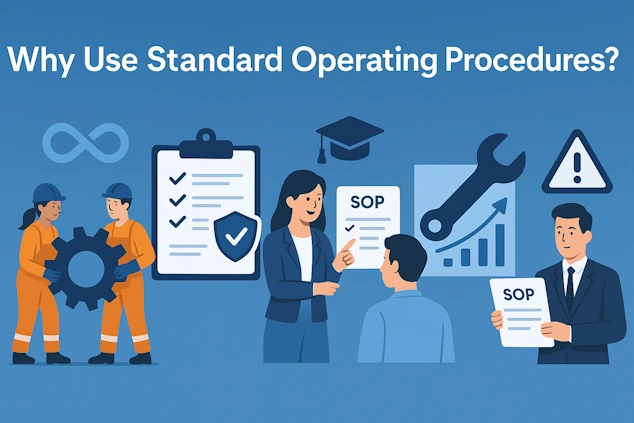
In short: a standard operating procedure (SOP) documents how a task must be done, by whom and to which standard. Organisations use SOPs because they make quality repeatable, shorten onboarding, keep knowledge inside the company and prove compliance during audits. SOPs fail when they live in binders, run too long or have no owner. Digital SOPs with version control solve exactly those problems.
What is a standard operating procedure?
A standard operating procedure is a documented, step-by-step description of a routine task: the purpose, the scope, who is responsible, which tools and materials are needed, and the exact sequence of actions and checks. Unlike a policy (which says what and why) or a process map (which shows the flow between departments), an SOP is operational. It tells the person at the workstation precisely what to do next.
Good SOPs are written for the person doing the work, not for the auditor. They use short sentences, one action per step, photos of the real situation, and a clear check at every point where something can go wrong. For a complete definition and a writing guide, read what an SOP is and why it matters.
Seven reasons to use SOPs
1. Consistent quality, whoever is on shift
Without a written standard, every operator develops a personal way of working. Most of those variations are harmless, but a few cause defects, complaints or safety incidents, and nobody can tell which ones. An SOP fixes the best known method so that the outcome no longer depends on who happens to be on shift. That is the foundation of every quality system, from ISO 9001 to Good Manufacturing Practice.
2. Faster onboarding and safer cross-training
New colleagues learn fastest when they can follow a procedure step by step instead of remembering everything from a single demonstration. With SOPs, a supervisor explains the task once, the SOP repeats it as often as needed, and the new operator becomes productive in days instead of weeks. The same applies to cross-training: an experienced operator can safely cover a different workstation because the procedure is right in front of them.
3. Knowledge stays in the company
In many plants a handful of experienced people know how the tricky machines really behave. When they retire, fall ill or leave, that knowledge goes with them. Writing the procedure down, ideally with their photos and remarks, turns tacit knowledge into company property. A skills matrix then shows who is qualified for which SOP, so you can spot single points of failure before they hurt.
4. Audit-ready compliance
ISO 9001, GMP, HACCP, ISO 13485 and customer audits all ask the same two questions: is there a documented procedure, and can you prove it was followed? SOPs answer the first question. Digital SOPs with an audit trail answer the second one automatically, because every executed step is logged with a timestamp, a user and any data or photos that were captured. Audit preparation shrinks from days of collecting paperwork to a filter on a screen.
5. Fewer errors, less rework, less waste
Most errors on the shop floor are not caused by carelessness but by missing or outdated information: a changed torque value, a new label, a step that was added last month. When the SOP is the single source of truth and everyone works from the current version, those errors disappear. Fewer errors mean less rework, less scrap and fewer emergency shipments, which is where the return on SOPs is usually felt first.
6. A baseline for continuous improvement
You cannot improve a process that nobody performs the same way twice. The SOP is the baseline: once everyone follows the same steps, you can measure cycle times, spot the step where problems occur, test an improvement and publish it as the new standard. This is the standard work loop of lean manufacturing, and an SOP is what makes the loop turn.
7. Safety and risk control
Lock-out steps, personal protective equipment, hazardous materials and lifting operations belong in the procedure, not in someone's memory. An SOP that includes a mandatory safety check, ideally one the operator has to confirm before the next step opens, is one of the simplest and most effective safety measures a company can take.
Why SOPs fail in practice
Most companies that say "we tried SOPs and they did not work" ran into one of the failure modes below. All of them are organisational, and all of them are fixable.
| Symptom | Root cause | Fix |
|---|---|---|
| Nobody reads the SOP | Ten pages of text written for the auditor | One screen per task, one action per step, a photo per step |
| The binder is outdated | No owner, no review date, paper copies everywhere | One owner per SOP, a review date, digital distribution with version control |
| Operators cannot find the right SOP | Documents live on a server folder or in a cabinet | Open the SOP at the machine via a QR code or NFC tag |
| Two versions of the truth | Local copies, e-mailed PDFs, handwritten notes | Publish once, retract old versions automatically |
| No proof the procedure was followed | Paper checklists that are signed afterwards | Digital execution with timestamps, photos and e-signatures |
| Improvements never make it into the document | Feedback has no route back to the owner | A remark button inside the SOP that reaches the owner |
Paper SOPs versus digital SOPs
An SOP on paper is better than no SOP. But paper has structural limits that show up as soon as you have more than a handful of procedures or more than one location.
| Criterion | Paper SOP | Digital SOP |
|---|---|---|
| Current version | Depends on who replaced the pages | Always the published version, old ones retracted |
| Media | Text, maybe a printed photo | Photos, video, drawings, forms, checklists |
| Finding the procedure | Cabinet, binder, server folder | Scan a QR code or tap an NFC tag at the machine |
| Proof of execution | Signed checklist, filed by hand | Automatic log per step, searchable for audits |
| Data capture | Handwritten values, retyped later | Measurements, photos and signatures captured in the step |
| Multiple languages and sites | Separate binders that drift apart | One procedure, translated, published everywhere |
The full comparison, including costs and pitfalls, is in digital work instructions versus paper.
How to introduce SOPs in five steps
- Pick five tasks that hurt. Start with the procedures that cause the most errors, questions or audit findings, not with the easiest ones. Quick, visible wins create the pull for the rest.
- Write with the operator, at the workstation. Take photos of the real situation, note the tricks experienced people use, and keep every step to one action. A good first draft takes an hour, not a week.
- Add checks where it matters. A measurement, a photo of the result or a confirmation before a critical step turns the SOP from a document into a control.
- Publish digitally and make it findable. Put a QR code or NFC tag on the machine, the cart or the workstation so the SOP opens in seconds. Retract the paper copies the same day.
- Assign an owner and a review date. Every SOP gets one owner who receives feedback and reviews the procedure at least yearly. Track who is trained on which SOP in a skills matrix.
Where SOPs matter most
Every organisation with repeatable work benefits, but the return is highest where errors are expensive or regulated: manufacturing (changeovers, quality checks, maintenance), logistics (receiving, picking, shipping), pharmaceuticals (batch records, cleanroom protocols) and any company working under ISO 9001 or GMP.
The conclusion is simple: SOPs are not paperwork, they are the operating system of a reliable company. Written for the operator, kept current and executed digitally, they pay for themselves in fewer errors, faster onboarding and audits that take hours instead of weeks.