



Working offline: work instructions without a connection
Last updated:
In a cellar, a cold store, a container or at a site without coverage you can still carry out work instructions. The app keeps your work instructions on the phone or tablet and sends the runs as soon as there is a connection again. This works in the Android app and in the browser.
You do not have to switch anything on: open the app once with a connection and it keeps the right work instructions by itself.
Which work instructions are kept on your device
The app keeps your favourites (the work instructions you marked with the star) and the ten work instructions you carried out most recently, always the published version. On the start page these show an Offline label. Mark a work instruction as a favourite before you go to a place without coverage, and it is certainly on your device.
Updating: what Update now does
Under the list on the start page the app says how many work instructions are on this device and when they were last updated. With a connection it updates them by itself (at most every fifteen minutes, and at once after a new favourite or a new version). Update now does it right away, for example just before you leave for a site without coverage. Only new or changed work instructions are fetched, with their images and PDFs.
How it works without a connection
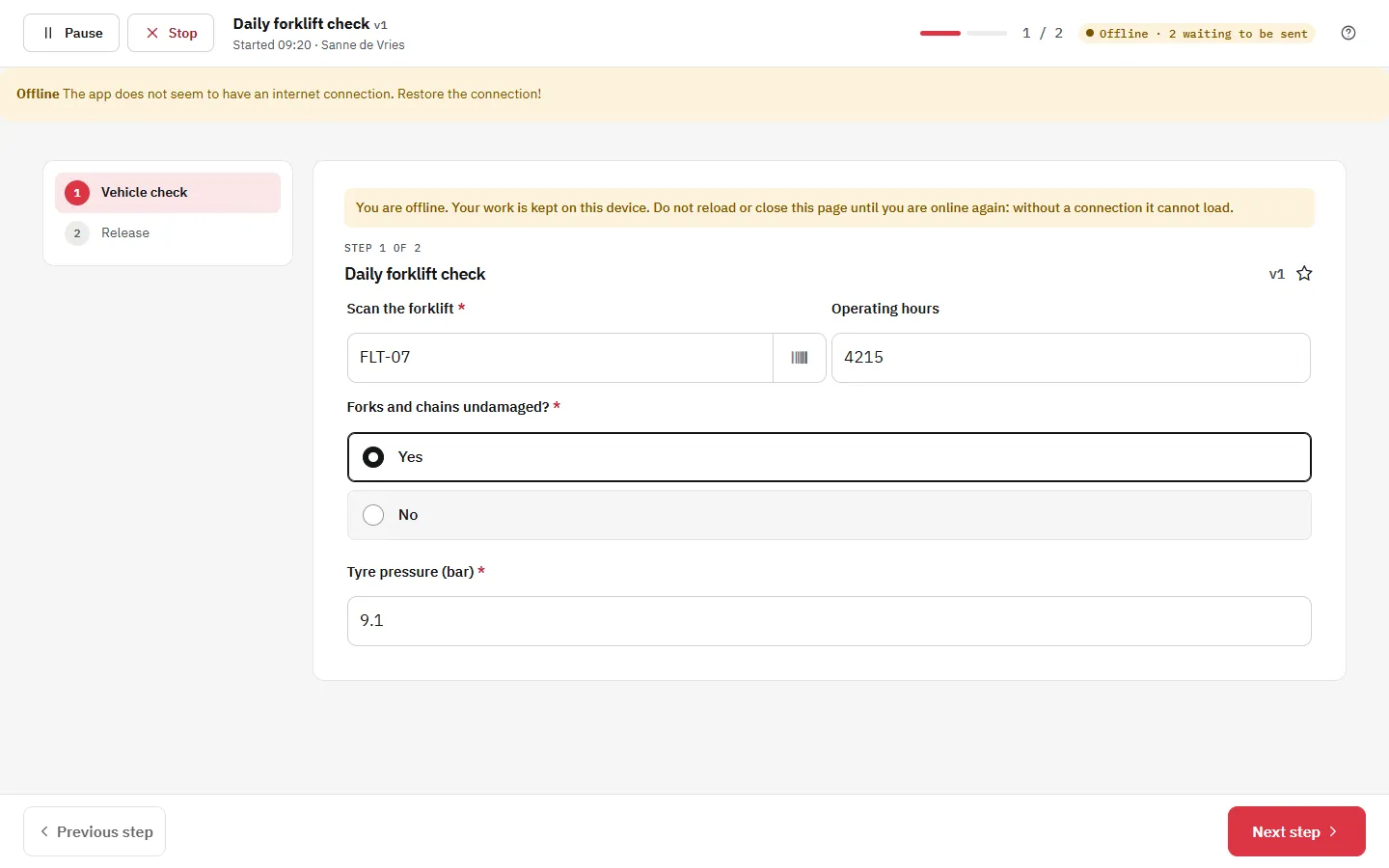
- Open the app. Without a connection it shows the work instructions on this device and the runs that still have to be sent.
- Start a work instruction. Every run gets its own number, so two runs never mix.
- Fill in the steps as usual: answers, measured values, photos, audio and signatures are kept on the device.
- Finish or pause the run. It waits on the device; you can continue a paused run there later.
- Back in coverage, the app sends the waiting runs by itself. An indicator shows how many are still waiting, and Send now sends them at once.
What needs a connection
Videos and YouTube films, maps, linked work instructions and Exact Online steps are not kept on the device. Without a connection those steps show a short note. A work instruction in which such a step is required cannot be started offline; the start page says so. Overviews, tasks, analysis and management work again as soon as you are online.
Safe on a shared device
What the app keeps belongs to the signed-in user and organisation. Signing out removes the kept work instructions from the device. Runs that were not sent yet stay and are only sent when the same user signs in there again, never into another organisation.
Questions about working offline
Try it on your own phone
Mark a work instruction as a favourite, switch on flight mode and carry it out.
Start your free 30-day trial