In short: HACCP is a method to control food safety hazards at the points in your process where they can be prevented, removed or reduced, and to prove that you did. That proof is the registration: temperatures, cleaning, checks at critical control points and the corrective actions taken when something was wrong. With digital forms each check becomes a short work instruction with required fields, units and a clear instruction for values out of range, and every record is kept with the user and time for inspection.
What is HACCP?
HACCP stands for Hazard Analysis and Critical Control Points. The method is described in the General Principles of Food Hygiene of the Codex Alimentarius, the food standards programme of the FAO and the WHO. It is built on seven principles:
- Conduct a hazard analysis and identify control measures.
- Determine the critical control points (CCPs).
- Establish validated critical limits for each CCP.
- Establish a system to monitor the control of each CCP.
- Establish the corrective actions to be taken when monitoring shows a deviation from a critical limit.
- Validate the HACCP plan and establish procedures for verification.
- Establish documentation and record keeping.
In the European Union HACCP is not optional. Regulation (EC) No 852/2004 on the hygiene of foodstuffs, applicable since 1 January 2006 according to the European Commission, requires food business operators (except in primary production) to put in place, implement and maintain permanent procedures based on these principles, and to keep documents and records that show it. The rules contain flexibility for small businesses: many restaurants, bakeries and shops work with a hygiene code or a guide to good hygiene practice for their sector instead of a full HACCP study of their own. The Dutch food safety authority NVWA describes exactly that route for hospitality, craft and retail businesses.
Which HACCP records do food businesses keep?
Your HACCP plan or hygiene code decides which records you keep and how often. The table shows checks that appear in most plans. The limits are not filled in on purpose: take them from your own plan or code, because they differ per product, process and sector.
| Check | What is recorded | Typical moment | When out of range |
|---|---|---|---|
| Cooling cell or fridge | Temperature in °C, user, time | At opening and closing, or per shift | Check the door and the unit, move or assess the products, notify the person responsible |
| Freezer | Temperature in °C | Daily | Assess whether products have thawed, follow the plan |
| Receipt of goods | Core or surface temperature, packaging, best-before date, supplier | Every delivery of chilled or frozen goods | Refuse the delivery or set it aside, record the reason |
| Cooking or heating (CCP) | Core temperature in °C, product, batch | Every batch | Continue heating and measure again, or discard |
| Cooling down (CCP) | Temperature at start and after the set time | Every batch that is cooled down | Discard or assess according to the plan |
| Cleaning and disinfection | Area or equipment, agent, done yes/no, photo | Per the cleaning schedule | Clean again before production starts |
| Pest control | Traps checked, findings, photo | Per the agreed frequency | Notify the pest controller, record the measure |
Why do paper HACCP lists cause problems?
The classic HACCP list on the fridge door works as long as everybody fills it in at the right time. In practice values are written down afterwards, rows stay empty during busy shifts, and a value above the limit is noted without anyone writing what was done about it. During an inspection the folder then shows gaps, the same handwriting for a whole week or an exceeded limit without a corrective action. The problem is rarely the measurement; it is that paper cannot enforce the moment, the completeness or the follow-up.
How do you set up digital HACCP checks?
Each check in your plan becomes a short digital form. These six steps take you from the paper list to digital HACCP registration.
1. List the checks from your HACCP plan or hygiene code
Start from your own plan, not from a generic template. Write down per check what is measured, the limit, the frequency, who does it and what the corrective action is. That list is the specification for your forms and also the moment to check whether every CCP really has a limit and an action.
2. Use number blocks for temperatures with the unit and the limit in the label
Make every temperature a number field and put the unit and the limit in the label, for example "Temperature cooling cell 2 (°C, limit from plan: ...)". The user then sees in one glance what to measure and what is acceptable, and the value is stored as a number instead of a scribble. A number block can also get a minimum and a maximum, but a value outside them blocks Next until it is corrected. Use that for a plausible range that catches typing errors, not for the critical limit itself: a real exceedance has to be recorded, as in step 4.
3. Mark the fields as required and add a photo where it proves something
Mark every measurement and confirmation as required, so a form cannot be finished with empty fields. Add a photo block where a picture says more than a tick: the display of the cooling cell, the probe in the product, the cleaned slicer, a trap with findings.
4. Put the corrective action in the step itself
Place a yes/no question right after the measurement: "Is the value within the limit?" In the editor, tick "no" as a deviating answer: a run with that answer is marked as a deviation in the runs overview and the run details. Put the corrective action on the next step and set that step to "Only show when" the answer is "no": an explanation text says exactly what to do, in the words of your plan, followed by a required text field where the user records the action taken. When the value is fine, the step is skipped. For larger actions, such as assessing a whole batch, add a block that starts a separate work instruction for that corrective action. The app sends no e-mail on a deviation: the instruction tells the user what to do, and the record shows that it was done.
5. Close with a signature and use a logbook per cooling cell
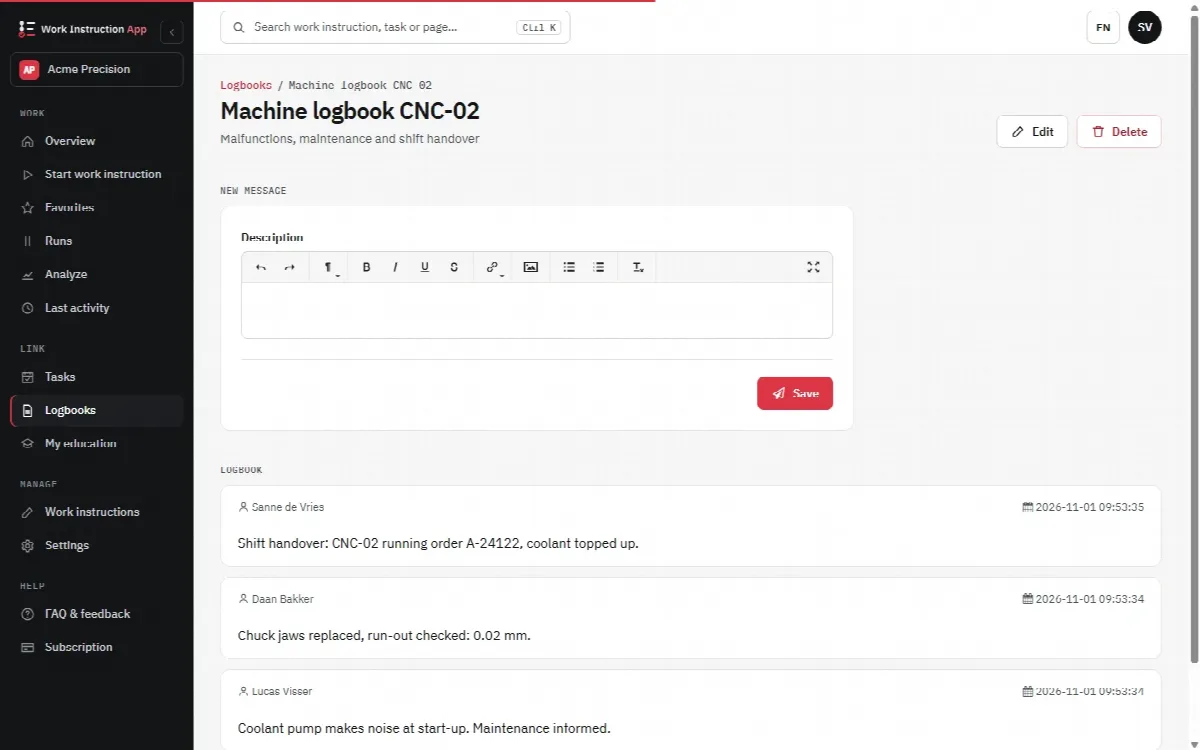
End each form with a signature block, so it is clear who is responsible for the record. Next to the forms, keep a logbook per cooling cell, freezer or machine for everything that does not fit a fixed check: a technician's visit, a door that does not close properly, a defrost cycle. Several people can add messages to the same logbook, so the history of that unit is in one place.
6. Put a QR code on the unit and review the records
Stick a QR code or an NFC tag on each cooling cell, freezer or workstation, so scanning it opens the right check. Then have the person responsible review the completed runs per check and period, for example weekly, and look for missing checks and repeated deviations. Changes to the plan become a new version of the form; older versions stay traceable.
In practice with digital work instructions
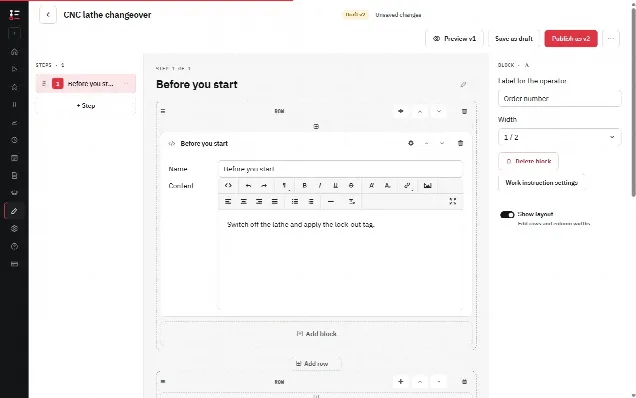
In the Work Instruction App every HACCP check is a work instruction built from blocks in the browser editor: explanation text, a number field for the temperature, checkboxes, a radio button for "within the limit?", a photo, a text field for the corrective action and a signature, and the input blocks among them can be marked required. The digital forms and checklists pages show the block types. The draft saves automatically, and publishing creates a new version.
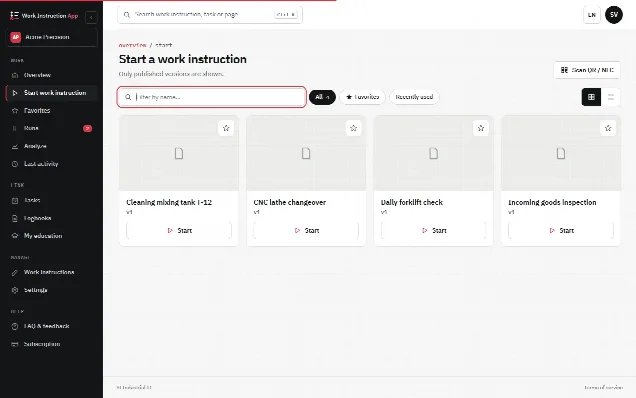
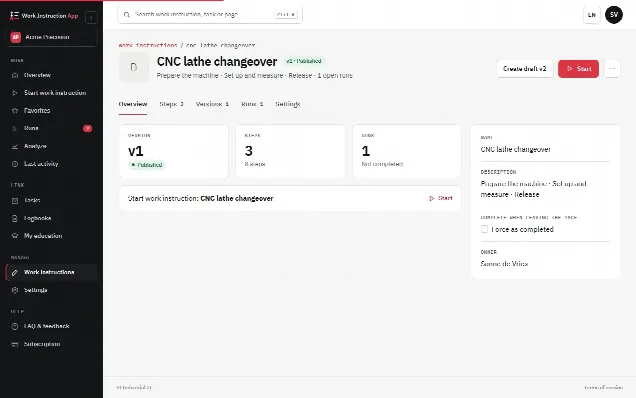
The user starts the check by scanning the QR code or NFC tag on the unit, or from favourites. Every run records the user, start and end time, the version and every value, photo and signature. Completed runs can be filtered per work instruction, user and period, which is what an inspector or an audit asks for. The logbook per cooling cell or machine collects the remarks of several people over time.
Be clear about what the app does not do: it does not read sensors and does not send a message when a value is too high. What it can send is a reminder: give the work instruction a schedule with the times of day, the weekdays and a grace period, and when no completed run exists in time, the Manage users get a task and an e-mail for that missed check. It makes sure the check is done at the place where it belongs, completely, with the right instruction for a deviation, and that the record is there afterwards. For the wider case for moving from paper to digital, see why digital work instructions.
How do you keep records ready for inspection?
Inspectors look for three things: are the checks done, are they done at the agreed frequency, and was something done when a limit was exceeded. In the Netherlands the NVWA supervises compliance; in Germany food control (Lebensmittelüberwachung) is the task of the federal states and their local authorities. Practical tips for both:
- Keep every check in its own work instruction, named after the unit or process ("Cooling cell 2, daily check"), so filtering per check gives a complete series.
- Review weekly and fix gaps in the schedule before an inspector finds them.
- Make sure every deviation has an action: a "no" without a description of the action is the most common weak spot.
- Keep your HACCP plan and the forms aligned: when a limit or a frequency in the plan changes, publish a new version of the form the same day.
- Agree how long records are kept and check the retention your hygiene code or authority expects.