In short: a toolbox meeting is a short, practical safety talk with the team at the start of a shift or week, about one topic that matters for the work ahead. Keep it to about 15 minutes, use a real situation from your own workplace, ask a check question at the end and record who attended, what was discussed and whether people understood it. Done digitally, every topic becomes a work instruction with the explanation, a question and a signature per attendee, linked to a course so your skills matrix shows who took part.
What is a toolbox meeting and what is it for?
A toolbox meeting (also called a toolbox talk, safety briefing or, in German-speaking countries, an Unterweisung) is a short session in which a supervisor or team leader discusses one safety or quality topic with the people who actually do the work. The name comes from construction: the team gathered around the toolbox before starting, not in a meeting room.
The purpose is threefold:
- Prevent incidents. A topic that is discussed on Monday morning is fresh in mind when the work starts on Monday morning.
- Share experience. Near misses, changes to a machine or a new procedure reach everyone at the same time, in the same words.
- Prove instruction. Employers have a legal duty to instruct employees about the risks of their work. In Germany, section 12 of the Arbeitsschutzgesetz (ArbSchG) requires instruction that is sufficient and appropriate and repeated where necessary. In the Netherlands, article 8 of the Arbowet requires employers to inform and instruct employees effectively. A toolbox meeting with a record is a practical way to show you did.
A toolbox meeting does not replace a full training course or a risk assessment. It is the regular, short repetition that keeps the content of those alive on the shop floor or the building site.
How often should you hold a toolbox meeting?
There is no single right frequency. Choose a rhythm that matches the risks and the pace of change in your work:
- Weekly or every two weeks is a common rhythm on construction sites, in installation work and in production with many manual tasks.
- Monthly can be enough for stable work with lower risks, as long as the topics rotate.
- Immediately after an incident, a near miss, a new machine or a changed procedure, regardless of the planned rhythm.
Consistency matters more than the exact interval. A short meeting that always happens on Monday at 7:15 is better than a long one that is postponed every other week. Plan the topics a quarter ahead, so the team leader knows what is coming and can prepare.
How do you choose the topics?
The best topics come from your own workplace: recent near misses, findings from inspections, questions from new employees and the tasks that are planned for the coming weeks. Rotate between general topics and specific tasks, and repeat important topics at fixed intervals. The table below gives twelve ideas with a check question you can ask at the end.
| Topic | Why it matters | Example check question |
|---|---|---|
| Lockout / tagout before maintenance | Unexpected start-up during maintenance causes serious injuries | Who removes the lock after the job? |
| Working at height and ladders | Falls are a classic cause of serious accidents | When do you use a scaffold instead of a ladder? |
| Personal protective equipment | PPE only protects when it is the right type and worn correctly | Which gloves do you wear for this cleaning agent? |
| Manual handling and lifting | Back and shoulder complaints build up slowly | What do you do with a load you cannot lift alone? |
| Forklift and pedestrian traffic | Routes and crossings change with the layout of the hall | Where are the marked crossings in hall 2? |
| Hazardous substances and safety data sheets | New products arrive with new risks | Where do you find the safety data sheet? |
| Fire safety and escape routes | Blocked routes and extinguishers are noticed too late | Where is the assembly point? |
| Housekeeping and 5S | Clutter causes trips and searching | What belongs at this workstation at the end of the shift? |
| Machine guarding | Bypassed guards are a recurring finding | What do you do if a guard is damaged? |
| Reporting near misses | Every unreported near miss is a lost lesson | How and where do you report a near miss? |
| Electrical safety and portable tools | Damaged cables and plugs are easy to overlook | What do you check before using an extension cable? |
| A recent incident or near miss | Your own situation sticks better than any general example | What would you do differently in that situation? |
How do you run a toolbox meeting in 15 minutes?
Fifteen minutes is long enough to explain and discuss one topic and short enough to hold everyone's attention. The structure below works for most teams.
1. Pick one topic and one message
Choose a single topic and decide in one sentence what everyone should remember afterwards. "Always lock out the press before you reach into the die area" is a message; "machine safety" is not. One topic per meeting keeps it focused.
2. Prepare the explanation with real photos
Prepare a short explanation with photos or a short video of your own workplace: the actual lock, the actual switch, the actual crossing. Write down the two or three key points and the check question. Prepared content also means a substitute team leader can hold the meeting when the regular one is absent.
3. Open with a real situation (2 minutes)
Start with something that happened or could happen here: a near miss last week, a finding during an inspection, a job that is coming up. A recognisable situation makes people listen.
4. Explain the rule and show how it is done (5 minutes)
Explain what the correct way of working is and why, and show it on the spot if you can. Keep to the key points you prepared. Avoid reading out long texts.
5. Discuss and listen (5 minutes)
Ask the team where the rule is hard to follow in practice and what gets in the way. This is where the useful information is: missing tools, unclear signs, time pressure. Note the actions that come out of it, with a name and a date.
6. Check understanding with a question (2 minutes)
End with one short check question per attendee, such as the examples in the table above. A question shows whether the message has landed, which an attendance signature alone does not.
7. Record attendance, understanding and actions (1 minute)
Record the date, topic, attendees, the answer to the check question, the signature of each attendee and the agreed actions. Without a record, the meeting cannot be shown to an inspector, a client or an auditor, and absentees cannot be followed up.
8. Follow up absentees and actions
Make sure colleagues who were absent take the topic later, and that the agreed actions are done. A toolbox meeting whose actions are never completed teaches the team that reporting problems is pointless.
What should the record of a toolbox meeting contain?
A useful record answers the question "who was instructed about what, when, by whom, and did they understand it?" At minimum it contains:
- Date, time and location of the meeting.
- The topic and the version of the content that was used.
- The name of the person who led the meeting.
- The names of the attendees, each with a signature.
- The answer to the check question per attendee.
- Remarks from the discussion and agreed actions with an owner.
On paper this is usually an attendance list on a clipboard. The problems are familiar: illegible names, lists that end up in a drawer, no record of what was actually explained, and no overview of who missed which topic. When an auditor asks who was instructed about lockout in the last year, someone has to go through a stack of paper.
How do you record toolbox meetings digitally?
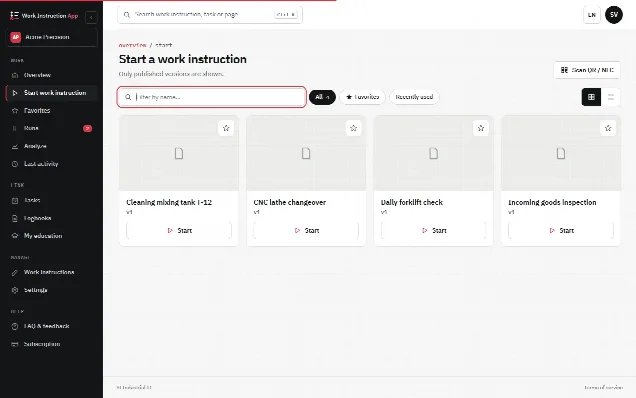
The digital approach turns each topic into a short digital work instruction that is used both to hold the meeting and to record it. The content is prepared once and reused every time the topic comes back, and every run is stored with the details.
There are two practical ways to record the attendees:
- Each attendee runs it on their own phone. After the talk, every attendee opens the work instruction, answers the check question and signs. Each run is linked to that user, which gives the cleanest record per person.
- The team leader runs it on a tablet. The team leader fills in the topic, and the attendees enter their name and sign one after another on the same screen. This works well when not everyone has an account or a device.
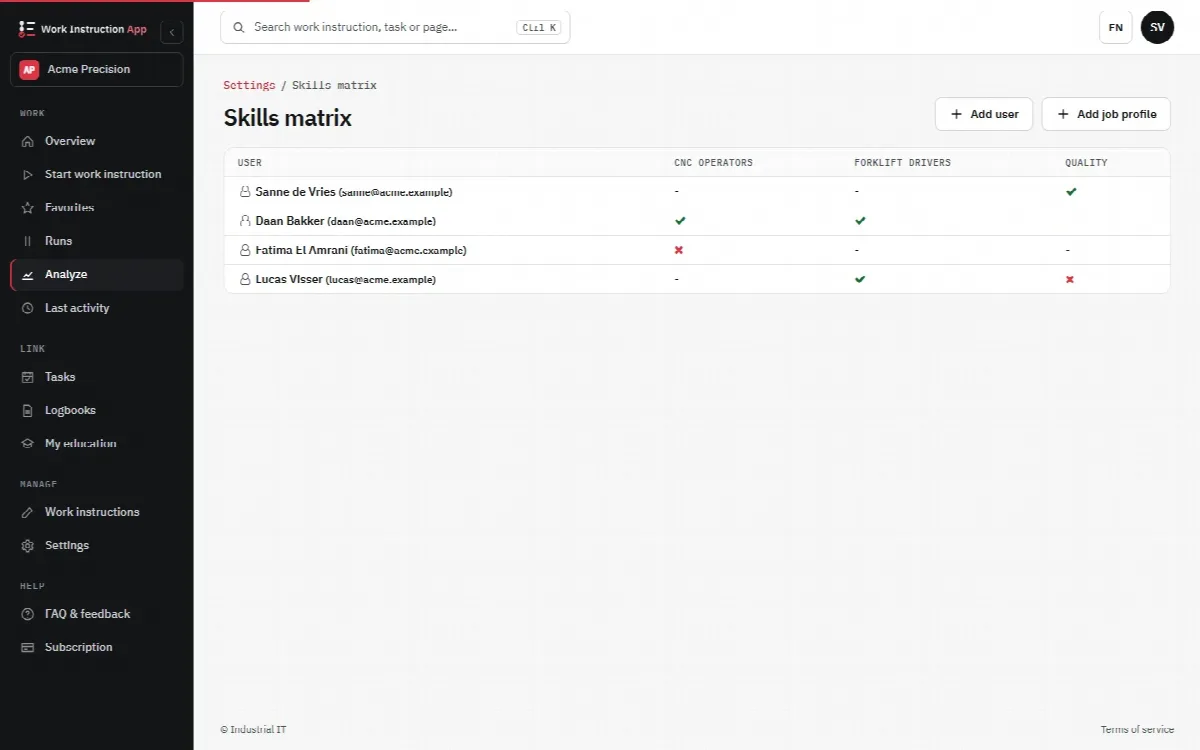
When each attendee completes the topic under their own account, you can link the topic to a course. The skills matrix then shows per employee which toolbox topics they have completed, and who still has to catch up. That turns a pile of attendance lists into an overview you can actually use in knowledge management.
In practice with digital work instructions
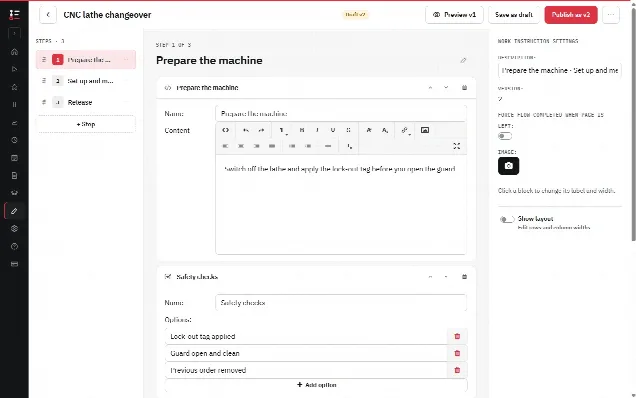
In the Work Instruction App you build one work instruction per toolbox topic in the browser editor, with steps such as:
- An explanation text, photos, a video or a PDF with the content of the talk.
- A radio button or selection step with the check question, marked as Required so the run cannot be finished without an answer.
- A text area for remarks and agreed actions.
- A signature step for the attendee, or several name fields and signature steps when the team leader records the whole group.
Every run records the user, the start and end time, the version of the work instruction and every answer and signature. Completed runs can be filtered per work instruction, user and period, so you can show who took part in which topic. When you improve the content, you publish a new version; earlier runs remain linked to the version that was used. Topics can be linked to courses and job profiles, so the skills matrix shows who attended and a certificate is created when the course work instruction is completed.
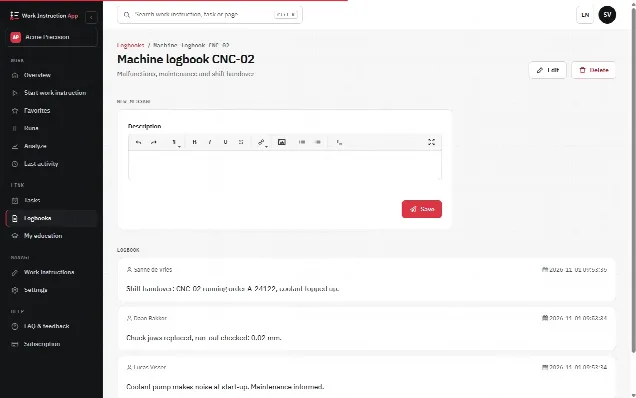
A topic that comes from a specific machine or area fits well next to a logbook for that machine, where colleagues record observations that can feed the next toolbox meeting. If you also use a digital checklist for inspections, findings from those checklists are a good source of new topics. For writing the content of each topic, the guide how to write a work instruction gives a method that works for toolbox content as well.
Common mistakes to avoid
- Reading out a document. People remember a situation and a demonstration, not a page of text.
- Too many topics in one meeting. One topic and one message per session.
- Only collecting signatures. A signature shows presence, a check question shows understanding.
- No follow-up. Absentees who never take the topic and actions that are never completed undermine the whole routine.
- The same general topics every year. Use near misses, findings and planned work to keep it relevant.