In short: work instructions for a multilingual team work when the picture carries the message and the text only supports it. Show each step with a photo or short video of the real workstation, write one action per step in short, plain sentences, use the same words and symbols everywhere, and make a separate version per language for tasks where safety or quality depend on the text. Then check that people really understood, not just that they signed.
Why do standard work instructions fail in multilingual teams?
Most work instructions are written by an engineer or team leader for colleagues who share their language and their background. They contain long sentences, internal abbreviations, passive constructions and words like "ensure" or "where applicable". For an operator who reads the local language as a second or third language, that text is slow to read and easy to misunderstand. The usual outcome is not that people ask, but that they copy what the colleague next to them does. The instruction is then no longer the standard; the colleague is.
Language is not the only barrier. Some workers read little in any language, some are new to the type of work, and temporary staff may start without a proper introduction. A good instruction for a multilingual team is therefore simply a good instruction for everyone: it works for the experienced colleague too, who reads it faster.
Which practical rules make an instruction work without much language?
The table lists rules that make an instruction understandable with as little reading as possible.
| Rule | Instead of | Do this |
|---|---|---|
| Picture first | A paragraph describing the position of a part | A photo of the part in the correct position, taken from where the operator stands |
| One action per step | "Remove the cover, clean the filter and check the seal" | Three steps, each with one verb and one photo |
| Short sentences | Sentences of 20 words or more with a subordinate clause | Under 10 words where possible, verb first: "Close the valve." |
| Concrete values | "Tighten firmly", "wait until warm" | "Tighten to 25 Nm", "Wait until the display shows 180" |
| Same word, same thing | "Cover", "lid" and "hood" for one part | One term per part, the same as the label on the machine |
| Symbols that are standard | Home-made icons or colours with an unexplained meaning | Standard safety signs and the pictograms people already see on site |
| Show right and wrong | "Make sure it is not crooked" | Two photos side by side: correct and incorrect |
| Video for movement | A description of a hand movement or sequence | A short video of 10 to 30 seconds without voice-over, or with a few words |
| Numbers, not words | "Do this three times" | "3x" next to the photo |
| No abbreviations or jargon | "Check NOK parts per WI-17" | "Put rejected parts in the red bin" with a photo of the bin |
How do you build a step around a photo or video?
Start with the picture, not the text. Watch an experienced colleague do the task and photograph every situation in which something has to be done or checked. Then write one short sentence under each photo that says what to do. If the photo needs a long explanation, it is the wrong photo: take it closer, from another angle, or mark the spot that matters.
Video works best for movement: how a part slides in, how a cable is routed, the order in which bolts are tightened. Keep clips short, film from the operator's point of view and avoid relying on spoken explanation, because the spoken language is just as much a barrier as the written one. Noise on the shop floor makes sound unreliable anyway.
Use photos of your own workplace. Stock images and drawings from a manual look different from the machine in front of the operator, and the difference is exactly what causes doubt.
Do you need a version per language?
Not for everything. Many tasks can be done with photos, video and a few words in the local language that people learn quickly. But for tasks where safety or quality depend on the text, such as lock-out procedures, handling hazardous substances, or a judgement about whether a part is acceptable, a version in the language the operator reads well is worth the effort.
Some guidelines for those versions:
- Choose by risk, not by volume. Translate first the instructions where a misunderstanding causes injury or rejected product.
- Have a native speaker who knows the work check the translation. Automatic translation tools are a starting point at most: they mistranslate technical terms and miss what a phrase means at your machine.
- Keep the versions identical in structure. Same steps, same photos, same order. Only the text differs, so a team leader can follow along in their own language.
- Update all versions together. When the process changes, every language version changes in the same week. A translation that lags behind is more dangerous than no translation.
- Name versions clearly. Put the language in the name of the instruction, so operators find their version without searching.
How do you check that people really understood?
A signature under an instruction proves that someone signed, not that they understood. In a multilingual team, people often nod or sign to avoid looking unsure. Better checks:
- Show, don't tell. Ask the operator to do the task while you watch, using the instruction. That is the only proof that counts.
- Ask open questions with the photo. "What do you do here?" while pointing at a step works better than "Is it clear?".
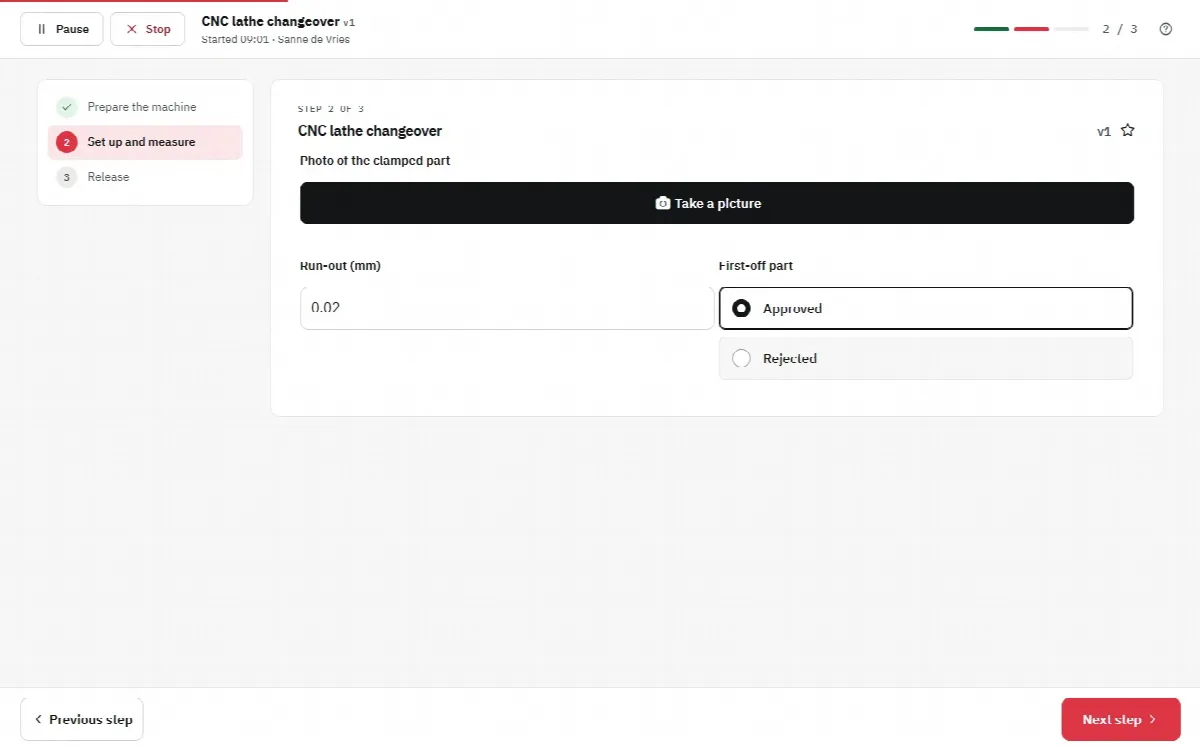
- Build checks into the instruction. A required photo of the result, a measured value or a choice between "correct" and "incorrect" shows what the operator saw and did.
- Look at the results. Repeated wrong values or missing photos at the same step point to a step that is not understood. Improve the step, not only the person.
- Make questions easy. Pair new colleagues with someone who speaks their language, and invite feedback on unclear steps.
What about the language of the software itself?
The content of an instruction is one thing; the buttons, menus and messages around it are another. If the software interface is only available in the local language, the operator still has to guess what "Next" or "Finish" means. Choose a system in which each user can pick the interface language, so that at least the controls are familiar.
How does this work with digital work instructions?
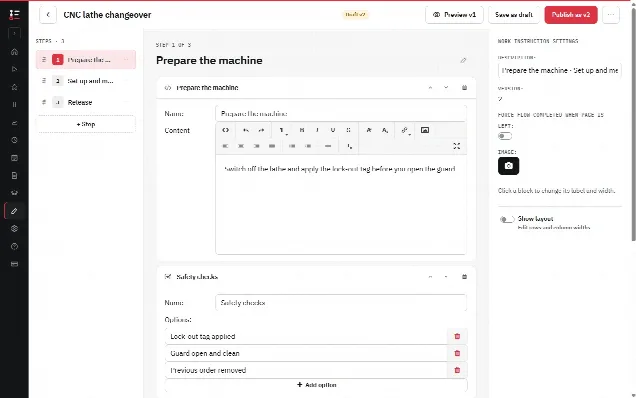
In the Work Instruction App each page can combine an explanation text with an image, a photo the operator takes, a video, a PDF or a YouTube clip. A photo work instruction is made by taking photos in sequence: every photo becomes a page with an optional caption and description, and a video work instruction works the same way with short clips. Steps that show content are described on display input, and steps that use the device, such as photo, barcode scan or audio recording, on device input.
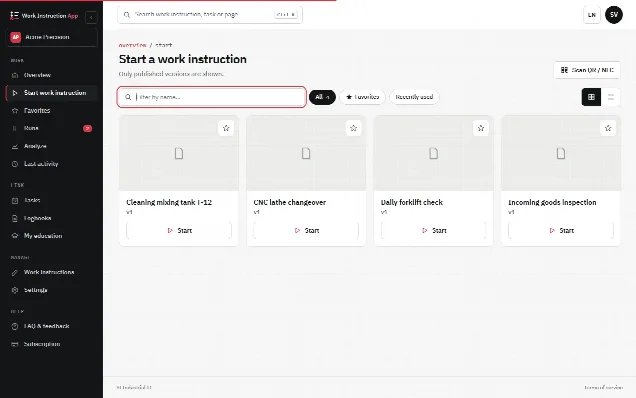
The interface of the app is available in English, Dutch and German, and each user chooses their own language. The content of a work instruction is written by you, in one language per instruction; the app does not translate it automatically. For a multilingual team you therefore rely on photos, video and short sentences, and where needed you write a separate version per language, for example with the language in the name. Publishing creates a new version and older versions stay traceable, so you can see which version of which language someone followed.
Steps can be marked as required, so Next and Finish only work when, for instance, the photo of the result has been taken. Every run records the user, time, version and every answer and photo, which shows where people struggle. Courses linked to work instructions and a skills matrix support knowledge management: who has completed which course.
For the method behind clear steps, see how to write a work instruction; why digital work instructions explains what changes when instructions move from paper to a screen.