In short: SOP and work instruction software is usually priced per user per month, sometimes per site or as an enterprise contract. Licence prices are the visible part; devices, implementation time and the cost of building the first instructions are the rest. Against that stands the cost of paper, which is close to zero to print and expensive to run. For a team of twenty operators, a single avoided rework batch or a much shorter audit preparation can already cover a large part of the yearly licence cost. This guide shows how to make that calculation for your own situation.
The three pricing models
| Model | How it works | Suits | Watch out for |
|---|---|---|---|
| Per user per month | Every person with an account pays a monthly price, often tiered by what they may do (execute, analyse, manage) | Small and medium teams, growing step by step | Counting every operator as a full-price user; check whether reader roles are cheaper |
| Per site or per line | A flat price per location regardless of the number of users | Plants with many operators and shared tablets | Minimum contract terms; extra modules priced separately |
| Enterprise contract | Negotiated annual price with implementation, integration and support included | Multi-site groups with integration needs | Long implementation projects before any instruction is live |
The Work Instruction App uses the first model with three tiers: Execute for operators who follow instructions, Analyze for people who review results, and Manage for those who create and publish. Current prices are on the pricing page; the mix of roles matters more than the list price, as the example below shows.
What drives the total cost
Licences
Multiply the number of users per role by the role price. Most companies overestimate this because they assume every operator needs the most expensive role. In practice a line with twenty operators needs twenty Execute licences, two or three Analyze licences for the team leader and quality, and one or two Manage licences for the people who write instructions.
Devices
Digital instructions run on any smartphone, tablet or PC with a browser. Most companies start with the phones operators already carry and a shared tablet at fixed workstations. A rugged tablet with a wall mount costs a few hundred euro once; a QR code costs nothing and an NFC tag under two euro.
Building the first instructions
This is the real investment: someone has to stand at the workstation, photograph the steps and write them down. Count roughly one to two hours per instruction for a good first version. Ten instructions for the first line are one to two working days. Templates and a method are in how to write a work instruction.
Implementation and integration
With a self-service tool, implementation is a matter of days: account, users, first instructions, tags on the machines. Integration with ERP or MES is optional and usually a second phase; for Exact Online it is available out of the box. Enterprise platforms often require a project before anything is live, which is where the largest hidden cost sits.
What paper costs you today
Paper instructions look free because printing is cheap. Their running costs are hidden in other budgets:
- Distribution and updates. Every change means reprinting, replacing sheets in binders at every workstation and hoping the old copies disappear. Count the hours per month.
- Rework and scrap from outdated information. One batch produced with an old torque value, an old label or a missing step can cost more than a year of licences.
- Audit preparation. Collecting signed checklists from binders for an ISO or customer audit takes days; with an execution log it is a filter on a screen.
- Onboarding. A new operator who depends on a colleague for every question costs two people's time for weeks.
- Missing evidence. A complaint without a record of what was done and checked cannot be defended, and a recall cannot be limited to the affected batch.
A worked example
A production line with twenty operators, two team leaders and one process engineer. Prices as listed on the pricing page at the time of writing, excluding VAT (Dutch prices).
| Item | Per month | Per year |
|---|---|---|
| 20 × Execute at 5 euro | 100 euro | 1,200 euro |
| 2 × Analyze at 50 euro | 100 euro | 1,200 euro |
| 1 × Manage at 100 euro | 100 euro | 1,200 euro |
| Two shared tablets with mounts (one-off) | – | about 600 euro |
| Building 15 instructions (about 25 hours) | – | about 1,250 euro of internal time |
| Total first year | about 5,450 euro |
Now the other side. If digital instructions prevent one rework batch of 3,000 euro, shorten audit preparation from three days to half a day (about 1,000 euro of internal time) and cut onboarding of four new operators by one week each (about 4,000 euro), the first-year return is roughly 8,000 euro against 5,450 euro of cost, and from the second year the licences are the only recurring cost. Your numbers will differ; the method does not.
How to calculate it for your team
- Count users per role: who only executes, who reviews, who creates.
- Add devices you actually need to buy, and the hours to build the first ten to fifteen instructions.
- Estimate what you lose today: rework and scrap caused by outdated information, audit preparation days, onboarding weeks, time spent distributing updates.
- Compare year one and the recurring years separately. The first year carries the build effort; from year two the return is almost entirely margin.
- Start with one line. A 30-day trial without a credit card is enough to replace the estimate in step 3 with your own measurements.
In practice with the Work Instruction App
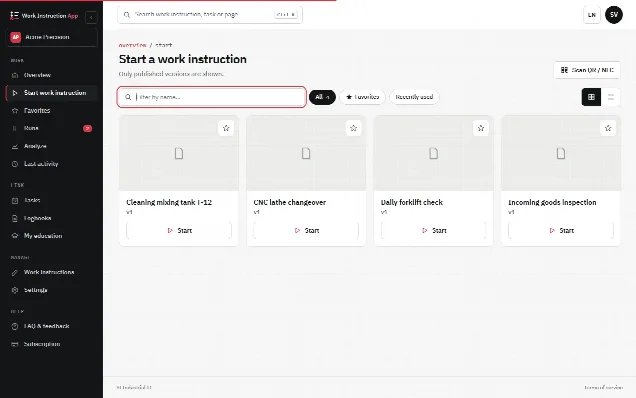
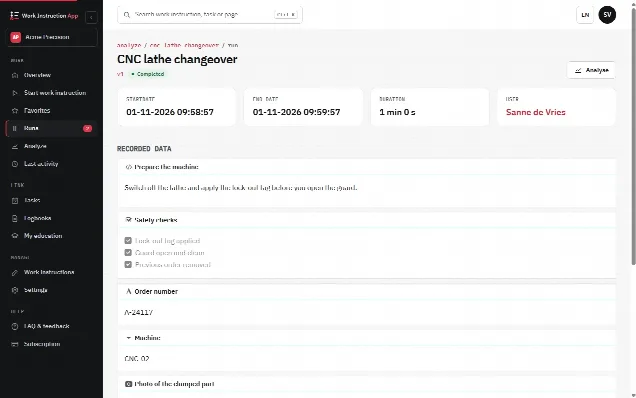
You pay per user per month, excluding VAT: Execute 5 euro, Analyze 50 euro and Manage 100 euro (Dutch prices; prices for customers outside the Netherlands are on the pricing page). If you want to share instructions with people who have no account, such as customers, temporary staff or suppliers, you add Public Access: 100 euro per month per division, with no licences for the readers. You build the instructions yourself in the browser, operators open them with a QR code or NFC tag at the machine and every run is recorded automatically. Analyze is the role for the dashboard and the run details; approving runs and reviewing new versions of work instructions needs Manage. Completed runs can be exported per work instruction and period to Excel or CSV. The getting started guide shows step by step how to set up the first instruction.
Questions to ask any vendor
- Is there a cheaper role for people who only follow instructions?
- Can people without an account follow a shared instruction (for customers, temporary staff, suppliers)?
- What is included in support, and what costs extra?
- Is there a minimum contract term or a minimum number of users?
- Can I export my instructions and records if I leave?
- Where is the data hosted, and who owns it?
The answers for the Work Instruction App are on the pricing page and in the subscription FAQ. If you want to compare paper and digital in more depth first, read digital work instructions versus paper.